This site uses cookies to enhance your user experience. By clicking any link on this site you are giving your consent to our cookie policy. Read more
Reject
Accept All

Advertiser and Editorial Disclosures

TurboTax: File Your Tax Return

TurboTax: File Your Tax Return

verified

Intuit Inc

4.1
Rating
10,000,000+ Downloads
12.2.1 Version
  • category

    Category: Finance

  • price

    Price: free

  • age rating

    Age Rating: Everyone

  • rating

    Rating: 4.1

  • available on

    Available on: /

  • updated on

    Updated on: Jun 26, 2026

Screenshot 1
Screenshot 2
Screenshot 3
Screenshot 4
Screenshot 5
Screenshot 6
Screenshot 7
Screenshot 8
Screenshot 9
Screenshot 10
Screenshot 11
Screenshot 12
Screenshot 13
Screenshot 14
Screenshot 15
Screenshot 16
Screenshot 17
Screenshot 18
Screenshot 19
Screenshot 20
Screenshot 21
Screenshot 22
Screenshot 23
Screenshot 24
Advertisement

Features & Highlights

Easy Step-By-Step Guidance

TurboTax offers a user-friendly interface that guides you through the tax filing process step-by-step. This makes it perfect for individuals who may feel overwhelmed by tax jargon, ensuring you don’t miss any crucial deductions or credits along the way.

Maximize Your Deductions

With TurboTax, you can rest assured that you’re getting the most out of your return. The software intelligently searches for applicable deductions and credits based on your specific situation, helping you keep more of your hard-earned money.

Real-Time Refund Tracker

Stay informed about your tax refund with TurboTax's real-time tracking feature. You can easily check the status of your return and see how much you can expect to receive, giving you peace of mind as you navigate the filing process.

Smart Import Features

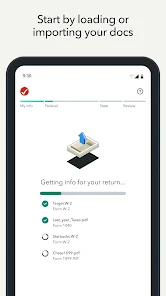
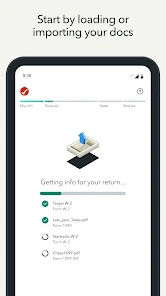
TurboTax simplifies your tax preparation by allowing you to import financial information directly from various sources, such as W-2 forms and investment accounts. This not only speeds up the process but also minimizes errors, making tax season a breeze.

Advertisement

Pros & Cons

Pros
  • Easy-to-use interface simplifies the tax filing process for everyone.
  • Maximize deductions with smart recommendations tailored to your situation.
  • Real-time error checks help prevent costly mistakes before submission.
  • Access expert support for personalized guidance whenever you need it.
  • Secure and fast e-filing ensures your refund arrives quickly and safely.
Cons
  • Limited customer support can lead to confusion during tax filing.
  • Software updates may not always reflect recent tax law changes.
  • The user interface can be overwhelming for first-time users.

Real Experience Using TurboTax: File Your Tax Return

Real Experience Application Scenarios

TurboTax is designed to cater to a wide range of tax filing needs, making it an ideal choice for various scenarios. Whether you're an individual filer, a freelancer, or a small business owner, TurboTax offers tailored solutions that fit your specific requirements. Users can select from different packages, including options for simple returns, self-employment income, and investment properties. The app is particularly useful during the tax season, allowing users to gather all necessary documents digitally and file their returns directly from their devices. Additionally, TurboTax integrates seamlessly with financial institutions, making it easy to import W-2s and 1099s, thereby reducing the time required for data entry. For those who are new to tax filing, the app includes step-by-step guidance, making the process less intimidating and more approachable.

User Experience

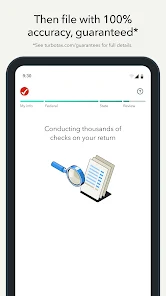
The user experience of TurboTax is one of its standout features. The app boasts an intuitive interface that simplifies navigation, allowing users to move through the tax filing process with ease. The question-and-answer format is particularly effective, as it breaks down complex tax terms into understandable language. Users appreciate the real-time calculations that display potential refunds or taxes owed as they input their information. The app also offers a robust FAQ section and a community forum where users can seek advice and share experiences. Many reviewers highlight the peace of mind that comes with TurboTax's accuracy guarantee, reassuring users that their filings are correct. Furthermore, the ability to file taxes on the go—whether from a smartphone or tablet—adds a level of convenience that modern users have come to expect.

Pricing

TurboTax offers a variety of pricing tiers based on the complexity of your tax situation. The basic version is often available for free for simple returns, while more advanced packages, such as those designed for self-employed individuals or those with extensive investments, range from $49 to $179. Users can also opt for additional services, such as live tax advice from a CPA or enrolled agent, which may incur extra charges. Although some users may find the pricing to be on the higher end compared to competitors, many believe that the comprehensive features and excellent user support justify the cost. During promotional periods, discounts may be available, making it more accessible for users who are looking to save on their tax preparation expenses.

Updates & Support

TurboTax regularly updates its app to ensure compliance with the latest tax laws and regulations, which is essential for maintaining accuracy in filings. Users can expect frequent updates that enhance functionality and user experience, addressing any bugs or issues promptly. Customer support is another area where TurboTax shines; users can access various support channels, including live chat, email assistance, and phone support. The extensive knowledge base and community forum provide additional resources for troubleshooting and guidance. Many users report a positive experience with customer support representatives, often describing them as knowledgeable and helpful. Overall, TurboTax seems committed to providing ongoing support and updates, ensuring that users have a reliable platform for their tax filing needs.

verified Security & Privacy Review

Security & Privacy Review TurboTax prioritizes user data security and privacy, employing advanced encryption methods to safeguard sensitive information during transmission and storage. The app utilizes SSL (Secure Socket Layer) technology, ensuring that all data exchanged between the user’s device and TurboTax servers is securely encrypted. Regarding privacy practices, TurboTax adheres to strict data protection policies, only collecting information necessary for tax preparation and filing. Users are informed about data usage through clear privacy policies, allowing them to make informed decisions regarding their information. The app requires essential permissions, such as access to the device’s camera for scanning documents and photos. However, it avoids excessive permissions that may compromise user privacy. Users have the option to manage their data, including deleting accounts and stored information, further enhancing control over personal data. Overall, TurboTax demonstrates a strong commitment to security and privacy, making it a reliable choice for users looking to file their taxes with confidence.
Advertisement

User Reviews

  • Casey Batson
    2026/02/14

    TurboTax is slowly becoming more and more like bad click-bait with all their internal ads and constantly trying to get you to upgrade. I used to do my taxes for free and took 10min max, but with all the extra "let's try to improve your return" they've become their own worst enemy. I now have to pay ($30+) to file, get charged for direct deposit (I dont care if its early I just don't want it to get lost in the mail), and it takes min 1hr now. Annoying, Tedious, Expensive.

  • Keith G
    2026/05/10

    The App has glitches and would not delete some forms it created, despite me deselecting the form (8822). The AI help did not provide appropriate solutions and no way to download the data already entered. My time is valuable. TurboTax obviously doesn't think so. I am severely disappointed. I have used the product for many years before, but I am inclined to torch that bridge and use another product that is user friendly and doesn't need further beta testing.

  • Lyna
    2026/05/11

    As a 1st timer preparing my own taxes, I thought I'd give Turbo tax a try. Unfortunately, I also had past returns to prepare. I didn't pay for any extra services other than downloading the prior years software. I should've done more research as I could've saved myself almost $300 using another legit site. All I had to pay was $17.99 there. I literally felt sick once I noticed as I already had to come up with the money to get ahead of things. At least I know for the future. Huge disappointment.

  • Virginia Lavoy
    2026/06/06

    Upgraded me without my permission, even though I declined the upgrade several times. Had to dispute an overage charge billed to my credit card. The app didn't even confirm the payment before submitting payment. I reported equal wins and losses for the lottery and it reduced my return amount without prompting me to the next step. I have been with them for YEARS and I will never return!!

  • Sonja Greer
    2026/06/08

    As a newby to the US, I thought turbo tax was great! It's since become expensive and frustrating. I accidentally created two accounts, paid tt fee, return was rejected. Realized I shouldn't have two accounts, I add business to my original account, pay tt fee again, return accepted. My refund request was denied (couple hundred dollars), and I have not as yet, to this date (4 months, and counting), been able to delete my secondary account. Avoid at all cost, see other reviews.

Review Source: Google Play store public user reviews.

FAQ

1

Can I submit suggestions or feedback to TurboTax: File Your Tax Return?

Yes, users can submit suggestions or feedback through the app or via TurboTax's official website, where they can also find additional support resources.

2

Does TurboTax: File Your Tax Return collect my personal data?

Yes, TurboTax: File Your Tax Return collects personal data necessary for tax preparation and filing, but it prioritizes security and privacy to protect user information.

3

Does TurboTax: File Your Tax Return support offline use?

TurboTax: File Your Tax Return primarily requires an internet connection to access its features and services, including filing your tax return and obtaining live support.

4

How do I cancel my TurboTax: File Your Tax Return subscription?

Users can cancel their subscription through their account settings within the app or by contacting TurboTax customer support for assistance.

5

How much does a subscription to TurboTax: File Your Tax Return cost?

Subscription costs vary based on the complexity of the tax return and the selected services, with different pricing tiers available for various filing options.

How to use TurboTax: File Your Tax Return

1

Can I access my TurboTax account from multiple devices?

Yes, you can log in to your TurboTax account from multiple devices as long as you have your login credentials.

2

Can I update my customer number in TurboTax?

Unfortunately, you cannot update your customer number. If you need assistance, please contact customer service for further help.

3

How can I contact TurboTax customer service for help?

You can reach TurboTax customer service by calling their support number or using the chat feature on their website for assistance.



4

How do I activate my TurboTax account after purchase?

To activate your TurboTax account, log in with your email and password, then follow the prompts to enter your activation code.

5

How do I change my account email for TurboTax?

Log in to your TurboTax account, go to your profile settings, and update your email address there. You may need to verify the new email.

What's New

Missed the extension deadline? You can still file your taxes.

Editor's Choice