This site uses cookies to enhance your user experience. By clicking any link on this site you are giving your consent to our cookie policy. Read more
Reject
Accept All

Advertiser and Editorial Disclosures

Wealthfront: Save and Invest

Wealthfront: Save and Invest

verified

Wealthfront

4.9
Rating
500,000+ Downloads
2026.07.06.3 Version
  • category

    Category: Finance

  • price

    Price: free

  • age rating

    Age Rating: Everyone

  • rating

    Rating: 4.9

  • available on

    Available on: /

  • updated on

    Updated on: Jul 6, 2026

Screenshot 1
Screenshot 2
Screenshot 3
Screenshot 4
Screenshot 5
Screenshot 6
Screenshot 7
Screenshot 8
Advertisement

Features & Highlights

Automated Investment Management

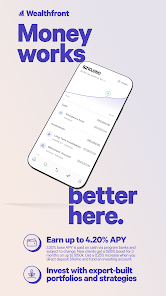
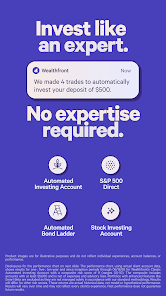
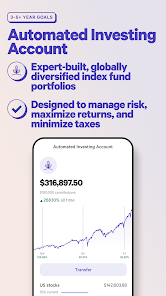
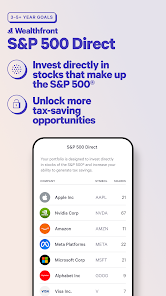
Wealthfront offers automated investment management that takes the guesswork out of growing your wealth. By utilizing advanced algorithms, the app creates a personalized portfolio tailored to your financial goals, ensuring your investments are optimized for long-term growth without the hassle of constant monitoring.

Cash Account Benefits

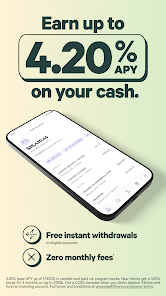
The Wealthfront Cash Account provides a high-interest rate on your savings with no fees, combining the benefits of a traditional bank account with modern technology. This feature allows you to earn more on your cash while enjoying seamless access to your funds, making saving effortless and rewarding.

Goal-Oriented Savings

With Wealthfront's goal-oriented savings feature, you can easily set and track your financial objectives. The app helps you prioritize your savings, whether it's for a vacation, a new home, or retirement, making it simple to visualize your progress and stay motivated along the way.

Tax-Loss Harvesting

Wealthfront includes tax-loss harvesting as a built-in feature to help you maximize your investment returns. This sophisticated strategy involves selling underperforming investments to offset taxes on gains, allowing you to keep more of your hard-earned money and improve your overall financial health.

Advertisement

Pros & Cons

Pros
  • Wealthfront offers automated investing for effortless portfolio management.
  • Enjoy tax-loss harvesting to maximize your returns.
  • Save for goals with customizable financial planning tools.
  • Low fees ensure more of your money works for you.
  • Access to personalized advice from experienced financial professionals.
Cons
  • Limited investment options may not suit diverse financial goals and preferences.
  • High fees on certain accounts can reduce overall returns over time.
  • Automated services may lack the personalized guidance some investors need.

Real Experience Using Wealthfront: Save and Invest

Application Scenarios

Wealthfront: Save and Invest is designed for a wide range of financial situations, making it an ideal application for both novice investors and seasoned finance enthusiasts. Whether you're looking to save for a major purchase, like a home or a car, or seeking to invest for retirement, Wealthfront offers tailored solutions to meet diverse financial goals. Users can easily set up automatic contributions to their investment accounts, ensuring that they are consistently saving and growing their wealth over time. The app also caters to those who wish to save for short-term goals, such as vacations or emergency funds, by providing high-interest savings accounts. Additionally, Wealthfront's financial planning tools allow users to create personalized financial plans based on their income, expenses, and future aspirations, making it a versatile tool for anyone looking to improve their financial health.

User Experience

The user experience of Wealthfront is characterized by its intuitive interface and seamless navigation. Upon launching the app, users are greeted with a clean dashboard displaying their account balances, investment performance, and savings progress. Setting up an account is straightforward, with guided prompts that lead users through the onboarding process. The app's design prioritizes user-friendliness, making it accessible for individuals with varying levels of financial literacy. Furthermore, the investment tracking feature provides real-time updates on portfolio performance, allowing users to make informed decisions. Alerts and notifications keep users engaged and informed about market changes and account activities. Overall, Wealthfront ensures that the user experience is not only efficient but also empowering, helping users gain confidence in their financial decisions.

Pricing

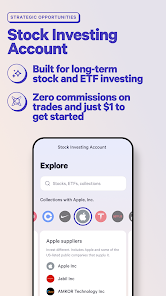
Wealthfront operates with a transparent pricing model, which is a significant advantage for users who may be wary of hidden fees. The app charges a management fee of 0.25% annually on assets under management, which is competitive in the industry. Additionally, there are no trading fees or commissions, allowing users to invest without worrying about regular charges eating into their returns. For those who utilize the high-interest savings account, the interest earned is generally higher than traditional savings accounts, providing an extra incentive to save. Overall, Wealthfront's pricing structure is designed to be budget-friendly while delivering robust features, making it an attractive option for individuals looking to maximize their investment without incurring excessive costs.

Updates & Support

Wealthfront is committed to providing regular updates to enhance user experience and introduce new features. The app frequently rolls out improvements based on user feedback, ensuring that it stays relevant in the ever-changing financial landscape. Users can expect updates that include enhanced investment options, improved financial planning tools, and new educational resources. Support is another strong aspect of Wealthfront, with a dedicated customer service team available via chat and email to assist users with any inquiries or issues they may encounter. Additionally, the app features a comprehensive help center, offering articles and FAQs that cover various topics related to investing and saving. With ongoing updates and reliable support, Wealthfront demonstrates a commitment to continuously improving the user experience and ensuring customer satisfaction.

verified Security & Privacy Review

Security & Privacy Review Wealthfront takes the security of its users' data seriously, employing robust encryption protocols to protect sensitive information both in transit and at rest. The app utilizes bank-level security measures, including two-factor authentication (2FA), to ensure that only authorized users have access to their accounts. In terms of privacy practices, Wealthfront is transparent about its data collection and usage policies. User data is primarily utilized for account management and personalized financial advice, with strict guidelines in place to limit sharing with third parties. The app does not sell personal information to advertisers, which aligns with best practices in user privacy. Regarding permissions, Wealthfront requests only essential access to user devices, ensuring minimal intrusion. Users can manage their privacy settings easily within the app, allowing for greater control over what data is shared and how it is used. Overall, Wealthfront demonstrates a strong commitment to protecting user data and maintaining privacy, making it a reliable choice for managing finances.
Advertisement

User Reviews

  • J
    2024/07/27

    Great service, exceptionally low fees, basic dashboard to keep all accounts together. Terrible UI for modern features. It's got categories, great, but not a way to lock them, or to sort them like a playlist, it just goes by amounts. And what's worse is users cannot directly deposit money into categories which becomes a nightmare when using it as a debit card.

  • Henly Hewan
    2024/12/20

    Does what it says it will, particularly, a simple way to set up a high yield saving account. What's even better, is that it tracks my cash and investments across various accounts. 4/5 stars because it does not initially let you deposit checks by photo until you've moved some secret amount of money into the account. There's also a digital debit card that I was not granted access to immediately, but did eventually get again after meeting some secret criteria. More transparency is needed.

  • Daniel Wollin
    2021/04/20

    It was easy to set up the account and start the investing, but I removed a star because I think the interface could really use some work. I started a general investment fund but they treated it like a retirement account. I wanted to set a different withdrawal date and finally figured it out, but its not very intuitive. Also, I would love to see more stats, which stocks and bonds I'm invested in, how it does day to day, how much I've gained since inception, etc.

  • A Google user
    2019/05/15

    As long as you understand how to use this app, it's great. Put money in once a month and forget about it. Wealthfront will handle the slow growth and save you little bits on your taxes. It's still stocks, so there will be short-term dips based on market performance. I was tempted to pull the money out when it went negative early on, but I stuck with it and it eventually bounced back.

  • Samuel Davis
    2024/11/03

    The UX is great, I find it very intuitive. I also really enjoy playing with the estimates: how would my retirement age change if I bought a house, saved more money, etc. The app is *almost* gamified, and I notice that it subtly presents the idea I'm doing better than I am: adjusting the time frame for investment payback can dramatically change the the reported return rate on investments. All that being said, it's very easy, I think it gives a good overview, and is a good additional investment.

Review Source: Google Play store public user reviews.

FAQ

1

Can I submit suggestions or feedback to Wealthfront: Save and Invest?

Yes, Wealthfront encourages users to submit suggestions or feedback via the app or through their website to help improve the platform and user experience.

2

Does Wealthfront: Save and Invest collect my personal data?

Yes, Wealthfront: Save and Invest collects personal data necessary for account setup, investment management, and compliance with regulations. However, they implement strong security measures to protect user information.

3

Does Wealthfront: Save and Invest support offline use?

Wealthfront: Save and Invest requires an internet connection to function, as it relies on real-time data for investment management and account updates. Offline access is not supported.

4

How do I cancel my Wealthfront: Save and Invest subscription?

Users can cancel their subscription directly through the app or by contacting Wealthfront's customer support for assistance with the cancellation process.

5

How much does a subscription to Wealthfront: Save and Invest cost?

Wealthfront generally charges a management fee of 0.25% per year on assets under management, but specific costs may vary based on the services used.

How to use Wealthfront: Save and Invest

1

Can I change my customer number after activation?

Unfortunately, customer numbers cannot be changed after activation. If you have concerns, please contact customer service for further guidance.

2

How can I activate my Wealthfront account?

You can activate your account by following the link in the activation email you received after signing up. If you didn't receive it, please contact customer service.

3

How can I contact customer service for help with my Wealthfront account?

You can reach customer service through the Help Center on the Wealthfront website or by emailing support

4

How can I verify my customer number if I can't log in?

If you can't log in, contact customer service directly for assistance in verifying your customer number.

5

How do I log in to my Wealthfront account?

To log in, go to the Wealthfront website and enter your email and password in the login section.

What's New

We release the Wealthfront app every week with the latest product launches, quality improvements, bug fixes and other updates. Be sure to keep your app up to date for the best experience!


Editor's Choice