This site uses cookies to enhance your user experience. By clicking any link on this site you are giving your consent to our cookie policy. Read more
Reject
Accept All

Advertiser and Editorial Disclosures

Filmora: Movie & Video Editor

Filmora: Movie & Video Editor

verified

Wondershare Filmora

4.0
Rating
100,000,000+ Downloads
15.5.60 Version
Screenshot 1
Screenshot 2
Screenshot 3
Screenshot 4
Screenshot 5
Screenshot 6
Screenshot 7
Screenshot 8
Advertisement

Features & Highlights

AI-Powered Editing

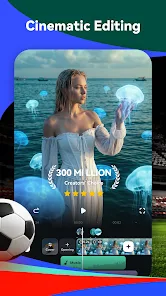
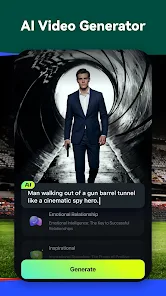
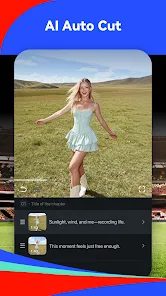
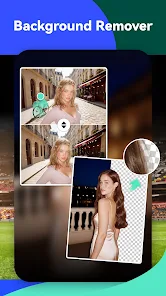
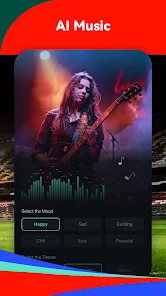
Filmora harnesses the power of AI to streamline your video editing process. Its intelligent features automatically analyze your footage, making smart suggestions for cuts, transitions, and effects, allowing you to create stunning videos without the steep learning curve.

Advanced Export Options

Filmora offers a variety of export settings tailored to your needs, whether you're sharing on social media or creating high-quality files for professional use. You can choose from different resolutions and formats, ensuring your final product looks great on any platform.

Rich Media Library

Access a vast library of royalty-free music, sound effects, and stock footage directly within the app. This rich media collection enhances your videos and saves you time searching for the right audio or visuals, ensuring your projects always have the perfect finishing touch.

User-Friendly Interface

Designed with simplicity in mind, Filmora's intuitive interface makes it easy for anyone to jump in and start editing. Whether you’re a beginner or a seasoned pro, you'll appreciate how quickly you can navigate the tools and get your project underway.

Advertisement

Pros & Cons

Pros
  • User-friendly interface simplifies video editing for all skill levels.
  • AI-powered features enhance creativity by automating tedious tasks.
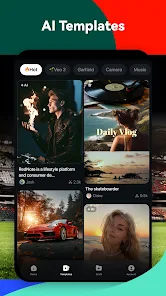
  • Vast library of effects and templates sparks inspiration for unique projects.
  • Seamless integration with various formats ensures compatibility across platforms.
  • Affordable pricing plans provide excellent value for high-quality video production.
Cons
  • Limited advanced editing features compared to professional software options.
  • Performance can lag with larger projects or high-resolution files.
  • Subscription model may become costly for long-term users.

Real Experience Using Filmora: Movie & Video Editor

Real Experience Application Scenarios

Filmora: AI Video Editor & Maker is designed for a wide range of users, from amateur videographers to seasoned content creators. Whether you’re creating a personal vlog, producing professional marketing materials, or editing family videos, Filmora offers tools that cater to diverse needs. You can seamlessly create stunning videos for social media platforms like Instagram and TikTok, or compile cinematic travel montages to share with friends. The app's user-friendly interface allows for quick edits, making it ideal for users who may not have extensive video editing experience. Additionally, the AI features streamline the editing process, allowing users to focus more on creativity rather than technicalities.

User Experience

The user experience with Filmora is generally positive, as it strikes a balance between functionality and accessibility. The intuitive layout makes it easy to navigate through various tools and features. Users appreciate the drag-and-drop functionality, which simplifies the process of adding media files. The editing features, such as trimming, splitting, and merging videos, are straightforward, while the inclusion of advanced options like color correction, audio equalization, and motion tracking adds depth for more experienced users. The AI-driven features, such as automatic scene detection and smart video enhancements, significantly reduce the time required for editing. However, some users have reported occasional lag during heavy editing sessions, particularly on older devices.

Pricing

Filmora offers a competitive pricing structure that caters to different user needs. The app provides a free version with basic features, allowing users to explore its capabilities without financial commitment. For those seeking advanced features, the subscription model includes monthly and annual plans, providing access to premium effects, templates, and additional storage. The one-time purchase option also appeals to users who prefer a single payment rather than ongoing subscriptions. Overall, Filmora's pricing is considered reasonable, especially when compared to other professional video editing software.

Updates & Support

Filmora is committed to enhancing user experience through regular updates that introduce new features and fix bugs. Users can expect periodic upgrades that improve functionality, add fresh templates, and incorporate the latest trends in video editing. Customer support is readily available through various channels, including a comprehensive help center, tutorials, and community forums. While response times can vary, most users find that the support team is knowledgeable and eager to assist. The continuous effort to improve the app through user feedback is a testament to Filmora’s dedication to its user base.

verified Security & Privacy Review

Security & Privacy Review Filmora: AI Video Editor & Maker prioritizes user data security and privacy, implementing robust measures to protect personal information. The app utilizes encryption protocols to safeguard data during transmission, ensuring that users' videos and projects remain confidential. In terms of permissions, Filmora requires access to the device's camera, microphone, and storage, which are essential for video editing and creation. Users are prompted to grant these permissions upon installation, and the app provides clear explanations of why each permission is necessary. Filmora's privacy policy outlines its commitment to transparency, detailing how user data is collected, used, and shared. The app does not sell user data to third parties, and it allows users to manage their data preferences directly within the app. Overall, Filmora demonstrates a strong commitment to protecting user privacy and security, making it a reliable choice for those seeking a feature-rich video editing experience without compromising personal data.
Advertisement

User Reviews

  • Mathew Horne
    2026/06/15

    The app was wonderful! I paid for Pro, and I got a good set of tools. Now they want to transition to a subscription model and basic tools and transitions are being moved behind the new paywall – tools that were previously included with my Lifetime Pro payment! Nice. their response was cut off and ignores that tools really are disappearing. transition b10 just for a start. I had access up until a few days ago.

  • elektrikkz
    2026/06/07

    It just keeps getting worse. First, I had to stop filming in HDR because Filmora couldn't handle it. Now, many of the transitions, fonts, and editing elements I had access to with my perpetual Pro subscription are now locked behind a new $20/month "Premium" subscription. How much greedier can Wondershare get?? Do yourself a favor and never deal with this app or company. Edit for Developer: No, I will NOT be leaving feedback. I have done so with every issue and hear nothing back. REVERT THIS!!!

  • RECALL SOCIALISM
    2026/01/21

    They claim that it works cross-platform so that you should be able to download it on your cell phone as well as your desktop and it's supposed to be the same package. however there's never a live person to assist you end up paying twice for each product otherwise they prevent your product from being rendered until you pay the ransom of double payments. I have lost so much money needlessly. until I can reach a real person all I can say is that the company is lying to the product users.

  • Jean Claude Vanderfield
    2026/06/16

    difficult to use and you lose your benefits as they update. I paid several hundred dollars to get their editing software, and 12 months later they changed everything and I only had the very VERY basic resources. Even got locked out of my own account and had to get them to fix the issue. Will never use their products again, very unfaithful to their clients.

  • SasquatchRedman
    2025/01/26

    In order to use you have to pay first, but there's a free trial. Great! I check it out, decent introducion. Go to use, and the AI doesn't follow the script at all. It doesn't even produce the correct background. Also, I don't like that you can't just make a video. I'm sure you can mute the AI voice over and music, but considering the video was never correct I never bothered to check, but the fact it's built in kinda sucks.

Review Source: Google Play store public user reviews.

FAQ

1

Can I submit suggestions or feedback to Filmora:AI Video Editor, Maker?

Yes, users can submit suggestions or feedback through the app or the official Filmora website, where they can share their thoughts and ideas for future updates.

2

Does Filmora:AI Video Editor, Maker collect my personal data?

Filmora: AI Video Editor, Maker may collect certain personal data as outlined in its privacy policy, primarily for enhancing user experience and improving app functionality.

3

Does Filmora:AI Video Editor, Maker support offline use?

Yes, Filmora: AI Video Editor, Maker allows users to edit videos offline, enabling them to work without an internet connection.

4

How do I cancel my Filmora:AI Video Editor, Maker subscription?

To cancel your subscription, you can go to your account settings within the app or the app store where you subscribed and follow the cancellation instructions provided.



5

How much does a subscription to Filmora:AI Video Editor, Maker cost?

The subscription cost for Filmora: AI Video Editor, Maker varies based on the plan selected, typically offering monthly, yearly, or lifetime options.

How to use Filmora: Movie & Video Editor

1

Can I log in on multiple devices with the same account?

Yes, you can log in on multiple devices, but make sure to check the licensing terms for usage limits.

2

How can I contact customer service for Filmora?

You can reach customer service through the support section on our website or by using the contact form provided.

3

How can I update my customer number if it changes?

If your customer number changes, please contact customer service with your new details to update your account information.

4

How do I log in to my Filmora account?

To log in, visit the Filmora website, click on the login button, and enter your registered email and password.

5

How do I reach customer service for account activation issues?

You can reach customer service via the support page on our website or use the live chat feature for immediate help.

What's New

Fixed some issues to improve the user experience and video generation speed.

Editor's Choice