This site uses cookies to enhance your user experience. By clicking any link on this site you are giving your consent to our cookie policy. Read more
Reject
Accept All

Advertiser and Editorial Disclosures

Uber Eats: Food and Grocery

Uber Eats: Food and Grocery

verified

Uber Technologies, Inc.

4.6
Rating
100,000,000+ Downloads
6.283.10001 Version
  • category

    Category: Food & Drink

  • price

    Price: free

  • age rating

    Age Rating: Everyone

  • rating

    Rating: 4.6

  • available on

    Available on: /

  • updated on

    Updated on: Jul 6, 2026

Screenshot 1
Screenshot 2
Screenshot 3
Screenshot 4
Screenshot 5
Screenshot 6
Screenshot 7
Screenshot 8
Screenshot 9
Screenshot 10
Screenshot 11
Screenshot 12
Screenshot 13
Screenshot 14
Screenshot 15
Screenshot 16
Screenshot 17
Screenshot 18
Screenshot 19
Screenshot 20
Screenshot 21
Advertisement

Features & Highlights

Grocery Delivery Service

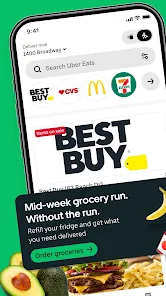
In addition to meals, Uber Eats provides a grocery delivery service that lets you stock up on essentials without leaving your home. Browse through a curated selection of items from local grocery stores and have them delivered quickly, saving you time and effort.

Personalized Recommendations

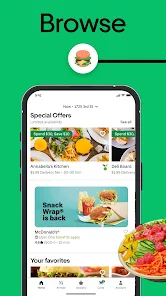
Uber Eats leverages your preferences and past orders to offer personalized meal suggestions, making it easier for you to discover new favorites. This tailored approach enhances your overall experience, helping you find delicious options that match your taste.

Real-Time Order Tracking

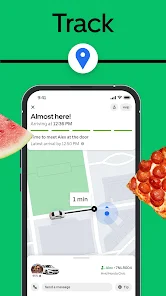
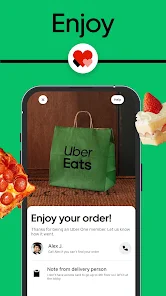
Stay updated on your order with real-time tracking features that let you see exactly when your food or groceries will arrive. With live updates and estimated delivery times, you can plan your day better and ensure you're ready when your order arrives.

Seamless Food Delivery

Uber Eats offers a smooth and efficient food delivery experience, connecting you with a wide range of local restaurants and cuisines. With just a few taps, you can have your favorite meals delivered right to your doorstep, making dining at home both convenient and enjoyable.

Advertisement

Pros & Cons

Pros
  • Convenient delivery from local restaurants right to your door.
  • Wide selection of cuisines to satisfy any craving.
  • Grocery options available for easy shopping at home.
  • User-friendly app makes ordering quick and simple.
  • Real-time tracking ensures you know when your order arrives.
Cons
  • High delivery fees can increase overall meal costs for customers.
  • Limited availability of restaurants may restrict dining options.
  • Delivery times can be inconsistent, affecting meal freshness and quality.

Real Experience Using Uber Eats: Food and Grocery

Application Scenarios

Uber Eats: Food and Grocery is designed to cater to a wide array of scenarios, making it a versatile choice for users. Whether you're at home on a lazy Sunday afternoon, at the office during lunch hours, or even hosting a gathering with friends, the app simplifies the ordering process for food and groceries. It seamlessly connects users to local restaurants and stores, allowing you to explore a broad range of cuisines or pick up essential grocery items. The app's functionality is particularly beneficial during busy weekdays when time is limited, or on weekends when one prefers not to cook. Additionally, the option to schedule deliveries in advance adds a layer of convenience for those planning meals ahead of time.

User Experience

The user experience on Uber Eats is generally intuitive and user-friendly. Upon opening the app, users are greeted with a clean interface that makes navigation effortless. The search functionality allows for easy filtering by cuisine, dietary preferences, or even customer ratings. The order tracking feature is a highlight, providing real-time updates on food preparation and delivery status, which enhances the overall experience. Moreover, the app's ability to store previous orders simplifies the reordering process. However, occasional glitches or slow loading times can occur, particularly during peak hours, which can be frustrating. Still, the overall design and functionality create an enjoyable experience for users looking to satisfy their cravings quickly.

Pricing

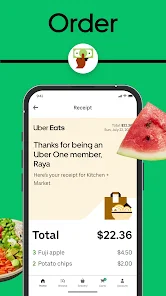
Pricing on the Uber Eats app varies depending on the chosen restaurant and the items ordered. The platform is known for its competitive pricing, often featuring promotions and discounts that can make ordering more affordable. However, users should be aware of additional delivery fees and service charges that can apply, especially during busy times or in certain locations. While the app offers a subscription service called Uber Eats Pass, which provides free delivery and discounts on orders, it may not be necessary for casual users. Overall, while prices can fluctuate, there are options available to suit various budgets.



Updates & Support

Uber Eats frequently rolls out updates to enhance functionality and user experience. These updates often include new features, improved performance, and expanded restaurant partnerships, keeping the app fresh and relevant. The support system is also robust, offering users multiple avenues for assistance, including in-app chat support, email, and an extensive FAQ section. Customers generally find the support team responsive and helpful in resolving issues or answering queries. In conclusion, the continuous updates and strong support framework contribute positively to the overall experience of using the Uber Eats app.

verified Security & Privacy Review

The security and privacy practices of Uber Eats: Food and Grocery are critical to ensuring a safe user experience. The app employs encryption protocols to protect sensitive user data, including payment information and personal details. Users are encouraged to enable two-factor authentication, adding an extra layer of security to their accounts. Regarding permissions, Uber Eats requests access to location, contacts, and notifications. While location access is essential for delivery accuracy, users should be mindful of their privacy and limit permissions according to their comfort level. The app provides transparency about data collection, outlining what information is gathered and how it is used, which helps build user trust. Uber Eats adheres to strict data handling practices, ensuring that user information is not shared with third parties without consent. Regular updates and security patches aim to mitigate potential vulnerabilities. Overall, Uber Eats demonstrates a commitment to protecting user data while providing a convenient food and grocery delivery service.
Advertisement

User Reviews

  • Benjamin Debo
    2026/03/07

    Used it because a couple restaurants I like moved here from Doordash and I'm disappointed. The fees are worse and the food took an hour and 15 minutes to arrive and the driver didn't follow instructions on where to drop off the food. Everytime I order using this app it takes forever and always says the driver has to make multiple stops. Also there's ads EVERYWHERE on this app and some seem like scams. Also also you can only see where the driver is when they're close to you, unhelpful.

  • Deb Santos
    2024/10/28

    If the store and driver are competent, there is usually not a problem. But if one is off, your order can be late, have missing items or be totally lost. Customer service is difficult to get a hold of. You have to use website not app. Plus agents are rude and try to rush you along. For example, Danica could give me a refund for 2 of my missing/wrong items but the 3rd missing item was beyond her scope to handle. She credited the separate order of fries but not the kids meal missing fries

  • Cole Hatton
    2025/08/30

    I canceled an order 5-10 minutes after placing it. Uber Eats took the whole payment regardless and refused, several times, a refund. I asked customer service three times to refund because it was only 5-10 minutes after placing the order, and they ended the "chat" each time. I remember the days when customer service was over the phone, or you could properly dispute a case. It is absurd, no matter the store, to pay almost full price if you cancel an order within a decent time range. Absurd.

  • Nathaniel Leach
    2024/10/13

    I don't recommend any of these delivery apps. I recently switched from Door Dash to Uber Eats. I made an order, and when the driver arrived, they mentioned that the items I ordered were missing and that the order needed to be canceled. Canceling the order on my phone ended up charging me $28. I contacted support, and they basically said theres nothing they can do because I canceled the order.

  • Troy Andrade
    2025/07/22

    Absolutely atrocious customer service. I've tried many times to accept this app but it's horrible. Not once have I had an order be correct, and only once have I been refunded for my issues. I've had food come with mistakes, food missing all together, etc. No way to talk to a real person to get this dealt with properly. Tried ordering again today, missing four sandwiches, the app OVERCHARGING me for items NOT on my list, time to dispute with my bank. I beg of you, don't use this app!

Review Source: Google Play store public user reviews.

FAQ

1

Can I submit suggestions or feedback to Uber Eats: Food and Grocery?

Yes, users can submit suggestions or feedback through the app's feedback feature or by contacting customer support directly.

2

Does Uber Eats: Food and Grocery collect my personal data?

Yes, Uber Eats: Food and Grocery collects personal data such as location, payment information, and order history to enhance user experience and for marketing purposes.

3

Does Uber Eats: Food and Grocery support offline use?

No, Uber Eats: Food and Grocery requires an internet connection to browse menus and place orders, so it does not support offline use.

4

How do I cancel my Uber Eats: Food and Grocery subscription?

You can cancel your subscription through the app settings or by contacting customer support for assistance.

5

How much does a subscription to Uber Eats: Food and Grocery cost?

A subscription to Uber Eats: Food and Grocery typically costs a monthly fee, which varies based on location and available promotions.

How to use Uber Eats: Food and Grocery

1

Can I change my account details after logging in?

Yes, you can change your account details in the settings section once you log in.

2

How can I contact customer service for Uber Eats?

You can reach Uber Eats customer service through the app or website by navigating to the Help section.

3

How can I get help with my grocery order?

For grocery order issues, contact Uber Eats customer service through the app for quick assistance.

4

How do I activate my Uber Eats account?

To activate your account, follow the link sent to your email after registration. If you didn't receive it, check your spam folder or contact customer service.

5

How do I reach customer service if I have a complaint?

You can submit your complaint through the Help section in the app or website for customer service to review.

What's New

We update the Uber Eats app as often as possible to make it faster and more reliable for you.Love the app? Rate us! Your feedback keeps the Uber Eats running.Have a question? Tap Help in the Uber Eats app or visit help.uber.com.

Editor's Choice