







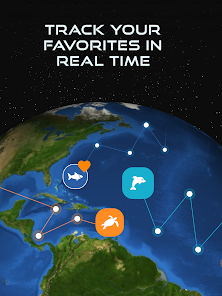
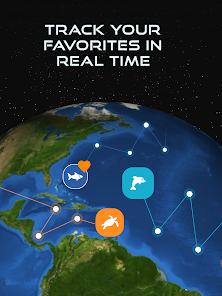
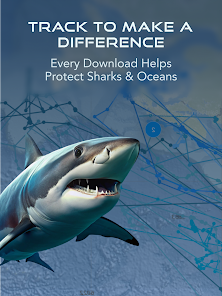
The OCEARCH Shark Tracker is an incredible tool that allows us to track the movements of sharks in real time. By tagging sharks with GPS devices, we are able to follow their every move and learn more about their behavior and habits. This information is vital for conserving these amazing creatures and ensuring their survival for future generations.
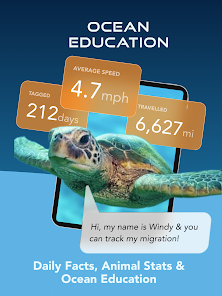
The OCEARCH Shark Tracker app is one of the coolest apps I've seen in a while. It allows you to track the movements of sharks in real-time, which is pretty amazing. The OCEARCH Shark Tracker app allows users to track the location of tagged sharks in real-time. Users can also view information about each shark, including its size, weight, and species. There are a few pros and cons to the OCEARCH Shark Tracker app. On the plus side, the app is free to download and use. It also provides users with information on where sharks have been recently spotted, which can be helpful for avoiding them. The app also features some interesting photos and videos of sharks.Features and Functions
There are a few different ways to view the data on the app. You can see a map of all the current shark sightings, or you can choose to view specific sharks that you're interested in. There's also a lot of information about each shark, including its size, weight, and where it was last seen.
Overall, I think this is a really cool app and I would definitely recommend it to anyone who's interested in sharks or wants to learn more about them.How to Use OCEARCH Shark Tracker
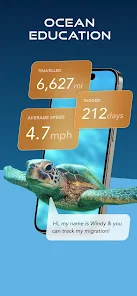
To use the app, simply search for a shark by its name or tag number. Once you find the shark you're looking for, you can view its current location on a map. You can also view information about the shark, including its size, weight, and species.
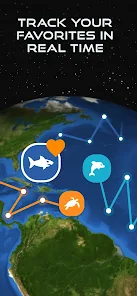
If you're interested in tracking a specific shark, you can add it to your "Favorites" list. To do this, simply tap the heart icon next to the shark's name. Once a shark is added to your Favorites list, you'll receive notifications any time it is located.
The OCEARCH Shark Tracker app is a great way to stay up-to-date on the whereabouts of these amazing creatures.Pros & Cons
On the downside, the OCEARCH Shark Tracker app is not available for all devices. It also doesn't provide as much information on each individual shark as some other apps do.

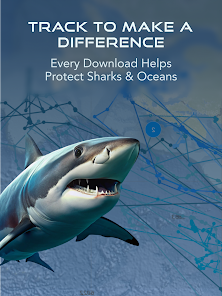
 Access real-time data on shark movements for safer ocean activities. Contribute to vital research efforts to protect shark populations and marine ecosystems. Engage with a global community passionate about shark conservation and awareness. Track individual sharks to learn about their behavior and migration patterns. Experience interactive mapping that enhances understanding of oceanic wildlife dynamics.
 Limited coverage area may miss important shark migration patterns Data may not be real-time, affecting timely insights User interface can be confusing for non-technical users Reliance on tagged sharks limits understanding of untagged populations
 OCEARCH Shark Tracker™ may collect certain user data to enhance user experience and improve app functionality, but it is committed to user privacy and data protection. Always check the privacy policy for specifics on data collection.
OCEARCH Shark Tracker™ is available for free, allowing users to track sharks and access various features without any initial cost. Some premium features may require a subscription.
Yes, OCEARCH Shark Tracker™ requires an internet connection to access real-time tracking data and updates. However, some educational resources may be available offline once downloaded.
You can contact support or send feedback through the app by accessing the support section or visiting the official OCEARCH website, where you can find contact information for customer service.
You can manage or cancel your subscription directly through the app store on your device (Apple App Store or Google Play Store) where you initially subscribed. Follow the instructions provided to modify your subscription settings.
You can contact customer service through the app's support section or visit their website for assistance.
The customer number can typically be found in the app's settings or help section.
Open the app and enter your credentials on the login screen, or use social media accounts for quick access.
The app does not require activation; simply download it and start using it.







 Google Play
  App Store