This site uses cookies to enhance your user experience. By clicking any link on this site you are giving your consent to our cookie policy. Read more
Reject
Accept All

Advertiser and Editorial Disclosures

Land Nav Assistant

Land Nav Assistant

verified

Land Nav Assistant

4.1
Rating
50,000+ Downloads
2024050107 Version
  • category

    Category: Navigation

  • price

    Price: $2.99

  • age rating

    Age Rating: Everyone

  • rating

    Rating: 4.1

  • available on

    Available on: /

  • updated on

    Updated on: May 1, 2024

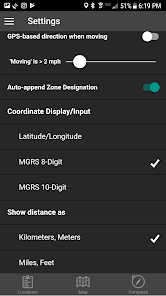
Screenshot 1
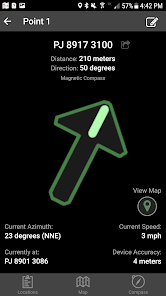
Screenshot 2
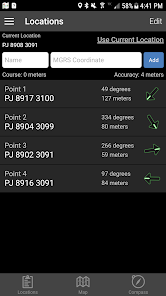
Screenshot 3
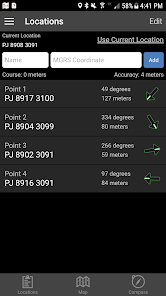
Screenshot 4
Screenshot 5
Screenshot 6
Screenshot 7
Screenshot 8
Screenshot 9
Screenshot 10
Screenshot 11
Screenshot 12
Screenshot 13
Screenshot 14
Screenshot 15
Screenshot 16
Screenshot 17
Screenshot 18
Screenshot 19
Screenshot 20
Screenshot 21
Screenshot 22
Screenshot 23
Advertisement

Features & Highlights

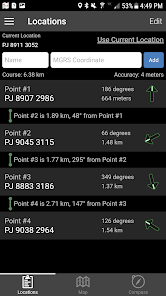
Customizable Waypoints

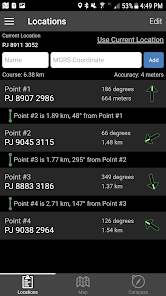
With customizable waypoints, you can personalize your navigation experience to suit your unique journey. Mark important locations, add notes, and categorize waypoints to easily identify them later, making your navigation both efficient and tailored to your preferences.

Offline Map Access

Never worry about losing connectivity in remote areas again! Land Nav Assistant provides offline map access, allowing you to download maps in advance and navigate seamlessly, regardless of your signal strength. This feature is essential for campers, hikers, and anyone exploring off the beaten path.

Smart Navigation Tools

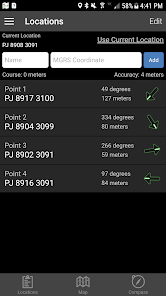
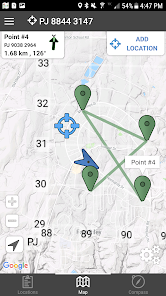
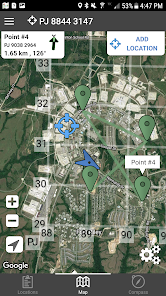
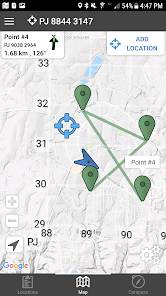
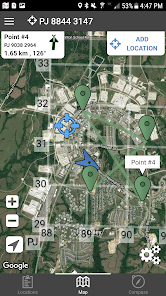
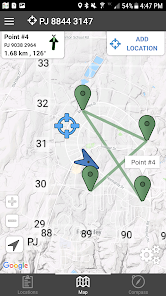
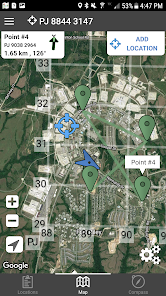
Land Nav Assistant offers intuitive navigation tools that help users easily plot their routes and identify key waypoints. With an interactive map interface, you can visualize your journey and make adjustments on-the-fly, ensuring you stay on track during your outdoor adventures.

User-Friendly Interface

The app boasts a clean, user-friendly interface that makes navigation a breeze for both beginners and seasoned adventurers. With easy-to-understand icons and straightforward controls, you'll spend less time figuring out how to use the app and more time enjoying the great outdoors.

Advertisement

Pros & Cons

Pros
  • Enhances outdoor navigation skills with intuitive guidance.
  • Offers real-time location tracking for improved safety.
  • Simplifies complex terrain navigation with user-friendly maps.
  • Facilitates teamwork through shared location features.
  • Boosts confidence in unfamiliar areas with reliable support.
Cons
  • Limited offline functionality hinders navigation in remote areas without connectivity.
  • User interface can be complex, leading to a steep learning curve for new users.
  • Dependence on technology may result in issues if devices malfunction or run out of battery.

Real Experience Using Land Nav Assistant

Application Scenarios

Land Nav Assistant is an invaluable tool for outdoor enthusiasts, hikers, and military personnel who require reliable navigation assistance. Whether you are traversing rugged terrains, exploring national parks, or participating in wilderness survival training, this app provides essential resources to help you navigate confidently. Users can benefit from its features in various scenarios, such as planning hiking routes, tracking locations during camping trips, and conducting land navigation exercises. Additionally, the app is designed to assist in emergency situations by providing quick access to coordinates and maps, making it a crucial companion for anyone venturing into remote areas.

User Experience

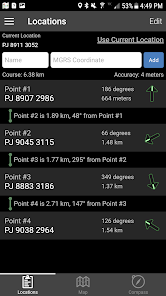
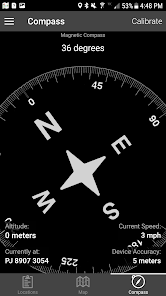
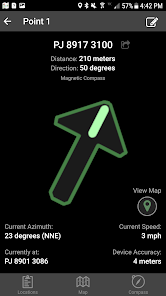
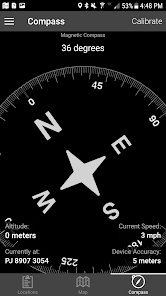
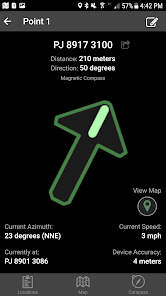
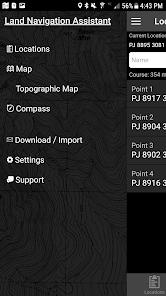
The user experience of Land Nav Assistant is commendable, featuring an intuitive interface that is easy to navigate. Upon launching the app, users are greeted with a clean layout that prioritizes functionality. The main dashboard provides quick access to maps, compass features, and GPS tracking, allowing users to seamlessly switch between tools as needed. The app's offline capabilities are particularly noteworthy, as users can download maps ahead of time, ensuring they remain accessible even in areas lacking cellular service. Furthermore, the app includes a variety of tutorials and guides, which are especially beneficial for beginners learning land navigation skills. Overall, Land Nav Assistant strikes a balance between offering advanced features for experienced navigators while remaining accessible to novices.

Pricing

Land Nav Assistant adopts a competitive pricing model that caters to a wide range of users. The app is available for free with limited features, which allows potential users to explore its basic functionalities before committing to a purchase. For those seeking enhanced features, a premium subscription is available at a reasonable monthly or annual fee. This subscription unlocks advanced tools such as real-time tracking, customizable route planning, and access to exclusive maps. The pricing structure is transparent, and users can easily evaluate whether the premium features align with their navigation needs and outdoor adventures.

Updates & Support

The developers of Land Nav Assistant are committed to providing regular updates that enhance app functionality and user experience. Users can expect periodic improvements, bug fixes, and new features based on community feedback, demonstrating the team’s dedication to evolving the app in line with user needs. In terms of support, the app includes a comprehensive help section, complete with FAQs and tutorials. Should users require further assistance, a responsive customer support team is available via email and social media, ensuring that any queries or concerns are promptly addressed. This level of support reinforces user confidence in the app and enhances overall satisfaction.

verified Security & Privacy Review

Security & Privacy Review The Land Nav Assistant app prioritizes user security and privacy, implementing strong data protection measures. The app employs encryption protocols to safeguard sensitive information, ensuring that location data and user inputs are securely transmitted and stored. Users are informed about data collection practices through a transparent privacy policy, detailing what information is collected and how it is utilized. The app primarily gathers location data to provide navigation assistance, with optional features for sharing routes with friends. Permissions required by the app are clearly outlined upon installation. Users must grant access to device location services, but the app does not require unnecessary permissions that could compromise privacy. Options for limiting data sharing are available, allowing users to control their personal information actively. Moreover, Land Nav Assistant ensures compliance with data protection regulations, giving users confidence that their data is handled responsibly and ethically. Overall, the app demonstrates a solid commitment to maintaining user privacy while delivering essential navigation features.
Advertisement

User Reviews

  • Rico Wells
    2025/08/09

    Never cease to amaze us as users and active duty service members. This app has been a major help from field exercises to real world missions. Thank you for the updates and for your consistency to your mission as well as ours.

  • True Stanley
    2025/05/31

    great app. wish you could download whenever you get bad reception, especially around Mackall

  • Reid Spellenberg
    2025/05/09

    very useful. I just wish it could be used on a smart watch.

  • NoBody 77
    2025/03/05

    Highly Recommend, if you're an Army dude

  • Mark M
    2025/07/03

    very glitchy. compass works ok. grid system is ok but maps are garbage. most don't load or work.

Review Source: Google Play store public user reviews.

FAQ

1

Does Land Nav Assistant collect my personal data?

Land Nav Assistant prioritizes user privacy and does not collect personal data without consent. However, users should review the app's privacy policy for detailed information on data handling.

2

Does Land Nav Assistant offer a free trial or free version?

Yes, Land Nav Assistant offers a free version with limited features, as well as a free trial for users to explore premium features before committing to a subscription.

3

Does Land Nav Assistant require an internet connection?

Land Nav Assistant can function offline, allowing users to access previously downloaded maps and features without an internet connection, though some features may require connectivity for updates or additional data.

4

How can I contact support or send feedback for Land Nav Assistant?

Users can contact support or send feedback through the in-app support feature or visit the official website for additional contact options, including email support.

5

How do I manage or cancel my Land Nav Assistant subscription?

Users can manage or cancel their subscription directly through their app store account settings, where they can find options to modify their subscription preferences.

How to use Land Nav Assistant

1

Can I change my customer number if needed?

Unfortunately, customer numbers cannot be changed. Please contact customer service for any issues related to your customer number.

2

Can I update my customer information after logging in?

Yes, you can update your information in the account settings section after logging in.

3

How can I log in to my Land Nav Assistant account?

To log in, visit the website, enter your username and password, then click the login button.

4

How do I activate my account if I didn’t receive an email?

If you didn't get the activation email, check your spam folder or contact customer service for help.

5

How do I log in if I have multiple accounts?

You will need to log in separately for each account using their respective credentials.

What's New

- Added a new map style option- Fixed a bug that caused example locations to be added multiple times

Editor's Choice