This site uses cookies to enhance your user experience. By clicking any link on this site you are giving your consent to our cookie policy. Read more
Reject
Accept All

Advertiser and Editorial Disclosures

Navy Federal Credit Union App

Navy Federal Credit Union App

verified

Navy Federal

3.8
Rating
10,000,000+ Downloads
2026.6.1 Version
  • category

    Category: Finance

  • price

    Price: free

  • age rating

    Age Rating: Everyone

  • rating

    Rating: 3.8

  • available on

    Available on: /

  • updated on

    Updated on: Jun 15, 2026

Screenshot 1
Screenshot 2
Screenshot 3
Screenshot 4
Screenshot 5
Screenshot 6
Screenshot 7
Screenshot 8
Screenshot 9
Screenshot 10
Screenshot 11
Screenshot 12
Screenshot 13
Screenshot 14
Screenshot 15
Screenshot 16
Screenshot 17
Screenshot 18
Screenshot 19
Screenshot 20
Screenshot 21
Screenshot 22
Screenshot 23
Screenshot 24
Advertisement

Features & Highlights

24/7 Customer Support

Navy Federal Credit Union prides itself on offering 24/7 customer support, ensuring members have access to assistance whenever they need it. Whether you're facing an urgent issue or have general inquiries, their dedicated team is always available to provide top-notch service and peace of mind.

Digital Banking Tools

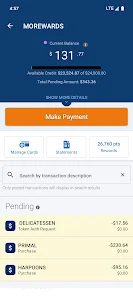
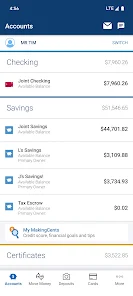
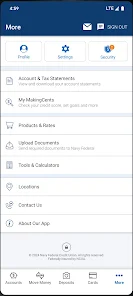
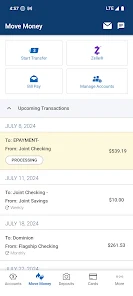
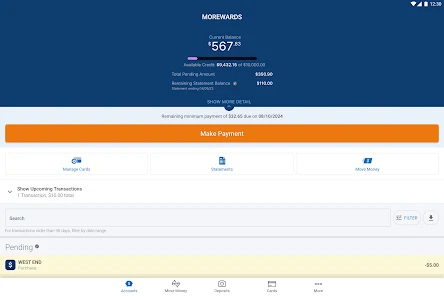
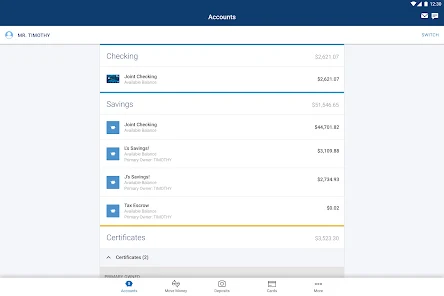
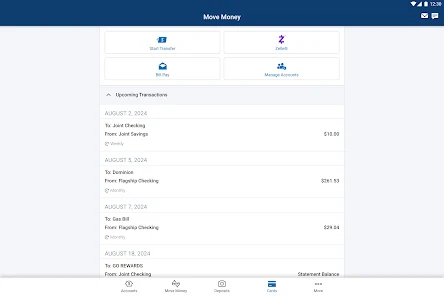
Navy Federal Credit Union offers a robust suite of digital banking tools, including a user-friendly mobile app that makes managing your finances effortless. You can easily check balances, transfer funds, and pay bills anytime, anywhere, ensuring you stay connected to your financial health on the go.

Low Loan Rates

With competitive rates on loans and mortgages, Navy Federal Credit Union helps members achieve their financial goals without breaking the bank. Whether you're looking to buy a home or finance a vehicle, their low-interest options can save you significant money over time, making dreams more attainable.

Member Rewards Program

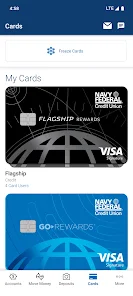
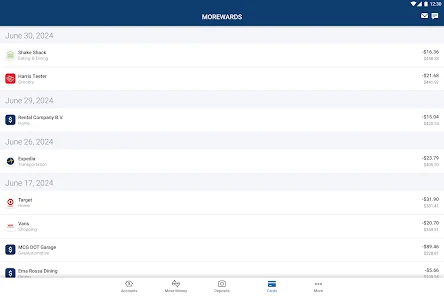
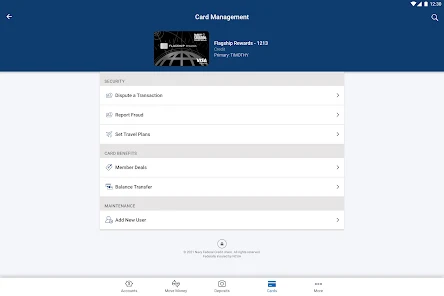
Navy Federal provides a rewarding experience through its Member Rewards Program, which offers cash back and points for everyday transactions. This program encourages members to engage with their accounts while reaping benefits, creating a win-win scenario for everyone involved in the credit union community.

Advertisement

Pros & Cons

Pros
  • Low-interest rates on loans and credit cards
  • No monthly fees on checking and savings accounts
  • Access to thousands of ATMs nationwide
  • Exceptional customer service and support
  • Exclusive member rewards and benefits available
Cons
  • Limited eligibility for membership requirements
  • Fewer branch locations nationwide
  • Higher fees for certain services
  • Limited investment options available

Real Experience Using Navy Federal Credit Union App

Application Scenarios

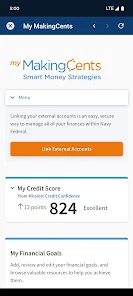
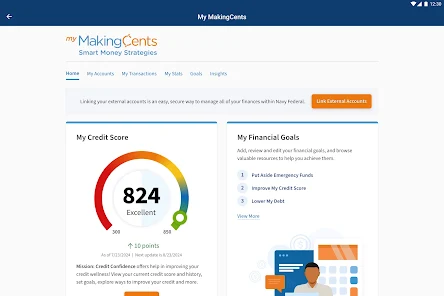
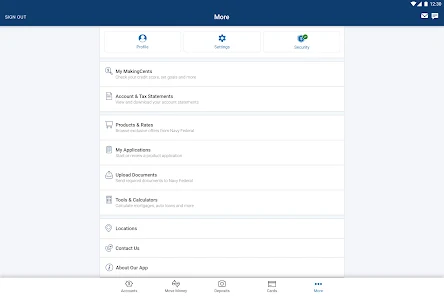
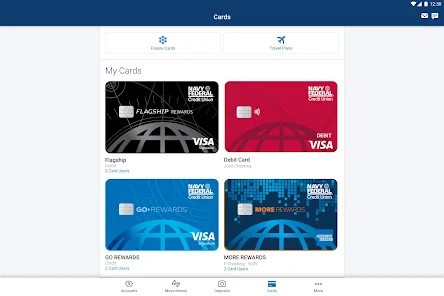
The Navy Federal Credit Union app is designed to cater to a variety of financial needs for its users. Whether you are a service member, veteran, or a family member, the app serves as a convenient tool for managing your finances while on the go. Users can easily check their account balances, view transaction histories, and transfer funds between accounts. The app is particularly helpful for those who frequently travel, as it allows for easy access to account information without the need for physical branch visits. Additionally, users can apply for loans, credit cards, and mortgages directly through the app, streamlining the application process. The budgeting tools integrated within the app help users track their spending habits and set financial goals, making it suitable for anyone looking to improve their financial literacy and management.

User Experience

The user experience of the Navy Federal Credit Union app is generally positive, characterized by an intuitive interface that makes navigation a breeze. New users can quickly familiarize themselves with the layout, as it is designed with simplicity in mind. The app features a clean design with easily accessible menus and buttons, allowing users to perform transactions and access services without any hassle. Many users appreciate the quick login options, such as biometric authentication, which enhances security while providing a seamless experience. Notifications regarding account activity and important updates are also readily available, keeping users informed about their financial status. However, some users have reported occasional glitches and slow loading times, which can detract from an otherwise smooth experience. Overall, the app delivers a reliable financial management solution for its users, with room for improvement in performance.

Pricing

One of the standout features of the Navy Federal Credit Union app is that it is completely free to download and use. There are no hidden fees for accessing basic services, which makes it an attractive option for users looking for a cost-effective way to manage their finances. However, users should be aware that while the app itself is free, certain financial products and services offered through the app may come with associated costs, such as loan origination fees or interest rates on credit cards. It is crucial for users to read the terms and conditions carefully before proceeding with any financial transactions. Overall, the lack of a subscription or usage fee for the app enhances its appeal, especially for military families looking to save on financial services.

Updates & Support

Navy Federal Credit Union is committed to providing ongoing support and updates for their app to enhance user experience continually. Regular updates are rolled out to fix bugs, improve performance, and introduce new features that keep the app competitive and user-friendly. Users can easily access customer support through the app, which includes live chat options and a comprehensive FAQ section. The response time for support inquiries is generally quick, with representatives available to assist with any issues related to account management or technical difficulties. Furthermore, user feedback is actively encouraged, allowing the developers to make necessary adjustments that align with user needs. This commitment to constant improvement and customer service helps to foster trust and reliability among users, making the Navy Federal Credit Union app a solid choice for financial management.

verified Security & Privacy Review

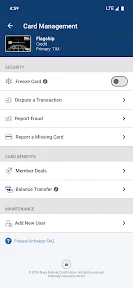
The Navy Federal Credit Union app prioritizes user security and privacy by implementing robust encryption protocols to safeguard sensitive information. All data transmitted between the app and servers is encrypted, ensuring that personal and financial details remain secure from unauthorized access. To enhance security, the app requires users to set up multifactor authentication, adding an extra layer of protection against potential breaches. Biometric login options, such as fingerprint or facial recognition, are also available, streamlining the login process while maintaining high security standards. Regarding privacy practices, Navy Federal is transparent about its data handling policies. The app collects only necessary user information, which is utilized to enhance service quality and user experience. Users have the option to manage their privacy settings, allowing control over data sharing preferences. Permissions required by the app are kept to a minimum, focusing primarily on functionalities essential for banking services. Overall, the Navy Federal Credit Union app demonstrates a strong commitment to protecting user data and maintaining privacy, making it a reliable choice for managing finances securely.
Advertisement

Compare APP

User Reviews

  • Curtis Wilkinson
    2026/04/30

    Mission credit confidence page isn't loading, just a white screen. The alert notification about paycheck assistant program keep popping back up after I close it. when I charge my cards, I haven't been getting notifications on my phone. Other than that, the app is working ok. Seen someone else request dark mode, I'd also like to see a dark mode this year.

  • April D. Garcia
    2024/09/22

    The app update is NOT good at all. When I first updated the app it wasn't showing a payment that I scheduled. It took a few days for that to show. I can't find the statements for my checking/savings. My auto loan is only showing a few months from this year and a few months from last year. I can't use my pin number to sign in anymore. I have to use my username and password every single time. Also it is requiring a two-step-verification every single time. I am not able to set up biometrics.

  • Chyna Thom
    2024/09/17

    After the most recent update, everything looks like trash and is different. Forced 2-step verification (I've been avoiding it forever 🤬), can't see accounts during transfer, not showing pending deposits, doesn't remember access number to login, etc. If it's not broken, DON'T BREAK IT! And for the love of all things holy, give us a damn choice on 2-step verification!!

  • Misty Muhammad
    2025/05/03

    Like many others have stated, I don't like the new updates at all. Every day for the past 3 days, I have uninstalled and reinstalled the app bc I cannot log in. It just says "Authentication Failed" and I cannot log in. I've been a customer for years, and I've never had these types of problems with the app. The older version was much more user-friendly, and it actually worked.

  • Grace Moore
    2024/10/27

    Constant freezing, it never let's me log in, just states that "an unexpected error has occurred, we cannot display your information, please try again later. I cant access anything. Ever since the new update, the app is garbage! 0 stars if I could. Customer support is no help either, they just tell you to wait for the servers to reopen or go to a main branch, which is 20 miles away from my location.

Review Source: Google Play store public user reviews.

FAQ

1

Does Navy Federal Credit Union collect my personal data?

Yes, Navy Federal Credit Union collects personal data to provide services and improve user experience, but it adheres to strict privacy policies to protect that information.

2

Does Navy Federal Credit Union offer a free trial or free version?

Navy Federal Credit Union does not offer a free trial or free version, as its services are available exclusively to its members, who can access them without additional subscription fees.


3

Does Navy Federal Credit Union require an internet connection?

Yes, an internet connection is required to access the Navy Federal Credit Union app and utilize its features.

4

How can I contact support or send feedback for Navy Federal Credit Union?

You can contact Navy Federal Credit Union support through their app, website, or by calling their customer service hotline. Feedback can also be submitted through these channels.

5

How do I manage or cancel my Navy Federal Credit Union subscription?

Since there are no subscription plans, there is no need to manage or cancel a subscription; members can simply choose to use or discontinue the use of services as desired.

How to use Navy Federal Credit Union App

1

How do I activate my Navy Federal Credit Union app?

Download the app, then log in using your existing online banking credentials. If you don’t have an account, you’ll need to create one first.

2

How do I contact Navy Federal Credit Union customer service?

You can reach Navy Federal's customer service at 1-888-842-6328 for assistance.

3

How do I log in to the Navy Federal Credit Union app?

Open the app and enter your username and password. If you don’t have an account, you’ll need to register first.

4

What is the customer number for Navy Federal Credit Union?

Your customer number is typically found on your account statement or can be obtained by contacting customer service.

What's New

Move along, not much to see here.If you're still reading:- Fix to display the correct merchant icons- Under the cover improvements to disputes and fraud claims, and sign in

Editor's Choice