This site uses cookies to enhance your user experience. By clicking any link on this site you are giving your consent to our cookie policy. Read more
Reject
Accept All

Advertiser and Editorial Disclosures

NatWest Mobile Banking

NatWest Mobile Banking

verified

National Westminster Bank Public Limited Company

4.8
Rating
10,000,000+ Downloads
07.67.0000.31083.0 Version
  • category

    Category: Finance

  • price

    Price: free

  • age rating

    Age Rating: Everyone

  • rating

    Rating: 4.8

  • available on

    Available on: /

  • updated on

    Updated on: Jun 9, 2026

Screenshot 1
Screenshot 2
Screenshot 3
Screenshot 4
Screenshot 5
Screenshot 6
Screenshot 7
Screenshot 8
Advertisement

Features & Highlights

Account Management

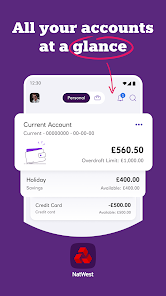
Easily keep track of your finances with comprehensive account management tools within the app. You can view your balances, transaction history, and even categorize your spending, allowing you to gain insights into your financial habits and make informed decisions about your money.

Budgeting Tools

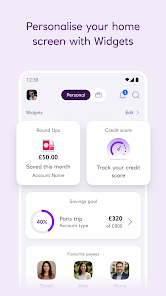
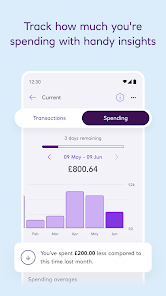
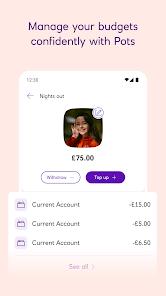
NatWest Mobile Banking offers smart budgeting tools that help you set savings goals and track your progress. The app provides personalized insights based on your spending patterns, empowering you to manage your finances better and work towards your financial objectives more effectively.

Instant Payments

With NatWest Mobile Banking, you can send and receive money instantly, making transactions smoother than ever. Whether you’re splitting bills with friends or paying for services, this feature ensures your funds are transferred in real time, giving you greater flexibility and convenience in managing your finances.

Secure Banking

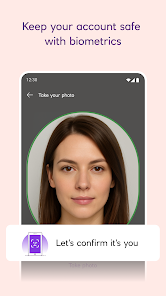
Your security is a top priority with NatWest Mobile Banking, which features advanced encryption and authentication measures. The app includes biometric login options and real-time alerts for transactions, ensuring you can bank with confidence knowing your information is protected from unauthorized access.

Advertisement

Pros & Cons

Pros
  • Access your account anytime, anywhere.
  • Simple and intuitive user interface.
  • Instant notifications for transactions and updates.
  • Secure banking with advanced encryption technology.
  • Easy money transfers between accounts.
Cons
  • Limited functionality compared to desktop banking.
  • Customer support can be slow to respond.
  • Frequent app updates may disrupt user experience.
  • Some features may be unavailable offline.

Real Experience Using NatWest Mobile Banking

Application Scenarios

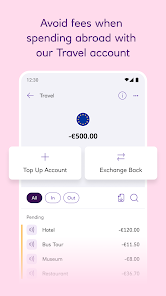
The NatWest Mobile Banking app is designed to cater to a wide range of banking needs, making it suitable for various scenarios. Whether you're looking to check your account balance while on the go, transfer money between accounts, or pay bills, this app provides a seamless experience. It's particularly beneficial for users who travel frequently, as it allows for easy currency conversion and international payments. Additionally, those managing personal or joint accounts will find the app's features useful for tracking expenses and setting budgets. The built-in tools for managing savings goals and tracking transactions in real-time are invaluable for users aiming to enhance their financial literacy.

User Experience

User experience is one of the standout features of the NatWest Mobile Banking app. The interface is intuitive, with a clean design that facilitates easy navigation. Users can quickly access essential functions, such as viewing recent transactions, setting up direct debits, or applying for loans. The app also incorporates biometrics for secure login, ensuring that your sensitive information remains protected while still being easily accessible. Feedback from users highlights the app's speed and reliability, with minimal downtime reported. Additionally, the option to personalize notifications for account activities adds a layer of convenience, keeping users informed without overwhelming them with alerts.

Pricing

One of the significant advantages of the NatWest Mobile Banking app is that it is completely free to download and use for NatWest account holders. There are no hidden fees associated with using the app's core features, such as fund transfers, balance checks, or bill payments. This cost-effectiveness makes it an appealing choice for individuals looking to manage their finances without incurring additional expenses. However, users should be aware that certain premium features, such as specific investment options or overdraft services, may come with associated costs depending on the user's account type.

Updates & Support

NatWest regularly updates its mobile banking app to enhance functionality and improve security. Users can expect frequent updates that address any bugs and introduce new features based on user feedback. The customer support offered through the app is commendable, providing users with access to live chat options and a comprehensive FAQ section. In case of any issues, users can quickly reach out for assistance, ensuring that help is readily available. The commitment to maintaining an up-to-date and user-friendly platform demonstrates NatWest's dedication to providing an exceptional banking experience.

verified Security & Privacy Review

The NatWest Mobile Banking app prioritizes user security and privacy through several robust measures. It employs advanced encryption technologies to safeguard sensitive data during transmission and storage, ensuring that personal information remains protected from unauthorized access. Users are required to set up secure login credentials, which may include biometric authentication options like fingerprint or facial recognition, adding an extra layer of security. The app also implements two-factor authentication, prompting users to verify their identity through a secondary method, further enhancing account protection. In terms of privacy practices, NatWest is transparent about its data handling policies. The app collects data necessary for providing banking services while adhering to strict regulatory compliance, including GDPR. Users have control over their data, with options to manage permissions and opt-out of non-essential data collection. Additionally, the app includes features to monitor account activity, allowing users to quickly identify any suspicious transactions. Overall, NatWest Mobile Banking demonstrates a strong commitment to maintaining user security and privacy, making it a reliable choice for managing finances.
Advertisement

Compare APP

User Reviews

  • A Google user
    2019/06/16

    This app used to be great, but poor implementation of multfactor for "security" has now resulted in me not being able to make any payments. i work outside the UK for part of the year. My app is secured with my fingerprint on a non-UK phone. all of a sudden i need to have both my number registered (why, i had to go through verification when i set up the app!?), and it needs to send me a text message (why, app logged in). Cant add a number without a card reader which i do not have. Dreadful.

  • Khalil
    2025/08/14

    app, or the bank, has become extremely slow over the years. they used to be very quick, streamlined and just generally smooth. transactions used to update your balance pretty much straight away or a day later max. now its increasing frustrating. takes a few days at most and the worse of it is your balance you see on the app does not include your pending transactions. so you need to get a calculater out if you wana know the true reflection. issue is its now more than a day, most times 2-3.

  • Suzy F
    2025/03/19

    They keep changing the user interface - it used to be fine but the last few updates have just made it worse. It takes several taps to get to payments and the text is smaller. It's hard to know what's going on. And I'm supposed to be a 'tech savvy millennial'. Cheque function is temperamental but I don't need to use this often.

  • lmorgzy
    2025/04/11

    why in the actual world do you make it SO hard to transfer from my current account to pay off my NATWEST CREDIT CARD!? It's almost as if you don't want anyone to be able to easily to do so, so you can charge extra interest on monies that want to be paid off! Definitely balance transferring back to Halifax, they make it so easy to pay a lump sum.

  • Joe Boud
    2026/06/27

    Can't use a password manager to log in so I have to just remember the 8 digit customer number AND the exact order of every character of my 16 character password (which, being secure and randomly generated, is not an easy task) so I can pick out 3 of them at random. Then, after wasting all this time, I can't set up biometric approval because "something went wrong", very descriptive! very helpful!!

Review Source: Google Play store public user reviews.

FAQ

1

Does NatWest Mobile Banking collect my personal data?

Yes, NatWest Mobile Banking may collect personal data to provide its services, improve user experience, and ensure security. Users can review the privacy policy for detailed information on data collection and usage.


2

Does NatWest Mobile Banking offer a free trial or free version?

NatWest Mobile Banking is free to download and use, with no subscription fees required for basic banking services. However, certain features may be subject to fees based on user account types.

3

Does NatWest Mobile Banking require an internet connection?

Yes, NatWest Mobile Banking requires an internet connection to access and use its features, as it relies on online connectivity to perform transactions and retrieve account information.

4

How can I contact support or send feedback for NatWest Mobile Banking?

You can contact NatWest customer support through the app, visit their official website, or call their customer service number for assistance or to provide feedback about the mobile banking experience.

5

How do I manage or cancel my NatWest Mobile Banking subscription?

Since NatWest Mobile Banking is free to use, there is no subscription to manage or cancel. Users can simply stop using the app if they choose, but should ensure their banking needs are met through other means if necessary.

How to use NatWest Mobile Banking

1

How can I contact NatWest customer service for the mobile banking app?

You can contact NatWest customer service by calling 03457 888 444 or using the in-app chat feature for assistance.

2

How do I activate the NatWest mobile banking app?

Download the app, select 'Register', and follow the prompts to enter your details and set up your account.

3

How do I find my customer number for logging into the mobile banking app?

Your customer number is usually found on your bank statements or in your online banking account.

4

How do I log in to the NatWest mobile banking app?

Open the app, enter your customer number, then your password or biometric login, and tap 'Log In'.

What's New

• We’ve updated your payments screen to make it easier for you to find what you need. • Helpful features and products just for you are now at the bottom of your home screen. • Your benefits and MyRewards are now all in one place, so it’s even easier to view and use them. • If you’ve fallen behind and need help to get back on track, you can find support in Help, under Help with money worries. • Quickly change the account you use for your monthly loan payments in just a few steps.

Editor's Choice