

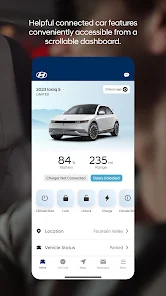
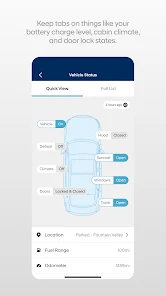

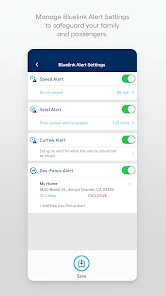
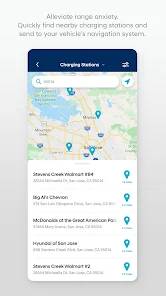
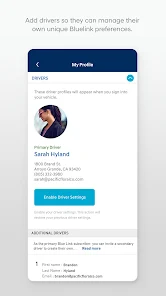
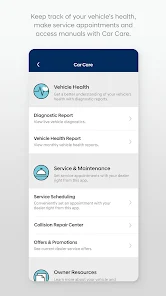
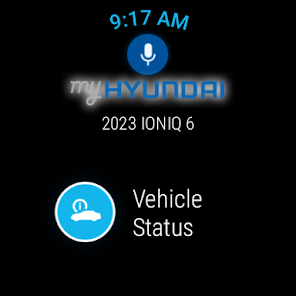
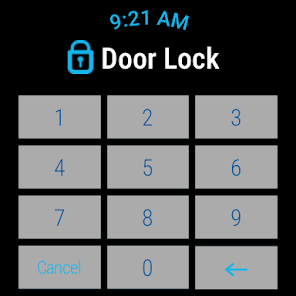
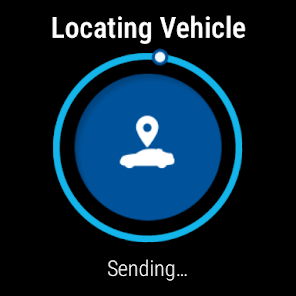
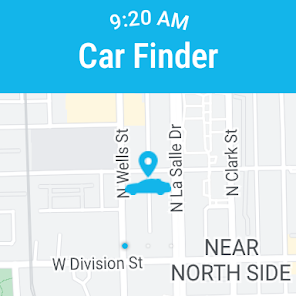
MyHyundai with Bluelink is an app that allows Hyundai owners to access a variety of features and services from their smartphone. The app provides access to remote vehicle functions such as remote start, remote lock/unlock, and remote climate control. It also provides access to vehicle health information such as maintenance reminders, diagnostic trouble codes, and service history. Additionally, the app provides access to a variety of convenience features such as roadside assistance, stolen vehicle recovery, and geofencing. The app also allows users to access their vehicle’s location, set speed and boundary alerts, and access their vehicle’s owner’s manual. MyHyundai with Bluelink is a comprehensive app that provides Hyundai owners with a variety of features and services to make their driving experience more convenient and enjoyable.
The MyHyundai with Bluelink App is packed with features to make your life easier. The app lets you control your car's locks, lights, and climate from your smartphone. You can also schedule service appointments and view your car's health information. Plus, the app can be used to find parking spots and pay for parking. If you're a Hyundai owner, you can now take advantage of the Bluelink app with MyHyundai. Bluelink is an app that allows you to remotely control your car, and with MyHyundai integration, it's now easier than ever to use. Here's how to get started: The MyHyundai with Bluelink App is a great tool for keeping track of your car. It can help you find a parking spot, get directions, and even unlock your car if you forget your keys. However, there are also some drawbacks to using this app. Here are the pros and cons of the MyHyundai with Bluelink App:Features and Functions
How to Use MyHyundai with Bluelink
First, make sure your car is compatible with the Bluelink app. Check the list of supported models on the MyHyundai website. Once you've confirmed that your car is compatible, download the Bluelink app from the App Store or Google Play.
Next, create an account and login. You'll need to enter your VIN (vehicle identification number), and then select a PIN for security. Once you're logged in, you'll see all of the features that are available to you.
Now it's time to start exploring! With Bluelink, you can do things like remotely start your engine, lock or unlock your doors, check your fuel level, find your car in a crowded parking lot, and much more. There are also some fun features like EcoCoach which helps you optimize your driving for better fuel efficiency.
To get started using Bluelink with MyHyundai, simply download the app and login with your VIN. From there, you'll be able to take advantage of all of the great features that Bluelink has to offer!Pros & Cons
PROS:
- Helps you keep track of your car
- Can help you find a parking spot
- Get directions
- Unlock your car if you forget your keys
CONS:
- Requires a subscription
- May not be available in all areas
 Google Play
  App Store
 What does roadside assistance offer?
How do I connect my vehicle?
What do I need to do to access the app?
Can I personalize the app?
How do I get the app?