Home
Home  Apps
Apps  Games
Games  Topics
  About Us
  Cookies & Privacy Policy
  Terms of Service
 Account Management
Easily manage your AT&T account all in one place with the myAT&T app. You can view your bill, make payments, and check your data usage with just a few taps, ensuring you stay on top of your plan and expenses effortlessly.


AT&T Services, Inc.
 4.6
4.6 
Category: Utilities

Price: free

Age Rating: Everyone

Rating: 4.6

Available on: /

Updated on: Jul 6, 2026
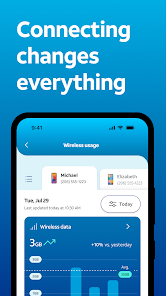
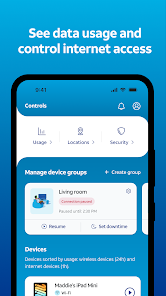
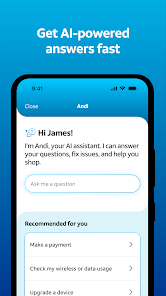
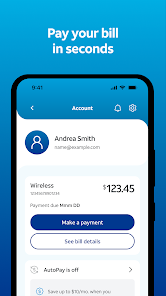
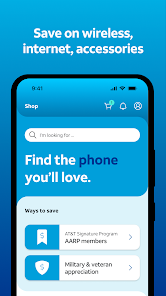
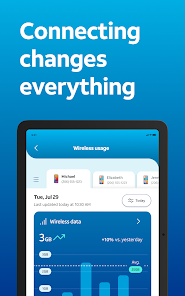
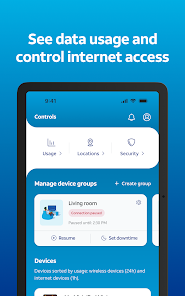
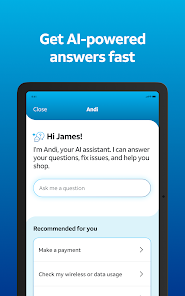
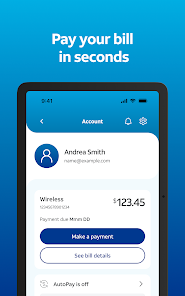
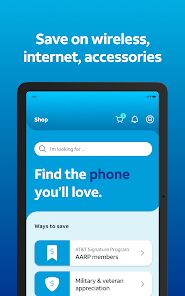
Easily manage your AT&T account all in one place with the myAT&T app. You can view your bill, make payments, and check your data usage with just a few taps, ensuring you stay on top of your plan and expenses effortlessly.
Get quick access to customer support directly through the myAT&T app. Whether you have a question or need assistance, you can chat with a representative, schedule a call, or browse helpful FAQs, ensuring you find the support you need when you need it.
Stay informed about your data consumption with real-time tracking on the myAT&T app. This feature allows you to monitor your usage, set data alerts, and avoid overage charges, giving you peace of mind as you use your mobile services throughout the month.
Tailor your AT&T service to fit your needs with flexible plan options available through the app. Whether you want to add a new line, upgrade your device, or explore add-ons, the myAT&T app makes it simple to customize your plan without any hassle.

 Manage your account anytime, anywhere with ease. Enjoy quick access to billing and usage details. Seamless plan changes and upgrades at your fingertips. Receive personalized support tailored to your needs. Track data usage to avoid unexpected charges.
 Limited customer support availability during peak hours High fees and charges for additional services Complicated billing process can confuse users Frequent service outages in certain areas
 The myAT&T app serves as a comprehensive tool for AT&T customers, allowing them to manage their accounts seamlessly. Users can access a variety of services directly from their mobile devices, including checking data usage, paying bills, and upgrading devices. The app is especially useful for customers who are on the go and need quick access to their account information without having to navigate through a web browser. Additionally, the app provides features for managing multiple lines, making it convenient for families or businesses that want to keep all their accounts in one place. Whether you need to monitor your prepaid balance or get assistance with troubleshooting, the myAT&T app covers a wide array of scenarios to meet user needs.
The user experience of the myAT&T app is generally positive, with a user-friendly interface that simplifies account management. Upon logging in, users are greeted with a dashboard that summarizes their account status, making it easy to navigate through different functionalities. The app's design is clean and intuitive, which enhances usability for customers of all ages. Features such as bill reminders and usage alerts help users stay on top of their finances, while the ability to chat with customer service representatives directly within the app adds a layer of convenience. However, some users have reported occasional glitches or slow loading times, particularly during peak hours, which can be frustrating. Overall, the app effectively fulfills its purpose, but there is room for improvement in performance.
The myAT&T app itself is free to download and use, but it functions as a management tool for AT&T services, which means that users must have an active AT&T account to fully utilize its features. The pricing for AT&T services varies based on the plans selected, whether they are for mobile, internet, or TV services. Customers can view and manage their plan details directly through the app, making it easier to understand pricing structures and make adjustments as needed. This transparency in pricing and plan management is a significant advantage for users who want to maintain control over their expenses.
AT&T regularly updates the myAT&T app to enhance functionality and address user feedback. These updates typically include bug fixes, performance improvements, and new features that aim to streamline the user experience. The app also has a dedicated support section where users can find troubleshooting tips, FAQs, and contact options for customer service. The responsiveness of the support team has been noted positively by users, who appreciate the ease of accessing help when needed. Regular updates and an accessible support system are crucial in maintaining user satisfaction and ensuring that the app remains relevant in a rapidly evolving digital landscape.
Security & Privacy Review


The app is just okay for seeing current devices (I already KNOW what I own). It's okay for paying my monthly bill. That's about ALL it's good for. I struggled to add international service through the app. Ended up having a Chat Rep assist with that. I see that I'm being charged for that service now, but the app doesn't show ANYWHERE the details of what I get for that "international day-rate." Good thing I kept a snapshot of the Chat thread for reference. The app is really just a waste of time.
It's horrible trying to manually pay bills on this app. It's not easy access and it's difficult to find and once you get to it, half the time it won't let you pay due to an app bug. I was charged 4 times in 1 month for my phone bill and trying to get a hold of customer service is atrocious unless you enjoy waiting on the phone for 3 hours after they transfer you 5 times.
Worked fine for years on multiple phones. Used to be easy, biometric login, saved payment options, swipe to pay, used to take less than 1 minute to pay my wireless and internet. No longer works, can't log into my accounts, cannot even uninstall the app from my phone like searches recommend. Not sure what they did to the app, but it ruined it.
Edit - June 27 2026. The app is working after app upgrade. The recent issue I faced was related to International day pass. when I was out side US, system automatically detected and added pass for $12 /day for 10 days total $120 even though I did not use any service internationally. Pass amount is really not worth. I requested for waive off, but customer service team told that even if I receive a text message, system will detect as usage and add pass. this was not the case with TMobile.
THE WORST APP IN THE APP STORE! they call this an upgrade??? I sat in my car for 20 mins at UPS trying to just log in and find my acct # to return my equipment! Ended up crashing out to the poor UPS employee and he replied, "I don't know why they make it so complicated for you. I found your acct by scanning the equipment and entering your last name into our system." I was like, are you serious?! UGH!
Review Source: Google Play store public user reviews.
Yes, myAT&T collects personal data to provide services, improve user experience, and for account management purposes, but it follows privacy policies to protect user data.
myAT&T is a free app available to all AT&T customers, with no subscription fees required to download or use it.
Yes, myAT&T requires an internet connection to access account information and perform transactions.
You can contact support through the app, visit the AT&T website, or call AT&T customer service for assistance or to provide feedback.
Since myAT&T is a free app, there are no subscription management options; however, you can manage or cancel your AT&T services through the app or by contacting customer support.
To activate services, log in and navigate to the "Account" section. From there, follow the prompts to activate or add services.
You can contact customer service by selecting "Support" in the app menu and choosing "Contact Us." You'll find options for chat, phone support, or FAQs.
Open the app and enter your AT&T user ID and password. If you don’t have an account, you can create one directly in the app.
Your customer number is usually found on your billing statement or in the account settings under "Profile" in the app.
Welcome to the all-new AT&T app. Discover the features you trust—now enhanced with updates inspired by your feedback. Explore new ways to make AT&T work even better for you.
 Google Play
  App Store