This site uses cookies to enhance your user experience. By clicking any link on this site you are giving your consent to our cookie policy. Read more
Reject
Accept All

Advertiser and Editorial Disclosures

MapXplorer: Navigation, Radar

MapXplorer: Navigation, Radar

verified

Goldlab Pro

3.3
Rating
10,000,000+ Downloads
109 Version
  • category

    Category: Maps & Navigation

  • price

    Price: free

  • age rating

    Age Rating: Everyone

  • rating

    Rating: 3.3

  • available on

    Available on: /

  • updated on

    Updated on: Jun 17, 2026

Screenshot 1
Screenshot 2
Screenshot 3
Screenshot 4
Screenshot 5
Screenshot 6
Screenshot 7
Screenshot 8
Screenshot 9
Screenshot 10
Screenshot 11
Screenshot 12
Screenshot 13
Screenshot 14
Screenshot 15
Screenshot 16
Screenshot 17
Screenshot 18
Screenshot 19
Screenshot 20
Screenshot 21
Screenshot 22
Screenshot 23
Screenshot 24
Screenshot 25
Screenshot 26
Screenshot 27
Screenshot 28
Screenshot 29
Screenshot 30
Screenshot 31
Screenshot 32
Advertisement

Features & Highlights

Live Traffic Updates

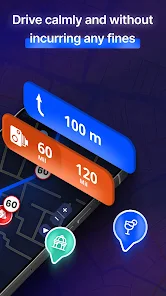
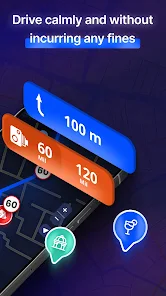
Stay ahead of delays with live traffic updates integrated into MapXplorer. This feature provides instant alerts about accidents, roadwork, or congestion, allowing you to adjust your route on the fly and avoid frustrating hold-ups, making your travels smoother and more enjoyable.

Smart Route Planning

MapXplorer offers intelligent route planning that adapts to real-time conditions, ensuring you always take the fastest and most efficient path. Whether you're navigating through bustling city streets or winding country roads, this feature optimizes your journey effortlessly, saving you both time and fuel.

User-Friendly Interface

MapXplorer boasts a clean and intuitive interface that makes navigation a breeze for everyone. With easily accessible features and a simple layout, users of all experience levels can navigate confidently, ensuring a pleasant and stress-free journey.

Weather Radar Integration

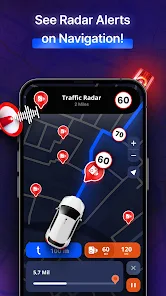
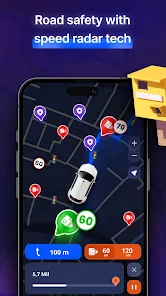
With built-in weather radar, MapXplorer keeps you informed about changing weather conditions along your route. This ensures you're prepared for unexpected rain, snow, or storms, helping you make informed decisions about your travel plans and enhancing your overall safety on the road.

Advertisement

Pros & Cons

Pros
  • Discover your route easily
  • Real-time traffic updates
  • Explore nearby attractions
  • User-friendly interface
  • Customizable navigation options
Cons
  • Limited offline access
  • Occasional map inaccuracies
  • Steep learning curve for users
  • Battery drain on devices

Real Experience Using MapXplorer: Navigation, Radar

Real Experience Application Scenarios

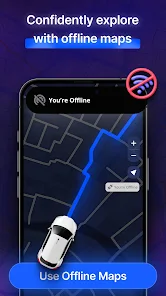
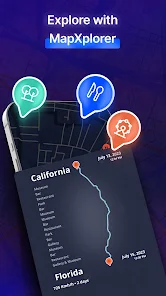
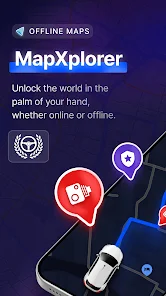
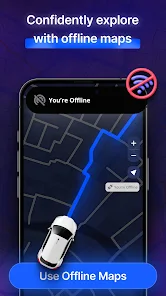
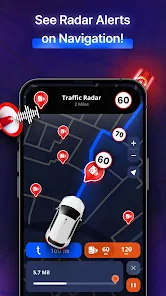
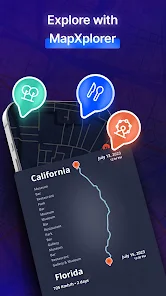
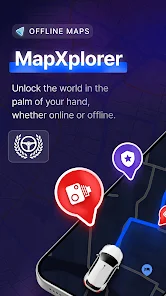
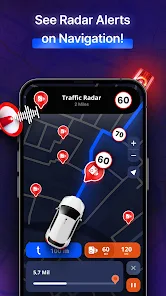
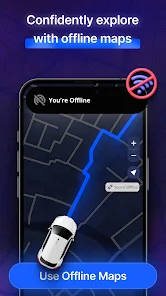
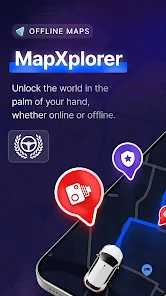
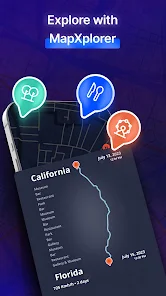
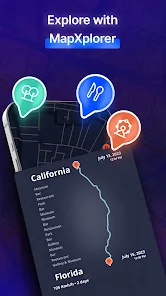
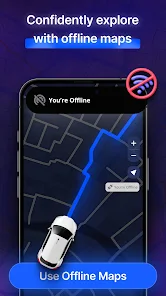
MapXplorer: Navigation, Radar is versatile and can be utilized in a plethora of scenarios. Whether you are a daily commuter navigating through busy city streets, a hiker exploring remote trails, or a traveler discovering new cities, this app caters to all your navigation needs. Its impressive radar feature allows users to identify nearby points of interest, enhancing the exploration experience. For instance, while traveling, users can effortlessly locate restaurants, gas stations, or attractions, making spontaneous adventures more enjoyable. Additionally, MapXplorer is a great tool for outdoor enthusiasts, offering detailed maps that highlight hiking paths and natural landmarks. The offline map capability ensures that users can access essential navigation tools even in areas with poor cellular service, making it reliable for both urban and rural settings.

User Experience

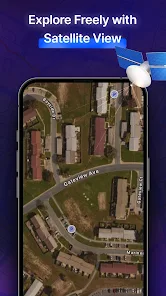
The user experience of MapXplorer is commendable, with an intuitive interface that makes navigation seamless. Upon launching the app, users are greeted with a clean and organized layout, allowing for easy access to various features. The map rendering is visually appealing and highly customizable, with options to switch between different map styles depending on user preference. The app's real-time traffic updates are particularly impressive, helping users avoid congested routes and save time. Moreover, the voice-guided navigation is clear and precise, ensuring users can follow directions without distraction. Users have reported that the app is quick to load and responsive, even when handling complex navigation tasks. The ability to save favorite locations and create personalized routes adds a layer of convenience that enhances the overall user experience.

Pricing

MapXplorer is competitively priced, offering a free version that includes a substantial range of features suitable for casual users. For those who require advanced functionalities such as offline maps and ad-free navigation, a premium subscription is available. The pricing structure is straightforward, with monthly and annual options that provide flexibility based on user needs. The value offered in the premium package is notable, especially for frequent travelers and adventurers who rely on comprehensive navigation tools. The app also occasionally runs promotional discounts, making it an attractive option for users looking to enhance their navigation experience without breaking the bank.

Updates & Support

The developers of MapXplorer are committed to providing regular updates, ensuring that users benefit from the latest features and improvements. The app has seen consistent enhancements based on user feedback, addressing bugs and introducing new functionalities that enrich the overall experience. Additionally, customer support is readily available through multiple channels, including in-app support and a dedicated help center. Users have praised the responsiveness and effectiveness of the support team, making it easy to resolve any issues or inquiries. Regular updates not only enhance the app’s performance but also reflect the developers' dedication to keeping the app at the forefront of navigation technology. Overall, MapXplorer provides a reliable and user-friendly navigation solution, making it a worthwhile addition to anyone's digital toolkit.

verified Security & Privacy Review

Security & Privacy Review MapXplorer: Navigation, Radar prioritizes user security and privacy through robust data protection measures. The app employs encryption protocols to safeguard sensitive information during transmission, ensuring that user data remains secure against unauthorized access. In terms of permissions, MapXplorer requests access to location services, which is essential for providing accurate navigation features. Users are given clear options to grant or deny these permissions, thus maintaining control over their personal data. The app also minimizes data collection by only gathering information necessary for its core functionalities. MapXplorer explicitly states its privacy policy, detailing how user data is collected, used, and shared. The app does not sell personal data to third parties, reflecting a commitment to user privacy. Additionally, users can easily manage their data preferences within the app, enhancing transparency and trust. Overall, MapXplorer demonstrates a strong dedication to secure user experiences and responsible data handling practices.
Advertisement

User Reviews

  • Joey Wilbur
    2026/05/29

    I appreciate that it works with Android auto. But the app seems very buggy and glitchy with the icon moving on the map, instead of gliding, it skips in movement. Also, I have to type in the address I want, three or four times. I really did want to give this app five stars. Unfortunately I can't.

  • Jeannine Smith
    2026/05/21

    This app needs lots of work and doesn't perform correctly yet. Even if I put in an exact addresses with the zip codes it cannot find it. It certainly is not worth $6.95 a week and not even $6.95 per month! I cancelled this app and uninstalled it the day after I downloaded the app because it didn't work correctly. I cancelled before the trial was over but yet it keeps trying to charge me even though I canceled before the trial was up. You need to fix that issue at well now.

  • Eric “b0rn_king” Peoples
    2025/07/10

    I gave 2 stars because all I got was a great idea. I'm using the Samsung S24+ Ultra, and it didn't work. Before someone says I was doing something wrong, I'm a tech person and love working with new apps and gadgets, but this one just needs more work. Also, as a professional driver for over 15 years, I believe this app needs a lifetime option once they work out all the bugs, why pay yearly when I can buy a Rand McNally and pay a one time fee, also to add there are a few free apps truckers can use

  • Joe Reid
    2025/11/10

    I downloaded this app to try it. The app was installed and they asked for my credit card info. In order to cancel, the app says I need to input my email address. However, I never entered my email during the install so the unsubscribe fails every time indicating no user found. I cant find any other way to cancel. My only recourse is to fight them to remove the charges from my credit card. These people seem like scam artists.

  • Jan Van Zyl
    2026/05/25

    This app looks great, so I subscribed and paid more for it than any other navigation app that I have, and I have several. However, be advised, once you have paid, you will find that you only have access to basic functions, you have to pay yet more that your original subscription to have full access. So, in my view, this is a swindle. Prospective subscribers, be advised, it's the purchase that does not stop demanding more money.

Review Source: Google Play store public user reviews.

How to use MapXplorer: Navigation, Radar

1

How can I reach Customer Service for MapXplorer?
You can contact Customer Service via the support section in the app or by calling the dedicated customer support number listed on the official website.
2

How can I reset my login credentials for the Radar app?

You can reset your login credentials by selecting 'Forgot Password' on the login screen and following the email instructions.

3

How do I activate my MapXplorer app?

To activate MapXplorer, enter your activation code in the settings menu under 'Account Activation' after downloading the app.

4

How do I log in to my MapXplorer account?

To log in, open the app and enter your registered email and password. If you’ve forgotten your password, use the ‘Forgot Password’ link.

5

Is activation necessary for the Radar app?

Yes, you need to activate the Radar app using a product key or through your account settings after installation.

What's New

• General performance optimizations and minor bug fixes for a smoother navigation experience on MapXplorer.Thanks for exploring with MapXplorer!
Editor's Choice