This site uses cookies to enhance your user experience. By clicking any link on this site you are giving your consent to our cookie policy. Read more
Reject
Accept All

Advertiser and Editorial Disclosures

Compass app - Accurate Compass

Compass app - Accurate Compass

verified

Battery Stats Saver

4.1
Rating
10,000,000+ Downloads
3.1.3 Version
  • category

    Category: Maps & Navigation

  • price

    Price: free

  • age rating

    Age Rating: Everyone

  • rating

    Rating: 4.1

  • available on

    Available on: /

  • updated on

    Updated on: Apr 14, 2025

Screenshot 1
Screenshot 2
Screenshot 3
Screenshot 4
Screenshot 5
Screenshot 6
Screenshot 7
Screenshot 8
Screenshot 9
Screenshot 10
Screenshot 11
Screenshot 12
Screenshot 13
Screenshot 14
Screenshot 15
Screenshot 16
Screenshot 17
Screenshot 18
Screenshot 19
Screenshot 20
Screenshot 21
Screenshot 22
Screenshot 23
Screenshot 24
Screenshot 25
Screenshot 26
Screenshot 27
Screenshot 28
Screenshot 29
Screenshot 30
Screenshot 31
Screenshot 32
Advertisement

Features & Highlights

Accurate Direction Finding

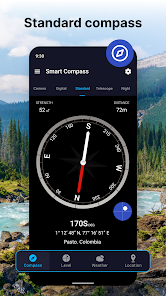
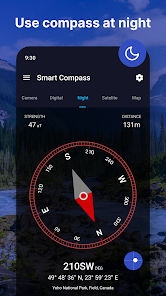
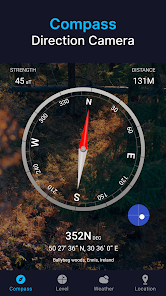
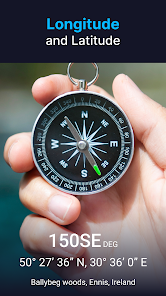
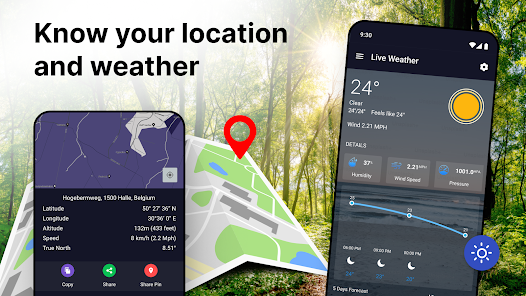
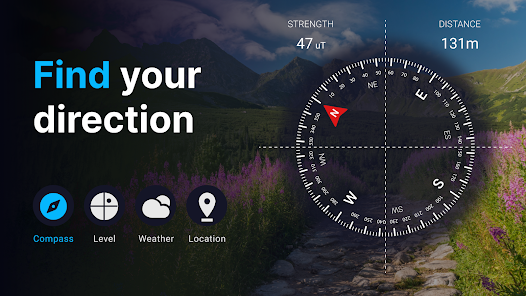
The Compass app excels in providing precise directional guidance, ensuring you always know which way is north. With its advanced algorithms and real-time satellite data, you can confidently navigate through urban landscapes or natural terrains without the fear of losing your way.

Customizable Settings

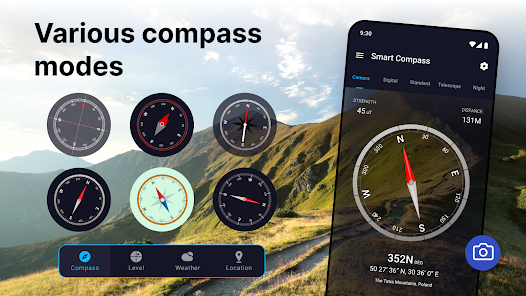
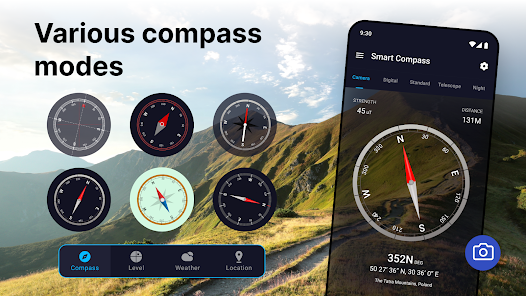
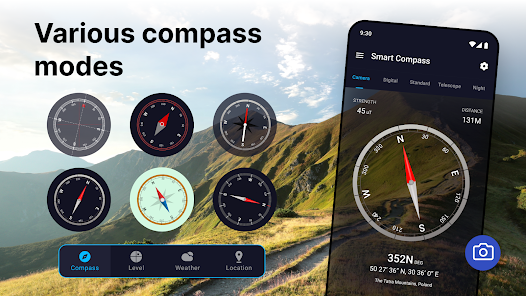
Personalize your navigation experience with customizable settings that cater to your preferences. Whether you want to adjust the compass style or toggle between different measurement units, the app allows you to tailor it to fit your unique needs while on the go.

Offline Functionality

The Compass app remains functional even without an internet connection, making it a reliable companion for outdoor adventures. Whether you're hiking in remote areas or exploring off-the-grid locations, you can trust the app to provide accurate readings whenever you need them.

User-Friendly Interface

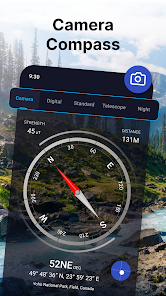
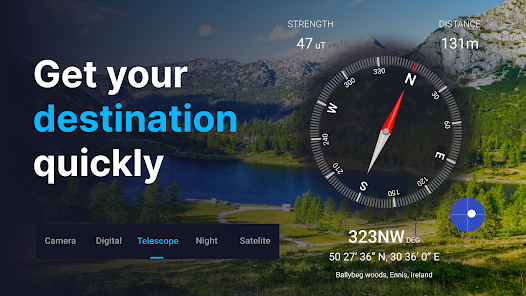
Designed with simplicity in mind, the Compass app boasts a clean and intuitive interface that makes navigation a breeze. Users can easily access essential features without any complicated menus, allowing everyone from beginners to seasoned explorers to utilize it effectively.

Advertisement

Pros & Cons

Pros
  • Discover the Compass app’s benefits:
  • Precision navigation at your fingertips!
  • User-friendly interface for all ages!
  • Offline functionality for any adventure!
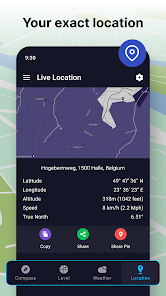
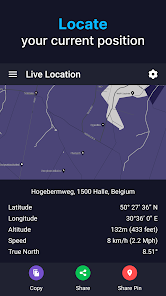
  • Real-time location tracking included!
  • Customizable settings for your needs!
Cons
  • Limited offline functionality
  • Accuracy affected by magnets
  • Requires frequent calibration
  • Battery drain on use

Real Experience Using Compass app - Accurate Compass

Application Scenarios

The Compass app is a versatile tool that caters to a variety of outdoor enthusiasts and professionals alike. Whether you're embarking on a hiking adventure in the mountains, navigating through unfamiliar city streets, or simply trying to find your way in a park, this app proves to be an invaluable companion. Its accuracy and reliability make it suitable for both casual users and seasoned adventurers. Additionally, the app is beneficial for activities like boating, camping, and geocaching, where precise directional guidance is crucial. The real-time functionality allows users to make informed decisions about their routes and ensures they stay on track, even in the most challenging environments.

User Experience

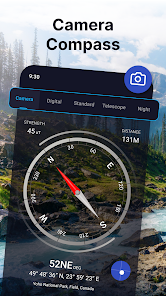
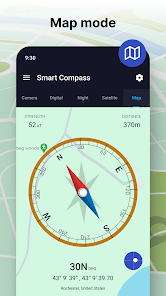
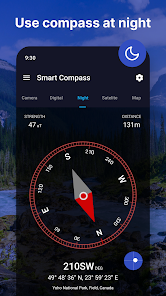
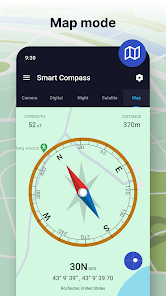
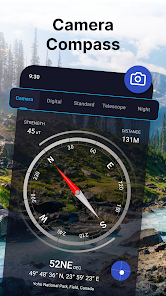
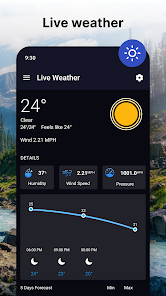
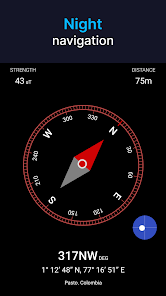
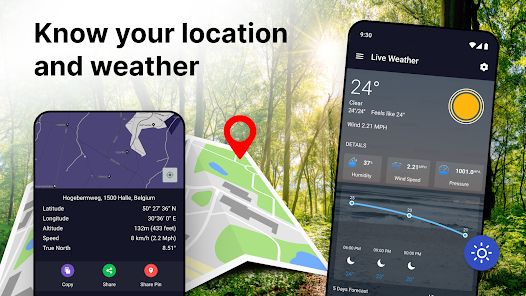
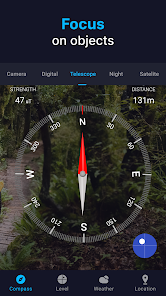
The user experience of the Compass app is intuitive and user-friendly, making it accessible for individuals of all ages. Upon launching the app, users are greeted with a clean interface that showcases a large, easy-to-read compass display. The calibration process is straightforward, guiding users through simple steps to ensure accuracy. The app also features various modes, such as a map view and a GPS functionality that enhances navigation capabilities. Users have reported that the app performs reliably, with minimal lag, even in remote areas where signal strength may be weak. The incorporation of additional features, like a built-in flashlight and the ability to save locations, further enriches the user experience. Overall, users appreciate the seamless integration of functionality and design, which makes navigation both efficient and enjoyable.

Pricing

The Compass app adopts a flexible pricing model that caters to a wide range of users. While the app is available for free, offering essential features that satisfy the basic needs of most users, there is also a premium version for those seeking advanced functionality. The premium version, which is available through a subscription model, unlocks additional features such as offline maps, advanced tracking capabilities, and personalized settings. This pricing strategy allows users to choose the option that best suits their needs without feeling pressured into a one-size-fits-all solution. Many users find the premium features worth the investment, particularly those who frequently engage in outdoor activities requiring precise navigation.

Updates & Support

The developers of the Compass app are committed to continual improvement, offering regular updates that enhance functionality and user experience. These updates often include bug fixes, performance enhancements, and new features based on user feedback. The app also comes with a dedicated support team that is responsive to user inquiries, ensuring that any issues are promptly addressed. Furthermore, the app provides an extensive FAQ section and user guides, which help users navigate both the app and any potential challenges they may encounter. This commitment to support and updates reinforces user trust and satisfaction, making the Compass app a reliable choice for anyone in need of a dependable navigation tool.

verified Security & Privacy Review

Security & Privacy Review The Compass app - Accurate Compass prioritizes user security and privacy through its minimal data collection practices. The app does not require unnecessary personal information, ensuring that users can utilize its features without compromising their identity. The permissions requested are primarily for accessing location services, which are essential for the app's functionality. Users are informed about the data the app collects and how it is used, promoting transparency. The app implements secure data transmission protocols to protect location data from unauthorized access. Additionally, it does not store user data on remote servers, minimizing the risk of data breaches. Regular updates are provided to address any potential vulnerabilities, reinforcing the app's commitment to maintaining a secure environment. Overall, the Compass app demonstrates a responsible approach to user data handling, making it a reliable choice for those concerned about security and privacy.
Advertisement

User Reviews

  • Charlie E
    2026/06/06

    Do not download this app its absolutely terrible. if you don't pay for it Ads prevent you from even using the compass. It's a compass app that literally should be free with 0 ads. if you want to charge a subscription offer something worth subscribing to. Absolutely worst compass app I've ever used. If I could give it a negative rating I would!!!

  • A Google user
    2020/04/15

    This app is so inaccurate when you compare it to a normal compass. It also has ad after ad after ad. What a waste of time. Editing my response: I no longer have this app. I found another one that had better accuracy (even told you how to calibrate your phone to get the best accuracy) and no ads popping up as soon as you launch the program.

  • Lem Wells
    2020/11/01

    OMG at the ads. Looks like a decent app as far as functionality goes, but it put ads in my phone notifications that kept pinging me. I got that setting turned off, but then to open the app it goes through several full-screen ads before you can use it, AND there's the typical ad bar, ad, ad, ad, ad... not worth it. When I first installed it, I thought, "maybe this is worth the pro version if it's reasonably priced". I didn't check. There's so many ads in this that it's just insulting. Uninstalled

  • Ms Scorpio
    2026/05/05

    I only get an advertisement that doesn't have any options to close. I wish I could leave less than 0 stars.. I just need a simple app that works . I moved 3000 miles and need a compass.. when your driver and most, you need to open the compass app right away. to get an advertisement and no way to close it.. no X no ➡️ .. just panic and then to fumble with you're phone that you just wanted a simple app that works. very disappointed 😞

  • Patrick Leeroy Farrington
    2026/06/26

    Ads right away when downloaded, and pay options pop up right away. Deleted, just needed a basic fast compass, don't have time for dealing with ads over something so small and basic just to use, way too many options out there for free by developers for something this simple.

Review Source: Google Play store public user reviews.

FAQ

1

Can I mark waypoints in the Accurate Compass app?

Yes, the Accurate Compass app typically allows users to mark waypoints, which can help in navigating back to specific locations. Users can save these waypoints with custom names or notes for future reference.

2

Can I provide feedback or report issues with the Accurate Compass app?

Yes, users can typically provide feedback or report issues through the app's support section or the app store page. Developers often appreciate user input to improve future versions and address any concerns.

3

Can I use the Accurate Compass app for hiking or outdoor activities?

Yes, the Accurate Compass app is well-suited for hiking and outdoor activities, as it provides essential navigation tools like direction, waypoints, and GPS tracking. It's a valuable tool for outdoor enthusiasts to help navigate trails and explore new areas.

4

Can I use the Accurate Compass app offline?

Yes, the Accurate Compass app can be used offline for basic compass functions, as it primarily relies on the device's built-in sensors. However, features that require GPS or internet connectivity, such as map views or location sharing, may be limited without an internet connection.

5

Does the Accurate Compass app consume a lot of battery?

The battery consumption of the Accurate Compass app is generally moderate, as it mainly relies on the device's sensors. However, features like GPS tracking can increase battery usage, so users should monitor their device's battery life when using these functions for extended periods.

How to use Compass app - Accurate Compass

1

How can I contact customer service for the Accurate Compass app?
You can reach customer service through the app's settings or visit their official website for support options.
2

How do I log in to the Accurate Compass app?

Launch the app and enter your credentials on the login screen. If you don't have an account, you can create one there.

3

Is activation necessary for the Accurate Compass app?

No, the Accurate Compass app does not require activation. You can use it immediately after installation.


4

What is the customer number for Accurate Compass app support?

The customer number can typically be found in the app's help section or on the official website.

What's New

⭐️ New "Guide" option especially for users without magnetic field sensor devices.⭐️ Minor Bugs Fixed⭐️ Thanks for using Digital Compass free! We bring updates to Google Play regularly to constantly improve speed, reliability and performance.

Editor's Choice