This site uses cookies to enhance your user experience. By clicking any link on this site you are giving your consent to our cookie policy. Read more
Reject
Accept All

Advertiser and Editorial Disclosures

LinkedIn Learning

LinkedIn Learning

verified

LinkedIn

4.8
Rating
10,000,000+ Downloads
2.297.12 Version
  • category

    Category: Education

  • price

    Price: free

  • age rating

    Age Rating: Everyone

  • rating

    Rating: 4.8

  • available on

    Available on: /

  • updated on

    Updated on: Jun 30, 2026

Screenshot 1
Screenshot 2
Screenshot 3
Screenshot 4
Screenshot 5
Screenshot 6
Screenshot 7
Screenshot 8
Screenshot 9
Screenshot 10
Screenshot 11
Screenshot 12
Advertisement

Features & Highlights

Expert-Led Courses

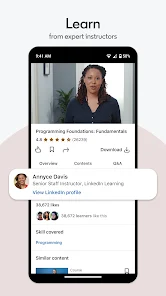
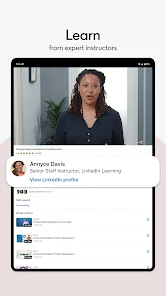
Access a vast library of over 16,000 expert-led courses across various industries and topics. Each course is designed and delivered by industry professionals, ensuring you gain practical knowledge and insights that are applicable in real-world scenarios, enhancing your professional development.

Mobile Learning Access

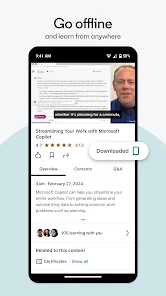
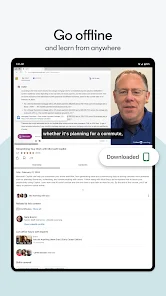
With LinkedIn Learning's mobile app, you can learn anytime, anywhere. The app allows you to download courses for offline access, making it easy to fit learning into your busy schedule, whether you’re commuting or taking a break at work.

Personalized Learning Paths

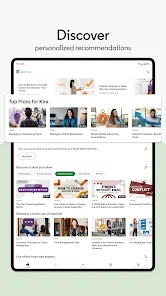
LinkedIn Learning offers personalized learning paths tailored to your specific career goals and interests. By analyzing your skills and preferences, the platform curates a selection of courses that help you efficiently build expertise in your chosen field, making your learning journey more focused and effective.

Skill Assessment Tools

The platform features skill assessment tools that help you identify your strengths and areas for improvement. By taking assessments, you can measure your proficiency in specific skills, allowing you to focus on the courses that will give you the most value for your learning efforts.

Advertisement

Pros & Cons

Pros
  • Access thousands of courses taught by industry experts.
  • Learn at your own pace with flexible scheduling.
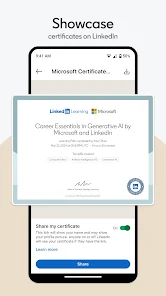
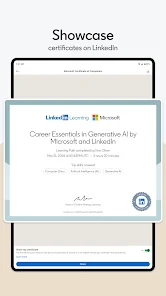
  • Enhance your resume with recognized certifications upon course completion.
  • Network with professionals and expand career opportunities.
  • Stay updated with the latest trends and skills in your field.
Cons
  • Limited course depth can leave learners wanting more comprehensive content.
  • Subscription costs may not justify the available resources for every user.
  • Course quality varies significantly, impacting learning consistency and effectiveness.

Real Experience Using LinkedIn Learning

Application Scenarios

LinkedIn Learning is designed for a variety of learning scenarios, making it a versatile tool for professionals and students alike. Whether you're looking to upskill in your current job, pivot to a new career, or simply explore a personal interest, this app caters to all. For instance, a marketing professional might turn to LinkedIn Learning to enhance their knowledge of digital marketing strategies or learn about the latest tools in the industry. Similarly, a student preparing for a specific career path can utilize the platform to gain foundational skills in areas such as programming, graphic design, or project management. The app's extensive library of courses allows users to tailor their learning experience based on their individual goals, whether it’s for professional development, preparing for certifications, or exploring new hobbies.

User Experience

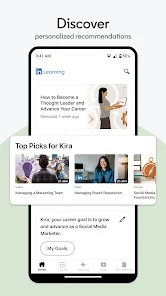
The user experience on LinkedIn Learning is intuitive and user-friendly. Upon signing in, users are greeted with a clean interface that makes navigation simple. The home page offers personalized course recommendations based on your interests and previous learning activities, ensuring that users can easily find relevant content. Each course is structured with a combination of video lectures, quizzes, and exercise files to enhance learning retention. The ability to download courses for offline viewing is another standout feature, making it convenient for users to learn on-the-go without the need for a constant internet connection. Progress tracking is also a strong point, allowing users to see how far they've come in their courses and what skills they’ve acquired. Overall, the seamless integration of features enhances the learning experience, making it engaging and effective.

Pricing

LinkedIn Learning operates on a subscription model, offering users access to its vast library of courses for a monthly or annual fee. While the cost may seem like a barrier for some, the value provided is significant, especially for professionals looking to invest in their career development. The subscription grants unlimited access to thousands of courses across various topics, making it a cost-effective option compared to traditional educational avenues. Additionally, LinkedIn Learning often provides a one-month free trial for new users, allowing them to explore the platform without any financial commitment. For those who are part of organizations or educational institutions, there may be options for enterprise subscriptions, which can further reduce costs while providing group access to the platform.

Updates & Support

LinkedIn Learning is committed to continuous improvement, regularly updating its course offerings to reflect the latest trends and skills in the job market. New courses are added frequently, ensuring that users have access to current information and practices. In terms of support, LinkedIn Learning provides a comprehensive help center that addresses common questions and issues users may encounter. Additionally, the platform offers community forums where learners can interact, share tips, and seek advice from peers. For technical support, users can reach out directly through the app or via LinkedIn's customer service channels, ensuring that assistance is readily available when needed. Overall, the combination of regular updates and robust support enhances the overall user experience, keeping learners engaged and informed.

verified Security & Privacy Review

Security & Privacy Review LinkedIn Learning prioritizes user security and privacy by implementing robust data protection measures. The app uses encryption protocols to safeguard sensitive information during transmission and storage, ensuring that user data remains confidential. Additionally, LinkedIn Learning adheres to industry-standard security practices, regularly updating its systems to protect against emerging threats. In terms of privacy practices, the app provides clear privacy policies detailing how user data is collected, used, and shared. Users have control over their data, with options to manage privacy settings and consent for data usage. LinkedIn Learning does not sell personal information to third parties, reinforcing its commitment to user privacy. The app requests permissions primarily related to device functionality, such as access to storage for offline content. Users are informed about these permissions, allowing for informed consent. Overall, LinkedIn Learning demonstrates a strong commitment to security and privacy, making it a reliable choice for users seeking educational resources.
Advertisement

User Reviews

  • Raymond Aguilar
    2026/07/03

    browser has trouble syncing to the app and gets really buggy for example when I toggle captions off they turn back on when the next video plays. when watching videos I suddenly lose sound and doesn't turn back on for the rest of the video. currently looking at a video that is stuck loading. LinkedIn learning has so much potential, Udemy business through the county library works way better. and video is still loading.

  • Zach W
    2021/01/22

    They've included a larger number of courses that were on other learning platforms and rebranded them. The problem is so many are outdated or low quality. My biggest issue is the price isn't justified for the amount of high quality original content. I think you're way better off saving your money and looking for sales on individual courses in other platforms or wait until you have time to binge watch a bunch of courses and issue for just one month.

  • Brian Brown
    2020/10/01

    If you are looking for beginner, intermediate or continuation training on almost anything you can think of, this is the app to use. Each lesson is broken down into small blocks with quizzes, it is easy to follow along. I have found so many management training courses here where I can continue improving my skills as a manager, leader, and mentor at any career I choose.

  • A Google user
    2020/03/15

    The videos are good and educational. The issue I have is that after a few lessons completed, I was no longer able to add a new skill or lesson to my profile. I reached out to tech support and appeared to receive a response from a bot. I was instructed to uninstall and reinstall the app to fix the problem and it didn't resolve the issue. When responding again about the unsatisfactory results, they closed the ticket.

  • JT Siren
    2022/09/21

    Very frustrating, especially since I've paid for the premium service. Developers, please fix whatever is giving me way more spinny circle than watchable video. I've tried downloading the videos, I've switched the quality to medium. I have no problems with any other streaming video platform. I have limited time each day to watch these lessons and improve my skills. No time for spinning circle interruptions. Please fix it.

Review Source: Google Play store public user reviews.

FAQ

1

Can I submit suggestions or feedback to LinkedIn Learning?

Yes, users can submit suggestions and feedback via the help section or community forums on the LinkedIn Learning platform, helping to improve the service.

2

Does LinkedIn Learning collect my personal data?

Yes, LinkedIn Learning collects personal data to enhance user experience, improve recommendations, and for analytics purposes, as outlined in their privacy policy.

3

Does LinkedIn Learning support offline use?

Yes, LinkedIn Learning allows users to download courses for offline viewing on mobile devices, making it convenient to learn without an internet connection.

4

How do I cancel my LinkedIn Learning subscription?

Users can cancel their LinkedIn Learning subscription through their account settings on the website or app, following the cancellation instructions provided in the billing section.

5

How much does a subscription to LinkedIn Learning cost?

A subscription to LinkedIn Learning typically costs around $29.99 per month or $239.88 per year, but prices may vary depending on promotions or regional differences.

How to use LinkedIn Learning

1

Can I change my customer number?

Customer numbers are unique identifiers. If you need to update your account details, contact customer service for assistance. They can help with any necessary changes.

2

How can I activate my LinkedIn Learning account?

To activate your account, follow the instructions in the activation email you received. Click the activation link and set a password to complete the process.

3

How can I ensure my account stays active?

To keep your account active, log in regularly and engage with content. If you receive an inactivity notice, follow the instructions in the email to maintain access.

4

How do I contact customer service for LinkedIn Learning?

You can reach customer service through the help center on the LinkedIn Learning website. There, you'll find options for live chat and email support.

5

How do I log in if I have a corporate account?

If you have a corporate account, use the credentials provided by your employer. Ensure you're on the correct login page for corporate users.

What's New

We update LinkedIn Learning frequently to improve your learning experience led by more than 800 industry experts chosen from around the world. Visit weekly to see what’s new. Love LinkedIn Learning? Rate the app! Your feedback shows us what matters. Plus: the app includes a Help Center to answer your questions.


Editor's Choice