This site uses cookies to enhance your user experience. By clicking any link on this site you are giving your consent to our cookie policy. Read more
Reject
Accept All

Advertiser and Editorial Disclosures

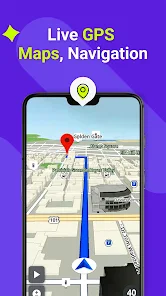
GPS, Maps, Driving Directions

GPS, Maps, Driving Directions

verified

AppVerge Technologies, LLC

4.0
Rating
100,000,000+ Downloads
14.06 Version
  • category

    Category: Maps & Navigation

  • price

    Price: free

  • age rating

    Age Rating: Everyone

  • rating

    Rating: 4.0

  • available on

    Available on: /

  • updated on

    Updated on: Jun 18, 2026

Screenshot 1
Screenshot 2
Screenshot 3
Screenshot 4
Screenshot 5
Screenshot 6
Screenshot 7
Screenshot 8
Screenshot 9
Screenshot 10
Screenshot 11
Screenshot 12
Screenshot 13
Screenshot 14
Screenshot 15
Screenshot 16
Screenshot 17
Screenshot 18
Screenshot 19
Screenshot 20
Screenshot 21
Screenshot 22
Screenshot 23
Screenshot 24
Advertisement

Features & Highlights

Customizable Route Preferences

Tailor your travel experience with customizable route preferences that let you choose the best path for your needs. Whether you prefer scenic drives, the fastest routes, or avoiding tolls, the app adapts to your preferences. This feature empowers you to take control of your journey and explore the roads you love.

Offline Maps Access

Never worry about losing connectivity again with offline maps access. Download your favorite routes and maps for use when you're out of service, ensuring you can navigate even in remote areas. This feature is a lifesaver for road trips or travels to places with limited internet access.

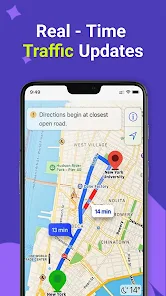
Real-Time Traffic Updates

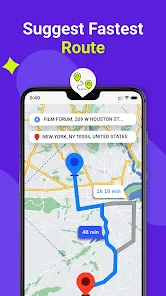
Stay informed with real-time traffic updates that help you avoid congestion and delays. The app analyzes current road conditions and suggests alternate routes to save you time and ensure a smoother journey. With this feature, you can drive with confidence, knowing you’re taking the best path available.

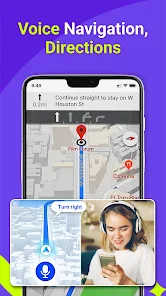
Voice Navigation Guidance

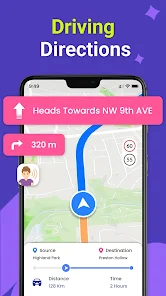
Experience hands-free convenience with voice navigation guidance that keeps your eyes on the road. The app provides clear, turn-by-turn instructions, making it easy to follow directions without distraction. It’s like having a co-pilot that guides you every step of the way, ensuring you stay on track.

Advertisement

Pros & Cons

Pros
  • GPS provides real-time location tracking for accurate navigation.
  • Maps offer comprehensive routes, including shortcuts and scenic paths.
  • Driving directions simplify complex intersections, reducing confusion on the road.
  • GPS alerts for traffic conditions help avoid delays and save time.
  • Offline maps ensure navigation even without an internet connection.
Cons
  • GPS can lose signal in remote areas, causing navigation issues.
  • Maps may be outdated, leading to inaccurate directions.
  • Driving directions can overlook traffic conditions, resulting in unexpected delays.

Real Experience Using GPS, Maps, Driving Directions

Application Scenarios

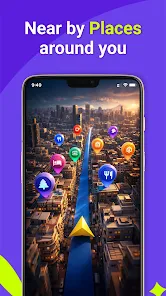
The GPS, Maps, Driving Directions app is designed for a variety of navigation needs, making it a versatile tool for everyday users. Whether you are commuting to work, planning a road trip, or exploring a new city, this app provides reliable guidance to help you reach your destination efficiently. The app excels in urban environments, where it can navigate through complex street layouts and heavy traffic. Users can also take advantage of its offline maps feature, which is particularly beneficial for those traveling in areas with limited internet connectivity. Additionally, the app includes options for walking, cycling, and public transportation routes, catering to different travel preferences and needs.

User Experience

The user experience of the GPS, Maps, Driving Directions app is generally smooth and intuitive. Upon opening the app, users are greeted with a clean interface that allows for easy access to various features. The search functionality is robust, enabling users to find locations quickly, while saved favorites and recent destinations streamline the navigation process. One of the standout features is real-time traffic updates, which help users avoid congested areas and find the fastest routes. Voice-guided navigation provides hands-free assistance, ensuring that drivers can focus on the road. However, occasional bugs and slow loading times have been reported, which can detract from the overall experience. Nevertheless, the app's user-friendly design and helpful features make it a solid choice for many travelers.

Pricing

The GPS, Maps, Driving Directions app offers a freemium model, allowing users to access basic navigation features at no cost. For those seeking an enhanced experience, a premium subscription is available, which unlocks additional functionalities such as ad-free navigation, offline map downloads, and advanced routing options. The pricing is competitive compared to other navigation apps in the market, making it an attractive option for budget-conscious users. The free version remains functional for most users, but the premium features can significantly improve the overall experience for frequent travelers.

Updates & Support

The developers of the GPS, Maps, Driving Directions app are committed to providing regular updates to enhance functionality and user experience. Users can expect frequent improvements, including bug fixes and new features based on user feedback. The app also includes a dedicated support section, where users can access FAQs, troubleshooting tips, and contact information for further assistance. The responsiveness of the support team has received praise, with many users reporting quick resolutions to their issues. Overall, the commitment to updates and support ensures that users have a reliable tool at their disposal, making their travel experiences more enjoyable.

verified Security & Privacy Review

The GPS, Maps, Driving Directions app prioritizes user security and privacy through several key practices. It employs robust encryption methods to protect location data during transmission, ensuring that sensitive information remains secure from unauthorized access. The app's privacy policy outlines how user data is collected, used, and shared, providing transparency regarding its data handling practices. When installing the app, users are prompted to grant specific permissions, such as access to location services and storage. While these permissions are essential for optimal functionality, users are encouraged to review and manage them according to their comfort level. The app offers options to limit data sharing with third-party services, enhancing user control over personal information. The developers are committed to adhering to applicable data protection regulations, which further reinforces user trust. Regular updates are provided to address potential security vulnerabilities, ensuring that the app remains a safe tool for navigation and driving directions. Overall, the GPS, Maps, Driving Directions app demonstrates a strong commitment to maintaining user privacy and data security throughout the user experience.
Advertisement

Compare APP

User Reviews

  • Le Regice
    2022/09/10

    Why do we have to pay for an inferior app while there are free superior apps? The weather is the only thing that really works. There is no option to avoid toll or find the faster way or shortest distance or better fuel economy route. I prefer not to write at all instead of writing a negative review. This is an exception because I paid $20.00 + tax for it. To make it worse there is tab that shows ads on the button. No joke.

  • Ira Wilsker
    2020/12/19

    I downloaded and installed this app based on a glowing review in one of the major online tech news services. I agree what others have said in recent reviews. The number and scope of adds is very distracting. There are several requests to pay to remove the ads, and I am very willing to pay for decent apps, but I am not so sure about this app. It was not clear if the registration fee was monthly, annual, or one time to remove the excessive ads. Not as user friendly.

  • Thomas Trampf
    2022/03/13

    Use it mostly for navigation. So far, it works great - even accurately recalculated my route when I missed a turn. My only problem is that all the distances and vocal directions are in metric. I set the "Metric" setting to "Miles." I pay for the app and hope/expect this problem to be fixed in an upcoming update. UPDATE: 3 months later and the app is STILL using metrics, even though it's set to "Miles." Going to have to uninstall and replace with a navigation app suited for use in the US.

  • Patrick Bredlau
    2023/02/17

    Poor. Few adjustments. Weather information is substandard, loads of advertising , need to give credit card information for registration, not close to WAZE. I received a response to my complaints. Basicly, they said pay-up and give us your credit card information. They disclose they won't charge you, but still require a credit card. I don't recommend App

  • David Arnold
    2021/12/10

    The number of pop-up ads makes this app completely utterly useless. And the developers simply says purchase the ad-free version. I say to the developers screw you, give me a weekend free, a day a destination ad-free,something. If I have no way to use this app without paying for it first how do I know it's any good? Offer a free trial you dumbasses or suffer a slow painful death (of your app of course).

Review Source: Google Play store public user reviews.

FAQ

1

Can I submit suggestions or feedback to GPS, Maps, Driving Directions?

Yes, users can submit suggestions or feedback through the app's support section or by contacting customer service directly.

2

Does GPS, Maps, Driving Directions collect my personal data?

Yes, GPS, Maps, Driving Directions may collect personal data such as location, usage statistics, and device information to improve service and user experience.

3

Does GPS, Maps, Driving Directions support offline use?

Yes, GPS, Maps, Driving Directions offers an offline mode that allows users to download maps and access navigation without an internet connection.

4

How do I cancel my GPS, Maps, Driving Directions subscription?

To cancel your subscription, you can go to your account settings within the app or the app store and follow the cancellation instructions provided.

5

How much does a subscription to GPS, Maps, Driving Directions cost?

Subscription costs for GPS, Maps, Driving Directions can vary based on the plan selected, with options for monthly or yearly subscriptions typically available.

How to use GPS, Maps, Driving Directions

1

Can I activate my GPS account from a different device?

Yes, you can activate your GPS account from any device by logging in with your credentials.

2

Can I get customer service help without my customer number?

Yes, you can still contact customer service. However, having your customer number will help us resolve your issue more efficiently.

3

How can I access customer service if I'm having trouble with directions?
You can contact customer service via chat or phone. They’ll assist you with any issues regarding directions.

4

How can I contact customer service for GPS issues?

You can reach customer service by calling our support hotline or using the contact form on our website. Your customer number will help us assist you faster.

5

How do I activate my account for driving directions?

To activate your account, log in to the app and follow the activation link sent to your registered email.

What's New

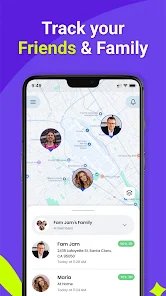
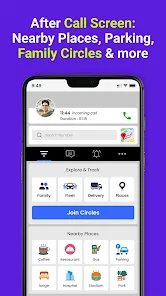
* New Design* Bugs Fixed* Create Circles/Groups* Stay connect with your Family and Friends* Enhanced user experience

Editor's Choice