This site uses cookies to enhance your user experience. By clicking any link on this site you are giving your consent to our cookie policy. Read more
Reject
Accept All

Advertiser and Editorial Disclosures

Fulton Bank Mobile

Fulton Bank Mobile

verified

Fulton Bank

4.5
Rating
100,000+ Downloads
2026.01.1 Version
  • category

    Category: Finance

  • price

    Price: free

  • age rating

    Age Rating: Everyone

  • rating

    Rating: 4.5

  • available on

    Available on: /

  • updated on

    Updated on: Jul 7, 2026

Screenshot 1
Screenshot 2
Screenshot 3
Screenshot 4
Screenshot 5
Screenshot 6
Screenshot 7
Screenshot 8
Screenshot 9
Screenshot 10
Screenshot 11
Screenshot 12
Screenshot 13
Screenshot 14
Screenshot 15
Screenshot 16
Screenshot 17
Screenshot 18
Screenshot 19
Advertisement

Features & Highlights

Account Management

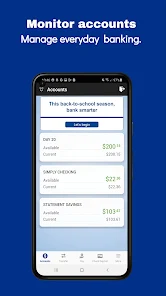
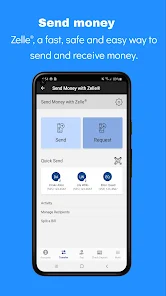
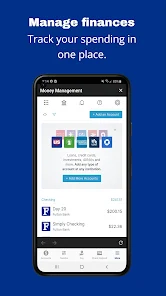
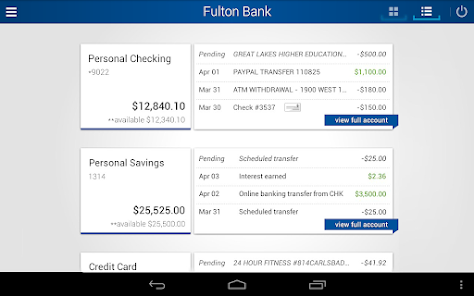
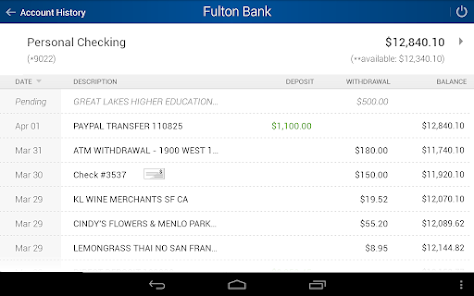
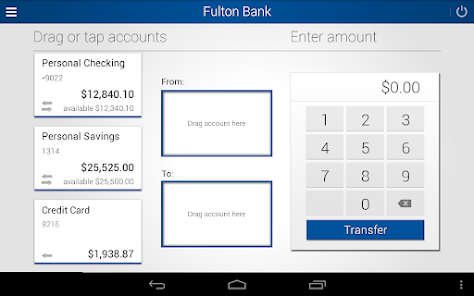
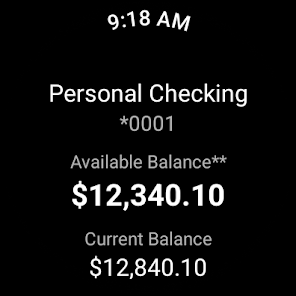
Stay on top of your finances with comprehensive account management features. Monitor your balances, view transaction history, and transfer funds between your accounts seamlessly, all while enjoying a user-friendly interface that makes banking a breeze.

Bill Pay Made Easy

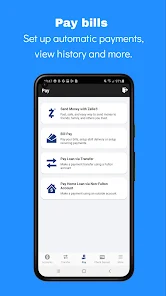
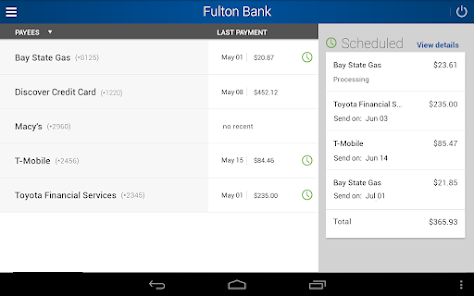
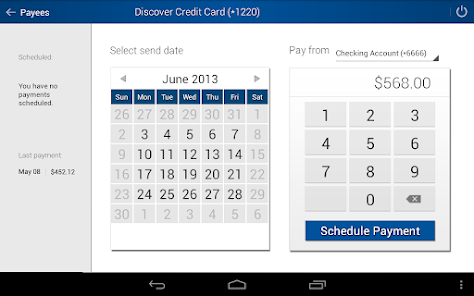
Say goodbye to late fees with the app's simple bill pay feature. You can schedule one-time or recurring payments to your favorite vendors, ensuring that you never miss a due date while keeping your financial life organized and stress-free.

Mobile Check Deposit

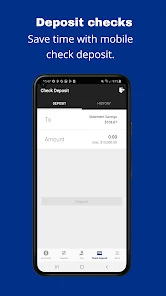
Easily deposit checks from the comfort of your home using the Fulton Bank Mobile app. Simply snap a photo of your check, and the app will guide you through the submission process, making banking more convenient than ever before.

Secure Messaging

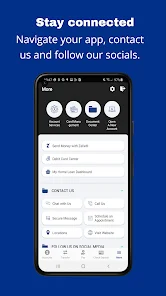
Communicate with Fulton Bank directly through the app with secure messaging. This feature allows you to ask questions, resolve issues, or get assistance without the need for a phone call, providing peace of mind and enhancing your banking experience.

Advertisement

Pros & Cons

Pros
  • Access your accounts anytime, anywhere for convenience
  • Deposit checks quickly using your smartphone camera
  • Easily transfer funds between accounts with a tap
  • Pay bills effortlessly to avoid late fees
  • Monitor transactions in real-time for better budgeting
Cons
  • Limited features compared to the desktop version
  • User interface can be confusing at times
  • Occasional app bugs and performance issues
  • Customer support response times may be slow

Real Experience Using Fulton Bank Mobile

Application Scenarios

The Fulton Bank Mobile app is designed to cater to a variety of banking needs for both personal and business users. Customers can seamlessly manage their accounts, transfer funds, pay bills, and even deposit checks using the app’s innovative mobile check deposit feature. The app is particularly useful for individuals who are always on the go, as it allows for quick access to financial information anytime and anywhere. For small business owners, the app provides essential tools to manage cash flow and monitor transactions, making it an invaluable resource for efficient financial management. Whether you are checking your balance during your morning commute or making a quick payment while out shopping, Fulton Bank Mobile covers all your banking needs with convenience.

User Experience

The user experience of the Fulton Bank Mobile app is generally positive, characterized by its intuitive design and easy navigation. Upon logging in, users are greeted with a clean interface that provides quick access to key features such as account balances, recent transactions, and payment options. The app's layout is user-friendly, allowing even less tech-savvy customers to navigate with ease. Security features, such as biometric login options and two-factor authentication, provide peace of mind while using the app. While some users have reported occasional glitches during peak times, regular updates seem to address these issues swiftly. Overall, the app delivers a reliable experience that aligns well with modern banking expectations.

Pricing

One of the standout features of the Fulton Bank Mobile app is its cost-effectiveness. The app is free to download and use for all Fulton Bank customers, with no hidden fees for basic banking services such as checking balances, transferring funds, or paying bills. However, users should be aware that certain features, like wire transfers or specific business services, may incur standard banking fees. For most everyday banking needs, the app provides excellent value, making it an attractive option for both individuals and businesses looking to streamline their financial activities without incurring additional costs.

Updates & Support

Fulton Bank is dedicated to maintaining and improving the mobile banking experience through regular updates based on user feedback and technological advancements. The app frequently receives enhancements that improve functionality, security, and overall performance. In terms of support, Fulton Bank offers multiple channels for customers to seek help, including a comprehensive FAQ section on their website, in-app support options, and customer service representatives available via phone. Users can expect timely responses and assistance, which adds to the overall satisfaction of using the app. With ongoing commitment to updates and customer support, Fulton Bank Mobile continues to evolve and adapt to the needs of its users.

verified Security & Privacy Review

The Fulton Bank Mobile app prioritizes user security and privacy through robust encryption protocols and secure data handling practices. All sensitive information, including personal and financial data, is transmitted using advanced encryption techniques, ensuring that unauthorized access is significantly mitigated. The app requires several permissions, such as access to location services and camera, which are necessary for features like mobile check deposits and locating nearby branches. Users are informed about these permissions and can choose to grant or deny them based on their comfort level. Fulton Bank is committed to maintaining user privacy, adhering to strict regulatory standards to safeguard personal data. The app does not sell user information to third parties, and users can manage their privacy settings within the app to limit data sharing. Regular updates to the app include security enhancements, reflecting the bank's ongoing commitment to protecting user information against evolving cyber threats. Overall, the Fulton Bank Mobile app provides a secure environment for managing financial transactions while respecting user privacy.
Advertisement

Compare APP

User Reviews

  • Sarah Hose
    2026/01/20

    The app works okay but you don't get many settings to control your account and the widget never works never ever never ever ever. almost every time I went to check my account with the widget it doesn't load/refresh. I think I can get my account load with the widget maybe once every 3 weeks. One of the best things of having an app like this is so you can have a widget that works and it just doesn't.

  • Dakota Greyy
    2024/01/18

    I also use the app so I don't have to drive out of my way to have my paycheck cashed. Best time to deposit your check is like Tuesday-Thursday or else you're waiting 2-3 days more. The photo recognition has gotten better over the past couple of months, but notorious for requiring multiple attempts. App is slow and most of the other links rarely work. I wanna stay with the bank since it's been a family bank for a hot minute, but the app is a struggle.

  • Jason Sensenig
    2022/05/17

    This app used to be great but recently it started to take a full minute or more of the circle circling and saying trying to login when I go to login, it will login eventually but takes extremely long. They made an app so you have convenience on your phone but that totally defeats the purpose. I reached out to support but they we're not willing to help me in any way

  • Daniel Cosper
    2025/01/08

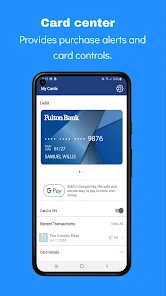
    The app works well. The debit card control is powerful but can be confusing & could use online help - had to call customer service for help. Would be 5 stars, but for these reasons: #1 removed finger print biometric login for the app #2 mobile check deposit can't recognize small dates on large sized paper commercial checks (like a dividend check). Surprisingly on a normal size personal check it works well even with sloppy hand writing.

  • Eric Stephenson
    2022/01/02

    This app has been down nearly everytime I try to log in. It will get past fingerprint log in, but just sits saying "Logging In" then, eventually says "Application Failure." It used to happen a few times a year, but now it's nearly everytime I try to log in. Worst part is it's completely random. It'll be fine for a day or 2, then it stops working and I'm left wondering how secure their banking is when they can't app properly.

Review Source: Google Play store public user reviews.

FAQ

1

Does Fulton Bank Mobile collect my personal data?

Yes, Fulton Bank Mobile collects certain personal information to provide services and enhance user experience, but it adheres to strict privacy policies to protect your data.

2

Does Fulton Bank Mobile offer a free trial or free version?

Fulton Bank Mobile is free to download and use, with no subscription fees required for its basic banking features.

3

Does Fulton Bank Mobile require an internet connection?

Yes, Fulton Bank Mobile requires an active internet connection, either through Wi-Fi or mobile data, to access account information and perform transactions.

4

How can I contact support or send feedback for Fulton Bank Mobile?

You can contact Fulton Bank Mobile support through the app's help section, by visiting their official website, or by calling their customer service hotline for assistance or to provide feedback.

5

How do I manage or cancel my Fulton Bank Mobile subscription?

Since Fulton Bank Mobile does not have a subscription model, there is no need to manage or cancel a subscription. Users can simply stop using the app at any time.

How to use Fulton Bank Mobile

1

How can I activate my Fulton Bank mobile app?

To activate the app, download it, open it, and follow the prompts to set up your account using your online banking credentials.

2

How can I contact Fulton Bank's customer service?

You can reach Fulton Bank's customer service by calling 1-800-385-3663. They are available to assist you with any inquiries.

3

How do I log in to the Fulton Bank mobile app?

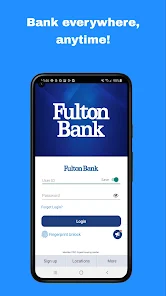
Open the app, enter your username and password, and tap 'Log In' to access your account.

4

What is Fulton Bank's customer number for mobile banking?

Your customer number can typically be found on your account statements or by contacting customer service directly.

What's New

This update includes general improvements, enhancements, and bug fixes to provide you with the best possible experience.

Editor's Choice