This site uses cookies to enhance your user experience. By clicking any link on this site you are giving your consent to our cookie policy. Read more
Reject
Accept All
Fidelity Investments

Fidelity Investments

4.6
Advertisement

Information

  • Category: Finance
  • Price: free
  • Age Rating: 14+
  • Rating:
    4.6
  • Developer: Fidelity Investments
  • Version: 4.14
Advertisement
Screenshot 1
Screenshot 2
Screenshot 3
Screenshot 4
Screenshot 5
Screenshot 6
Screenshot 7
Screenshot 8
Screenshot 9
Screenshot 10
Screenshot 11
Screenshot 12
Screenshot 13
Screenshot 14
Screenshot 15
Screenshot 16
Screenshot 17
Screenshot 18
Screenshot 19
Screenshot 20
Screenshot 21
Screenshot 22
Screenshot 23
Screenshot 24

Fidelity Investments is a leading provider of investment management, retirement planning, portfolio guidance, and brokerage services. The Fidelity app allows users to access their accounts, view their portfolios, and make trades on the go. The app also provides market news, research, and analysis to help users make informed investment decisions.

Features

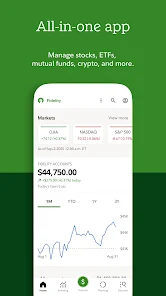
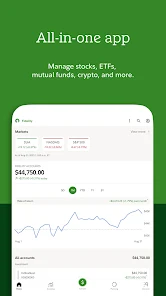
The Fidelity Investments app allows users to monitor their portfolio, place trades, and research investments. The app is available for both iOS and Android devices, and can be accessed via the website or mobile app.

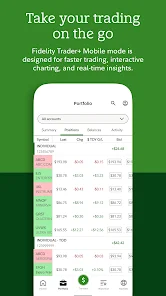
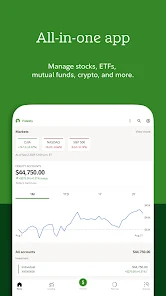
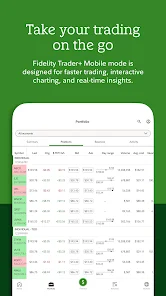
The app provides a real-time view of your portfolio and account balances, as well as the ability to place trades. You can also research investments and get quotes, all from within the app. The app is free to download and use, and is available in both the App Store and Google Play store.


How to Use Fidelity Investments App

If you\'re a Fidelity customer, you can use the Fidelity Investments app to manage your account on the go. Here\'s how:

1. Download the app from the App Store or Google Play.

2. Open the app and log in with your Fidelity user ID and password.

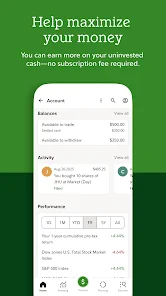
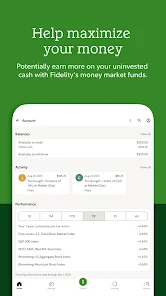
3. Once you\'re logged in, you\'ll be able to view your account balance, recent activity, and portfolio performance.

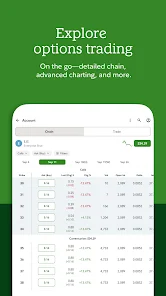
4. You can also use the app to place trades, view real-time market data, and access research and insights from Fidelity\'s investment professionals.

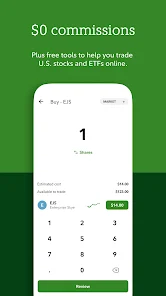
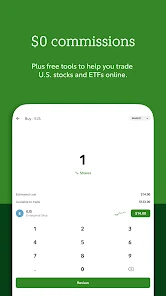
5. To get started, just tap on the "Trade" button at the bottom of the screen. From there, you can select the type of trade you\'d like to make (buy or sell), the security you\'d like to trade (stock, ETF, mutual fund, etc.), and the quantity desired. Then hit "Submit" to place your order.

The Fidelity Investments app is a convenient way to stay connected to your account while on the go. With its easy-to-use interface and mobile-friendly features, it\'s perfect for busy investors who need to stay on top of their portfolios without being tied down to a desktop computer


Pros & Cons

Fidelity Investments is a popular investment app that allows users to invest in stocks, mutual funds, and ETFs. The app is available for both iOS and Android devices, and it\'s free to download.

One of the best things about Fidelity Investments is that it offers a wide range of investment options. Whether you\'re looking to invest in stocks, mutual funds, or ETFs, you\'ll be able to find what you\'re looking for with this app.

Another great thing about Fidelity Investments is that it\'s very user-friendly. The interface is clean and easy to navigate, and the app itself is very straightforward. Even if you\'re not familiar with investing, you should be able to figure out how to use this app without any problems.

However, there are also some drawbacks to using Fidelity Investments. One of the biggest complaints is that the fees can be quite high. If you\'re not careful with your investments, you could end up losing money instead of making money.

Another downside to Fidelity Investments is that it doesn\'t offer a ton of customization options. If you want to really customize your portfolio, you might be better off using another investment app.

Advertisement

FAQ

Access market news and insights for informed decisions.

The app offers real-time market news, analysis, and insights, helping users make educated investment decisions based on current market trends and events.

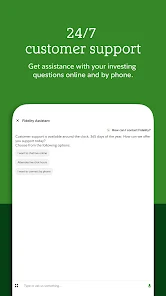
Contact customer support for assistance with any issues.

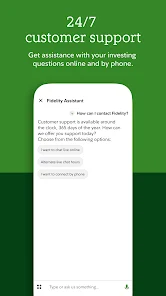
Users can reach out to Fidelity's customer support through the app for help with account-related questions or technical issues, ensuring a smooth user experience.

Create an account or log in with your credentials.

Users can create a new account by providing personal information or log in using existing credentials. This step is essential for accessing personalized investment options and account details.

Download the Fidelity Investments app from your app store.

The app is available on major platforms like iOS and Android, allowing users to manage their investments on the go. Simply search for "Fidelity Investments" in your app store to download.

Enjoy a user-friendly interface designed for seamless navigation.

The app features an intuitive layout that makes it easy for users to navigate through various sections, enhancing the overall user experience.

Advertisement