This site uses cookies to enhance your user experience. By clicking any link on this site you are giving your consent to our cookie policy. Read more
Reject
Accept All

Advertiser and Editorial Disclosures

FamilyAlbum - Photo Sharing

FamilyAlbum - Photo Sharing

verified

MIXI, Inc.

4.8
Rating
10,000,000+ Downloads
22.33.0 Version
  • category

    Category: Lifestyle

  • price

    Price: free

  • age rating

    Age Rating: Teen

  • rating

    Rating: 4.8

  • available on

    Available on: /

  • updated on

    Updated on: Jul 2, 2026

Screenshot 1
Screenshot 2
Screenshot 3
Screenshot 4
Screenshot 5
Screenshot 6
Screenshot 7
Screenshot 8
Screenshot 9
Screenshot 10
Screenshot 11
Screenshot 12
Screenshot 13
Screenshot 14
Screenshot 15
Screenshot 16
Screenshot 17
Screenshot 18
Advertisement

Features & Highlights

Automatic Organization

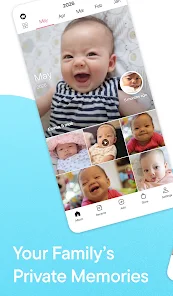
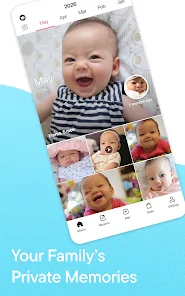
The app intelligently organizes your photos and videos by date, making it effortless to relive your family's journey over time. With this feature, you can easily navigate through cherished memories and find specific moments without the hassle of sorting through endless folders.

Collaborative Albums

FamilyAlbum encourages collaboration by allowing multiple family members to contribute their own photos and videos to shared albums. This way, everyone can participate in capturing and celebrating special events, creating a richer, more inclusive memory collection for the whole family.

Customizable Notifications

Stay updated with customizable notifications that let you choose how and when you want to be alerted about new uploads and comments. This feature ensures that you never miss a moment while allowing you to control your engagement with the app.

Private Sharing

FamilyAlbum allows you to share photos and videos privately with your loved ones, ensuring that your precious memories are only seen by those who matter most. This feature provides a safe space for families to connect and cherish moments together without the distractions of public social media.

Advertisement

Pros & Cons

Pros
  • Easily share photos with family members in a private space.
  • Organize memories chronologically to relive special moments together.
  • Receive real-time notifications when loved ones upload new photos.
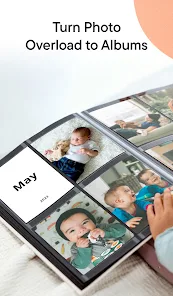
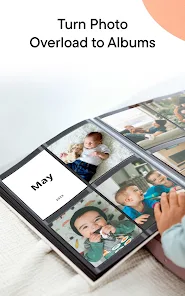
  • Create personalized albums for events and milestones effortlessly.
  • Enjoy unlimited storage for all your family memories securely.
Cons
  • Limited storage options may restrict photo uploads over time
  • Privacy concerns can arise with shared content
  • Lack of advanced editing tools may hinder photo enhancement options

Real Experience Using FamilyAlbum - Photo Sharing

Real Experience Application Scenarios

FamilyAlbum is designed primarily for families looking to share and preserve their memories in a private, secure environment. The app serves various scenarios, from capturing everyday moments to significant life events. Parents can upload photos and videos of their children, creating a digital scrapbook that can be shared exclusively with family members. Grandparents and relatives who live far away can stay connected by viewing updates in real-time, thus fostering a sense of closeness despite physical distances. The app also includes features for creating albums for special occasions like birthdays, holidays, and vacations, making it easy to compile memories for future reminiscing.

User Experience

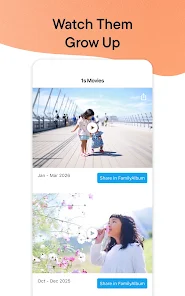
The user experience of FamilyAlbum is intuitive and user-friendly. Upon opening the app, users are greeted with a clean interface that makes navigation a breeze. Uploading photos is straightforward—users can select multiple images at once and add captions or tags to enhance storytelling. The app’s organization system categorizes memories by date, making it easy to browse through past events. Users appreciate the ability to comment on and like photos, which encourages interaction among family members. Additionally, the app offers a timeline feature that presents memories chronologically, allowing families to relive their journey together. Notifications for new uploads and comments keep everyone engaged, ensuring that no one misses out on precious moments.

Pricing

FamilyAlbum operates on a freemium model, providing basic functionalities at no cost. Users can create an account and start uploading photos and videos without any initial investment. However, for those seeking enhanced features, such as additional storage space and the option to create printed albums, a premium subscription is available. The pricing is competitive compared to similar photo-sharing services, making it accessible for families who want to preserve their memories without breaking the bank. The app occasionally offers promotional discounts for annual subscriptions, providing even more value for users looking to invest in their digital family album.

Updates & Support

The developers of FamilyAlbum frequently release updates to improve functionality and user experience. Recent updates have included enhanced privacy settings, improved photo editing tools, and a more streamlined uploading process. Users can easily access the support section within the app, which offers FAQs, troubleshooting guides, and direct contact options for customer service. The responsive support team is noted for its quick turnaround times, ensuring that users receive assistance whenever they encounter issues. Regular communication from the developers about new features and improvements keeps the user community informed and engaged.

verified Security & Privacy Review

Security & Privacy Review FamilyAlbum prioritizes user security and privacy, implementing robust measures to protect personal data. The app employs end-to-end encryption for photo uploads and sharing, ensuring that only invited family members can access shared content. This feature significantly reduces the risk of unauthorized access to sensitive family memories. In terms of permissions, FamilyAlbum requires minimal access to device features. Users are prompted to grant permissions for photo storage and notifications, allowing control over what data is shared. The app's privacy policy is transparent, detailing how user information is collected, used, and stored. FamilyAlbum does not sell user data to third parties, reinforcing its commitment to privacy. Additionally, users can manage their privacy settings within the app, including the ability to control who can view their albums and photos. Regular updates help ensure that the app stays secure against emerging threats, making FamilyAlbum a reliable choice for family photo sharing.
Advertisement

User Reviews

  • Erin Dombkowski
    2026/02/03

    I have had the app for 2 years now and it started off great. I would get my free prints each month and had no issues. I recently started purchasing their calendar and for the second time now my order is nowhere to be found. The first purchase was going to be a birthday gift but it never came in and took weeks to get it refunded. The second purchase was supposed to be a Christmas gift and still has yet to come in (it's beginning of February). Still no tracking number. Nothing.

  • Audrey
    2026/02/13

    Everything is great except for the price increases and upgrades added. It was nice when 5.99 was the top tier. Also, it would be fantastic if the app was available for tablets or if the browser version gets reconfigured to be more maneuverable. My kiddo loves to watch his old videos but can only see the most recent up front and has to go through many "previous" clicks to get to years ago. At least letting us skip ahead by having a number line at the bottom would help tremendously.

  • Manaless Garm
    2026/03/01

    This app is really great. Its very user friendly and a great way to share memories with family and friends without using traditional social media. When you send the link to more than one person at a time it seems to have issues, but if you send them individually that usually fixes it. We had to resend some invites, but it was an easy fix. Over all the app is exactly what we were looking for.

  • Amanda Bower
    2026/01/27

    I love the Family Album app! It’s a great way for friends and family to keep up with my kids in a private space, instead of on social media. I feel better knowing their photos are only shared with people I trust. It’s also perfect for storing photos off my phone and keeping them organized chronologically, even with multiple kids. I also love how easy it is to switch between my kids’ albums and my niece’s. Highly recommend!

  • Anita Chiquita
    2026/03/11

    love it... using basic version... can't compare with other like apps, but continue to love the app. it has unobtrusive ads one can ignore; is robust; allows commentS on pics and videos. video length is limited (I think 1.5 minutes, used to be 3) but very acceptable. still not paying for premium since the basic more than suits our needs. they offer products (booklets, wall hangings, calendars) with your favorite pics. i recommend to everyone!

Review Source: Google Play store public user reviews.

FAQ

1

Can I submit suggestions or feedback to FamilyAlbum - Photo Sharing?

Yes, FamilyAlbum encourages users to submit suggestions or feedback through the app or their official website to help improve the service.

2

Does FamilyAlbum - Photo Sharing collect my personal data?

FamilyAlbum may collect personal data to improve user experience, but they prioritize user privacy and data security. Users can review their privacy policy for more details.

3

Does FamilyAlbum - Photo Sharing support offline use?

Yes, FamilyAlbum allows users to access previously downloaded content offline, but an internet connection is required for uploading new content and syncing.

4

How do I cancel my FamilyAlbum - Photo Sharing subscription?

Users can cancel their subscription through the app settings or their account management page, following the prompts for subscription cancellation.

5

How much does a subscription to FamilyAlbum - Photo Sharing cost?

The subscription cost varies, but users can typically choose between monthly or annual plans, with discounts often available for longer commitments.

How to use FamilyAlbum - Photo Sharing

1

Can I change my customer number in FamilyAlbum?

Unfortunately, customer numbers cannot be changed. For specific issues, please contact customer service for assistance.

2

How can I contact customer service for FamilyAlbum?

You can reach our customer service by emailing support

3

How can I log in using my customer number?

Currently, FamilyAlbum requires email and password for login, and customer numbers are not used for logging in.

4

How do I activate my FamilyAlbum account after signing up?

To activate your account, click the activation link sent to your email after registration. If you didn't receive it, check your spam folder.

5

How long does it take to activate my FamilyAlbum account?

Activation is usually instant after clicking the link in your email. If you haven’t received it, please check your spam folder or contact support.

What's New

We regularly make changes and improvements to our app! Please be sure to update to the latest version.If you have any questions or feedback, please contact us at https://family-album.com/support . Stay tuned for more improvements, and thank you for using FamilyAlbum!

Editor's Choice