This site uses cookies to enhance your user experience. By clicking any link on this site you are giving your consent to our cookie policy. Read more
Reject
Accept All

Advertiser and Editorial Disclosures

LG ThinQ

LG ThinQ

verified

LG Electronics, Inc.

4.3
Rating
100,000,000+ Downloads
5.1.32310 Version
  • category

    Category: Lifestyle

  • price

    Price: free

  • age rating

    Age Rating: Everyone

  • rating

    Rating: 4.3

  • available on

    Available on: /

  • updated on

    Updated on: May 27, 2026

Screenshot 1
Screenshot 2
Screenshot 3
Screenshot 4
Screenshot 5
Screenshot 6
Screenshot 7
Screenshot 8
Screenshot 9
Screenshot 10
Screenshot 11
Screenshot 12
Screenshot 13
Screenshot 14
Screenshot 15
Screenshot 16
Screenshot 17
Screenshot 18
Screenshot 19
Screenshot 20
Screenshot 21
Screenshot 22
Screenshot 23
Screenshot 24
Screenshot 25
Screenshot 26
Advertisement

Features & Highlights

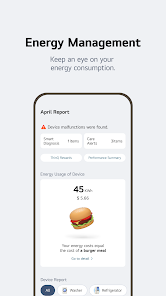
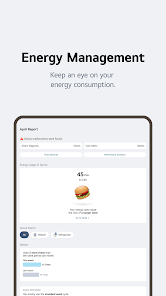
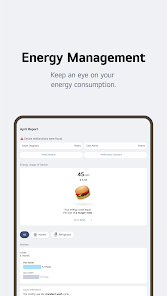
Energy Monitoring

With LG ThinQ, you can track your energy consumption in real-time, helping you make more informed decisions about your usage. This feature not only promotes energy efficiency but also supports sustainability efforts by enabling you to reduce your carbon footprint.

Personalized Recommendations

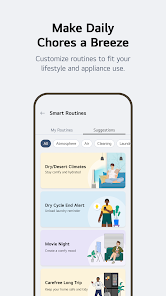
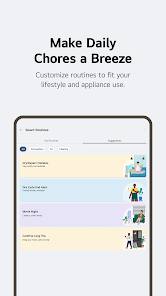
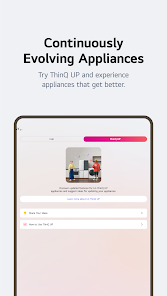
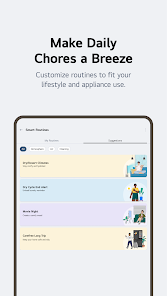
The app offers tailored suggestions based on your usage patterns, optimizing appliance performance and enhancing convenience. By learning your preferences over time, LG ThinQ ensures that your smart home experience is both intuitive and customized to meet your needs.

Remote Management

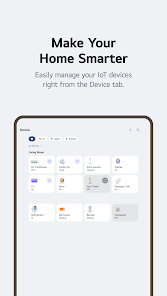
Enjoy the freedom of controlling your LG devices from anywhere with an internet connection. Whether you're at work or on vacation, you can check appliance status, receive alerts, and make adjustments, ensuring peace of mind and convenience at your fingertips.

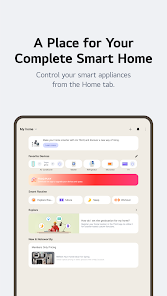
Smart Home Control

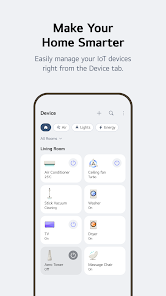
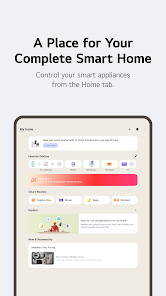
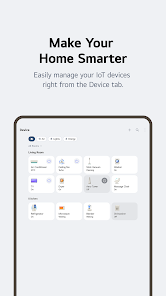
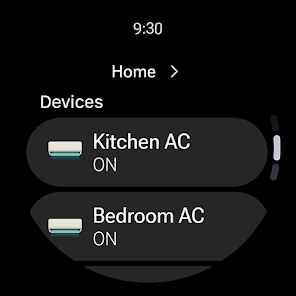
LG ThinQ seamlessly integrates with various smart home devices, allowing you to manage your home environment from a single app. Whether adjusting lighting, temperature, or security settings, you can customize your experience to suit your lifestyle and preferences effortlessly.

Advertisement

Pros & Cons

Pros
  • LG ThinQ offers seamless smart home integration for effortless control.
  • Users can monitor appliances remotely for convenience.
  • AI-driven insights enhance energy efficiency and save on bills.
  • Voice command compatibility simplifies operation and enhances accessibility.
  • Regular updates ensure continuous improvement and new features.
Cons
  • Limited compatibility with non-LG smart devices reduces versatility.
  • User interface can be confusing for new users.
  • Occasional connectivity issues disrupt seamless automation experiences.
  • Customer support may not always provide timely assistance.

Real Experience Using LG ThinQ

Real Experience Application Scenarios

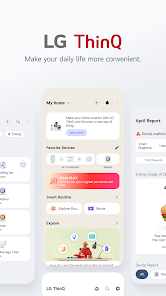
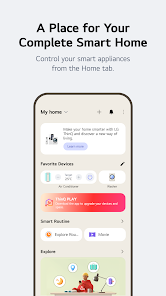
The LG ThinQ app is designed to enhance the experience of users with LG smart appliances and devices. From refrigerators and washing machines to air conditioners and ovens, the app serves as a central hub for managing all connected LG products. Imagine coming home from a long day and using the app to preheat your oven for dinner while you’re still on the way. Users can also monitor energy usage, receive maintenance alerts, and even access recipes tailored for their smart ovens. In smart home setups, the LG ThinQ app allows seamless integration, enabling users to control multiple devices from different areas of their home with ease. Whether you want to check if your laundry is done while you’re out or adjust your thermostat remotely, the app offers versatility in everyday scenarios.

User Experience

The user experience of the LG ThinQ app is generally positive, with a clean interface that makes navigation intuitive. First-time users will appreciate the guided setup process, which simplifies connecting appliances to the app. The dashboard provides an overview of all connected devices, allowing users to quickly access the features they need. Notifications regarding appliance status and tips for optimal use enhance the experience by keeping users informed. However, some users have reported occasional connectivity issues, particularly with older devices. The app's performance may vary depending on the user's home Wi-Fi setup, but overall, it is user-friendly, making it accessible for tech-savvy individuals and novices alike.

Pricing

One of the appealing aspects of the LG ThinQ app is that it is available for free, which is a significant advantage for users who have invested in LG smart appliances. There are no subscription fees or hidden costs associated with the app, making it a cost-effective solution for managing home devices. Users can enjoy the full range of features without worrying about ongoing expenses, which is a rarity in the realm of smart home applications. This free access encourages more users to explore and utilize the app's capabilities, enhancing their overall experience with LG products.

Updates & Support

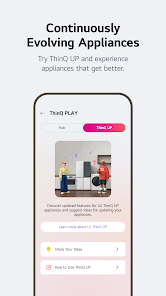
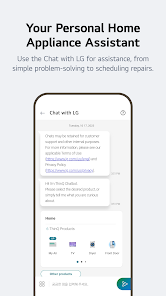
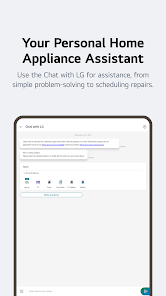
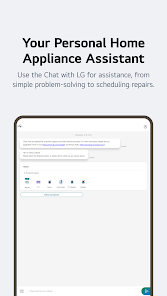
LG is committed to maintaining and improving the ThinQ app, providing regular updates that introduce new features and refine existing ones. Users can expect enhancements that address performance issues or compatibility with new devices. The company also offers robust customer support, including a comprehensive FAQ section, online chat, and phone assistance for troubleshooting. Feedback is actively sought from users, and many updates are driven by user suggestions, reflecting LG's dedication to customer satisfaction. Overall, the combination of continuous updates and accessible support makes the LG ThinQ app a reliable companion for managing smart appliances.

verified Security & Privacy Review

Security & Privacy Review The LG ThinQ app demonstrates a commitment to user security and privacy through its robust data handling practices. The app employs encryption protocols to safeguard user data during transmission and storage, ensuring that sensitive information remains protected from unauthorized access. In terms of permissions, the app requires access to essential features such as location and device storage, which are necessary for optimal functionality. However, users should be mindful of the permissions granted, as excessive access may lead to privacy concerns. The app provides clear explanations for each permission request, helping users make informed decisions. LG ThinQ adheres to privacy regulations by implementing a transparent data collection policy. Users are informed about the types of data collected, including usage patterns and device information, which are used to enhance user experience. Additionally, the app allows users to manage their data preferences, offering options to limit data sharing and delete personal information upon request. Overall, LG ThinQ prioritizes user privacy while delivering a seamless smart home experience.
Advertisement

User Reviews

  • Terri P
    2025/12/30

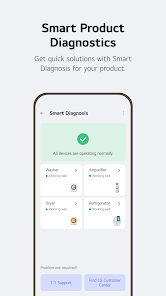
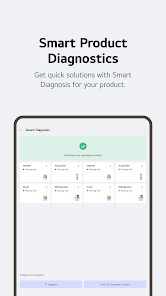
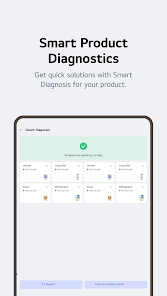
    The app is honestly quite useless. The only good feature is the reminder to clean the oven. Diagnostics are a joke. It didn't register anything wrong when we had issues. It has a remote start option, but you have to physically push the button on the oven to turn it on, then once you're out of range of your wifi, it won't work, so what's the point? It registers hundreds of fridge door openings in a small time frame in the middle of the night when I'm sleeping and refuses to stay connected to app

  • Jim Barnes
    2026/06/18

    if I could only give it zero stars. this is a horrible app. it shows that it wants to connect gives me the code to put in and then just dies. a horrible horrible app. UPDATE: Still a horrible app. I have done all that I have been asked, got connected once, then never could find the TV again. I am a retired IT manager and you have to be an engineer to deal with this app. At a time when apps can connect to things automagically. You'd think that LG could make it work and stay connected.

  • Travis Botts
    2026/07/02

    Every time this app updates, it gets worse. After taking 45 seconds to try to connect it's a 50:50 chance if it actually will. I just changed the temperature, will it now also let me change the fan speed? Maybe. And if you've changed the temperature or fan speed, you might as well just restart your phone before trying to set a schedule because it just seems to never be able to stay connected between the two screens.

  • Jonathan Katz
    2026/06/11

    Well, if you have LG products, you don't have too many choices. Although this happens to be a good app, there is so much more they can learn from some other apps that do the same basic things that are not necessarily proprietary. However, they have proprietary support. I love my new washer-dryer combo, and ThinQ is good so far!

  • Angie Regal
    2026/05/02

    It's ok. Have to constantly reconnect it. Was just using it, went to use it to skip an ad on YouTube is telling me to turn the TV on, but it's alright on and I had just used the app a minute ago, and then just get a never ending spinny circle when I tell it to turn on...even though the TV is currently on. Tried force stopping and reopening the app but still the same thing. It's constantly buggy and not very fast. And we only use it because we can't find the actual TV remote...

Review Source: Google Play store public user reviews.

FAQ

1

Can I submit suggestions or feedback to LG ThinQ?

Yes, users can submit suggestions or feedback through the app or by contacting LG customer support directly.

2

Does LG ThinQ collect my personal data?

Yes, LG ThinQ may collect personal data to enhance user experience, but it is governed by LG's privacy policy, which outlines how data is handled and protected.

3

Does LG ThinQ support offline use?

While some features require an internet connection, certain functionalities may be accessible offline, depending on the specific appliance and its settings.

4

How do I cancel my LG ThinQ subscription?

If you have subscribed to any premium services, you can cancel your subscription through the app settings or your app store account settings, depending on how you subscribed.

5

How much does a subscription to LG ThinQ cost?

LG ThinQ does not typically require a subscription fee; however, specific premium features or services may incur charges.

How to use LG ThinQ

1

Can I change my customer number in LG ThinQ?

Unfortunately, customer numbers cannot be changed. For issues with your customer number, please contact customer service for assistance.
2

Can I log in to LG ThinQ from multiple devices?

Yes, you can log in to LG ThinQ from multiple devices using the same account credentials. Just ensure you have a stable internet connection.

3

How can I check the status of my LG ThinQ account activation?

You can check the activation status by logging in to your account or by contacting LG ThinQ customer service for verification.
4

How can I contact LG ThinQ customer service?

You can reach LG ThinQ customer service via the support section on the LG website or by calling the customer service number provided there.

5

How do I activate my LG ThinQ account?

To activate your LG ThinQ account, follow the link in the activation email sent to you upon registration. If you didn't receive it, check your spam folder.

What's New

Register ThinQ ON in the ThinQ app and control your appliances with simple, natural speech.

Editor's Choice