This site uses cookies to enhance your user experience. By clicking any link on this site you are giving your consent to our cookie policy. Read more
Reject
Accept All

Advertiser and Editorial Disclosures

E*TRADE

E*TRADE

verified

E*TRADE from Morgan Stanley

4.6
Rating
1,000,000+ Downloads
13.2.1.10366 Version
  • category

    Category: Finance

  • price

    Price: free

  • age rating

    Age Rating: Everyone

  • rating

    Rating: 4.6

  • available on

    Available on: /

  • updated on

    Updated on: Jun 30, 2026

Screenshot 1
Screenshot 2
Screenshot 3
Screenshot 4
Screenshot 5
Screenshot 6
Screenshot 7
Screenshot 8
Screenshot 9
Screenshot 10
Screenshot 11
Screenshot 12
Screenshot 13
Screenshot 14
Screenshot 15
Screenshot 16
Screenshot 17
Screenshot 18
Screenshot 19
Advertisement

Features & Highlights

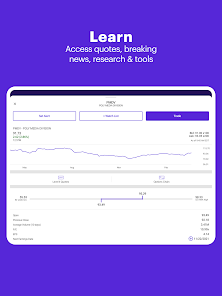
Comprehensive Research Tools

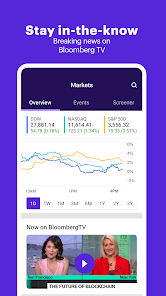
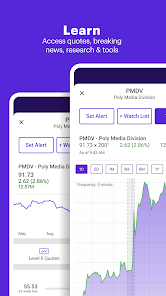
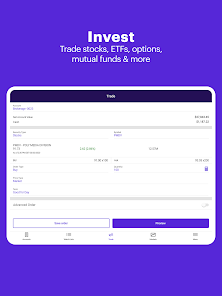
Dive into a wealth of research resources with E*TRADE's advanced tools, including market analysis, real-time data, and expert insights. These features empower users to make informed decisions and strategize effectively, whether trading stocks, options, or ETFs.

Robust Investment Options

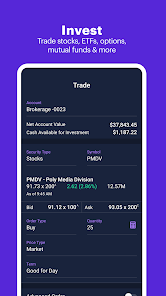
E*TRADE caters to diverse investment preferences by providing a wide range of options including stocks, bonds, ETFs, and mutual funds. This flexibility allows users to tailor their portfolios according to their financial goals and risk tolerance, enhancing their overall investment strategy.

Secure Mobile Trading

Prioritizing security, E*TRADE incorporates advanced encryption and authentication measures to protect user data. This commitment to safety gives investors peace of mind as they trade on-the-go, ensuring they can manage their finances confidently and securely from anywhere.

User-Friendly Interface

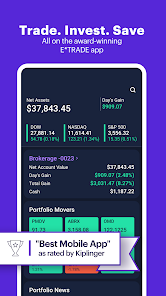
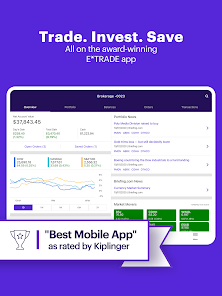
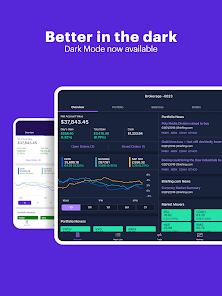
E*TRADE offers a sleek and intuitive interface, making it easy for both beginners and seasoned investors to navigate the app. With customizable dashboards, users can quickly access their favorite tools and track their investments, ensuring a smooth trading experience at their fingertips.

Advertisement

Pros & Cons

Pros
  • User-friendly interface simplifies trading for beginners and experienced investors alike.
  • Extensive research tools empower users to make informed investment decisions.
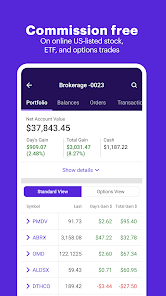
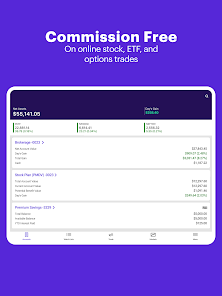
  • Commission-free trades on stocks and ETFs reduce overall investment costs.
  • Advanced trading platforms offer customizable features for active traders.
  • 24/7 customer support ensures assistance whenever needed.
Cons
  • High trading fees can eat into profits, especially for frequent traders.
  • Limited research tools may hinder informed decision-making for investors.
  • Customer service can be slow, leading to frustrating experiences during critical moments.

Real Experience Using E*TRADE

Real Experience Application Scenarios

E*TRADE is designed to cater to a diverse range of investment scenarios, making it an ideal choice for both novice and seasoned investors. Users can engage in stock trading, options trading, and even cryptocurrency investments, all from a single platform. The app is particularly useful for those who prefer to manage their portfolios on the go. Whether you're looking to execute a quick trade during your lunch break or conduct in-depth research on potential investments while commuting, E*TRADE offers a seamless experience. Additionally, the app’s educational resources empower users to make informed decisions, making it suitable for individuals just starting their investment journeys or those looking to refine their strategies.

User Experience

The user experience on E*TRADE is intuitive and user-friendly, which is crucial for a financial app. The interface is clean and well-organized, allowing users to navigate through different sections with ease. From checking stock prices to executing trades, every feature is just a few taps away. The app provides real-time data, ensuring that users have access to the latest market information. Furthermore, the customizable dashboard lets users tailor their experience according to their preferences, showcasing the assets and news that matter most to them. With educational videos and articles readily available, users can enhance their knowledge about trading strategies and market trends, making the learning curve less steep.

Pricing

E*TRADE offers a competitive pricing structure that appeals to various types of investors. For stock and ETF trades, there is no commission, making it accessible for everyone from casual investors to active traders. Options trading is also attractively priced, with a low per-contract fee. While some advanced trading features may come with additional costs, the overall pricing model is transparent, allowing users to understand what they are paying for without hidden fees. This clear structure helps users make informed decisions about their investment activities while keeping costs manageable.

Updates & Support

The E*TRADE app frequently receives updates that enhance functionality and user experience. These updates often include new features, bug fixes, and improvements based on user feedback. E*TRADE also provides robust customer support options, including a comprehensive help center and live chat features. Users can access a wealth of information regarding common queries and troubleshooting tips. For those who prefer direct assistance, the app offers the option to connect with a customer service representative, ensuring that help is always available when needed. Overall, the commitment to regular updates and user support makes E*TRADE a reliable choice in the competitive investment app market.

verified Security & Privacy Review

Security & Privacy Review The E*TRADE app prioritizes user security and privacy, employing advanced encryption protocols to safeguard sensitive information during transactions. With two-factor authentication (2FA) as a standard feature, users can enhance their account protection against unauthorized access. E*TRADE adheres to strict privacy practices, clearly outlining its data handling policies in its privacy statement. The app collects necessary personal information to facilitate trading and account management while ensuring that user data is not sold to third parties. Users have control over their privacy settings, allowing them to manage data sharing preferences effectively. Permissions requested by the app are generally limited to what is essential for its functionality, such as access to the device's internet connection and notifications. Overall, E*TRADE demonstrates a strong commitment to maintaining the integrity and confidentiality of user data, making it a reliable choice for investors concerned about security.
Advertisement

User Reviews

  • L Early
    2026/06/06

    The app is ok. It freezes from time to time, or links do not work if you are trying to trade or do a transaction. If it does, you will need to go to a computer because the app will not respond. new issue: I am not sure what is going on with etrade, but total gains and price paid is not calculating properly. I paid $21 for a stock, but the price paid reflects an astronomical amount and a loss that doesn't even match. I would recommend to look at other companies due to etrade seems suspect now.

  • Taylor Matysik
    2026/05/08

    App continues to be buggy. Constantly need to change settings to have it allow my biometirc log-in. Quote button regularly unresponsive, which requires me to restart the app (sometimes multiple times) in order to get it to function properly. Bad user experience. When it does work, UI is great, but it usually doesn't work well. On Samsung S25 Plus.

  • Carrie
    2026/04/22

    I'm constantly having to change it to biometrics. it won't let me save any biometrics and it's getting worse. Sometimes it was lasting a day, now it disables it after I leave the app. Also I've extended the login to last 4 hours from 30 minutes, which it now won't work unlike before. so now every time I click on the app even if I left briefly, I have to re log in. I'm not sure if it's an app cache problem or if it's the actual app being mismatched with the upgrade. this needs to be fixed.

  • Zach Kratzer
    2026/04/02

    App was working well until the last few weeks. Now it frequently disables biometric login, incorrectly claiming that new fingerprints were added. This has persisted across 2 devices. It's concerning that it can't keep track of the device settings, given that it relies on this information for security. Not as bad as false negatives (hence 2 stars instead of 1), but still a bad sign for a financial app.

  • Craig Beckerleg
    2026/05/11

    frustrating at best. the layout is clunky compared to the browser version, and very little can be customized. Many important features are either unavailable or so buggy they don't work correctly. The biometric login disables itself every 2 or 3 days, as it incorrectly detects new fingerprints that were not added, and you have to revert to standard login and re-enable biometrics.. if you try and open multiple views, it logs out the one you're not actively viewing.

Review Source: Google Play store public user reviews.

FAQ

1

Can I submit suggestions or feedback to E*TRADE?

Yes, users can submit suggestions or feedback through the app or by contacting E*TRADE's customer support directly.

2

Does E*TRADE collect my personal data?

Yes, E*TRADE collects personal data as part of the account setup and trading process to comply with regulatory requirements and enhance user experience.

3

Does E*TRADE support offline use?

No, E*TRADE requires an internet connection to access its services and perform trading transactions.

4

How do I cancel my E*TRADE subscription?

Since E*TRADE does not require a subscription, users can simply stop using the app or close their account if they wish to discontinue services.


5

How much does a subscription to E*TRADE cost?

E*TRADE does not have a subscription fee; however, trading certain securities may incur fees or commissions.

How to use E*TRADE

1

Can I access customer service through the app?

Yes, you can access customer service through the E*TRADE mobile app by navigating to the help section.

2

How can I contact customer service for assistance?

You can reach customer service by calling our support hotline or using the chat feature on our website.

3

How do I check the status of my account activation?

You can check the status of your account activation by logging in or contacting customer service for updates.

4

How do I log in to my E*TRADE account?

To log in, visit the E*TRADE website, enter your customer number and password, and click "Log In."

5

How do I update my customer number if it changes?

Please contact customer service directly for assistance with updating your customer number.

What's New

Thanks for choosing E*TRADE! We update the app regularly to improve your mobile experience. We’ve made minor bug fixes and performance improvements.

Editor's Choice