This site uses cookies to enhance your user experience. By clicking any link on this site you are giving your consent to our cookie policy. Read more
Reject
Accept All

Advertiser and Editorial Disclosures

AnkiDroid Flashcards

AnkiDroid Flashcards

verified

AnkiDroid Open Source Team

4.8
Rating
10,000,000+ Downloads
2.23.3 Version
  • category

    Category: Education

  • price

    Price: free

  • age rating

    Age Rating: Everyone

  • rating

    Rating: 4.8

  • available on

    Available on: /

  • updated on

    Updated on: May 3, 2026

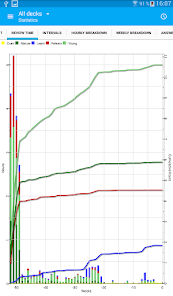
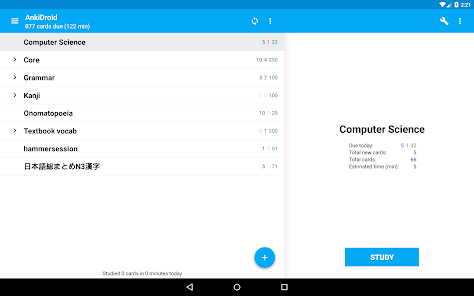
Screenshot 1
Screenshot 2
Screenshot 3
Screenshot 4
Screenshot 5
Screenshot 6
Advertisement

Features & Highlights

Cross-Platform Syncing

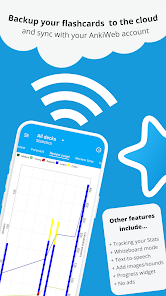
AnkiDroid supports seamless syncing with AnkiWeb, allowing you to access your flashcards across multiple devices. This cross-platform functionality ensures that your study progress is always up-to-date, so you can pick up right where you left off, whether on your phone, tablet, or computer.

Customizable Decks

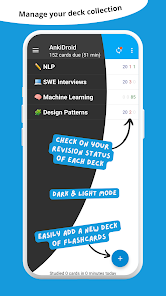
AnkiDroid allows users to create and customize their own flashcard decks, tailoring the learning experience to their specific needs. You can easily add images, audio, and rich text formatting to make studying more engaging and effective, ensuring that your content is as unique as you are.

Offline Access

One of the standout features of AnkiDroid is its offline access, enabling you to study anytime, anywhere without needing an internet connection. Whether you're on a commute or in a remote area, your flashcards are always at your fingertips, making learning more convenient than ever.

Spaced Repetition Algorithm

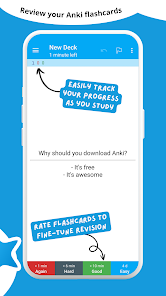
Utilizing a powerful spaced repetition algorithm, AnkiDroid optimizes your study sessions by scheduling flashcards based on your performance. This scientific approach helps reinforce memory retention, allowing you to learn efficiently and effectively while minimizing review time.

Advertisement

Pros & Cons

Pros
  • Customizable study decks for personalized learning
  • Spaced repetition optimizes memory retention effectively
  • User-friendly interface enhances learning experience
  • Supports multimedia for engaging flashcard creation
  • Sync across devices for seamless access anytime
Cons
  • Steep learning curve for new users
  • Limited multimedia support compared to competitors
  • Sync issues can occur between devices
  • User interface feels dated and cluttered

Real Experience Using AnkiDroid Flashcards

Application Scenarios

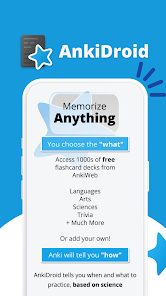
AnkiDroid Flashcards is an extremely versatile tool that caters to a wide range of learning scenarios. Whether you're a student preparing for exams, a professional needing to acquire new skills, or a hobbyist looking to delve deeper into a subject, AnkiDroid can enhance your learning experience. Its robust spaced repetition system allows users to efficiently memorize vast amounts of information, making it ideal for language learners who need to remember vocabulary and grammar rules. Additionally, medical students can utilize it to retain complex terms and concepts. The app supports various multimedia formats, allowing users to create rich flashcards with images, audio, and even video, which can significantly aid in learning complex subjects. Moreover, the ability to sync with AnkiWeb ensures that users can access their flashcards anytime, anywhere, making it convenient for on-the-go learning.

User Experience

The user experience of AnkiDroid Flashcards is generally smooth and intuitive, though it does come with a learning curve. The interface is straightforward, allowing users to create and organize their flashcards easily. The customization options are extensive, enabling users to tailor their decks to meet their specific learning needs. The spaced repetition algorithm is effective, ensuring that users review cards at optimal intervals to enhance retention. However, some users may find the interface less polished compared to other modern flashcard apps. That said, the community support and extensive documentation available can help users navigate any challenges they might encounter. Additionally, the ability to import pre-made decks from other users can save time and effort, making it easier to get started.

Pricing

AnkiDroid Flashcards is an open-source app, which means it is free to download and use. This makes it accessible to a broad audience, including students and professionals who may not want to invest in paid learning tools. While the app itself is free, users may choose to donate or support the developers through various means, which can contribute to ongoing improvements and updates. Some users may also consider purchasing Anki Desktop, a complementary version for computers, which offers additional features for a fee. Overall, the pricing model of AnkiDroid ensures that high-quality educational resources remain available to everyone, regardless of their financial situation.

Updates & Support

AnkiDroid Flashcards is frequently updated, with developers actively addressing bugs, improving features, and enhancing user experience. The open-source nature of the app encourages community involvement, allowing users to contribute to its development. Support is readily available through various online forums and documentation, which helps users troubleshoot issues and share tips. The active community surrounding AnkiDroid further enriches the experience, as users can exchange decks and learning strategies. Overall, the consistent updates and robust support structure ensure that AnkiDroid remains a reliable and evolving tool for learners worldwide.

verified Security & Privacy Review

The security and privacy of user data in AnkiDroid Flashcards are paramount, as the app allows users to create, manage, and share flashcards containing potentially sensitive information. AnkiDroid operates with minimal permissions, requiring only access necessary for its core functionality, such as storage to save user-created decks. This approach helps limit potential vulnerabilities associated with excessive permissions. User data is stored locally on the device, providing users with control over their information. While AnkiDroid does offer synchronization options through third-party services like AnkiWeb, users should be aware of the privacy policies of these services, as data may be transferred over the internet. The app does not collect or share personal information, ensuring a focused user experience without intrusive tracking or advertising. To enhance security, users are encouraged to back up their data regularly and utilize strong passwords for any accounts linked to synchronization. Overall, AnkiDroid Flashcards prioritizes user privacy and data security, making it a reliable choice for those looking to safeguard their learning materials.
Advertisement

User Reviews

  • MufinMcFlufin
    2024/11/23

    I've used this app for a few years now and it's been immensely helpful with memorizing whatever you can digitally write on a flashcards. I primarily use it for memorizing vocabulary and grammar rules in foreign languages but I could see it easily being used for anything you would want to memorize long term. Would recommend anyone studying to at least consider this as an option.

  • m s
    2025/07/18

    genuinely love anki 🫶🏾 makes my academic life so much easier because learning almost feels kinda effortless, like others might've said before. making cards takes a bit of time unless you buy a deck, but from there, all you have to do is be consistent in your review. there are so many ways to make cards and customize anki to suit your needs too! and it's free (thank y'all so much)!!

  • Andrew Bianchi
    2025/01/24

    Anki Pro is a SCAM. It's not affiliated with the Anki team, is closed source, and is expensive. It's a ripoff, DON'T USE IT. Anki, on the other hand, is amazing. Used it for many finals as well as learning lyrics to songs I'm singing in other languages, and it's free/open source/cross compatible!! Can't recommend highly enough.

  • T Golden
    2026/05/12

    Excellent for spaced repetition! Also, use to remind me to do practice problems on specific topics based timed and scored performance. Basically, if I'm not scoring well or my timing is to slow, I practice that topic more frequently, esp. if it's high yield. I make my own Anki cards and use pre-made cards that I edit if needed. Anki is an excellent resource for tracking spaced repetitions &progress. I highly recommend it, but watch videos & practice making all card types 1st to max. benefits.

  • Purple Rain
    2026/05/16

    When I look for a specific type of app I download 10 or so and figure out which one works best for my needs. In this case, I was looking for an app that was easy to use, easy to make flashcard decks, and could download them from other sources. This app did that. It makes me sad that I can't import decks from their website, but it's still a good tool that's simple to use.

Review Source: Google Play store public user reviews.

FAQ

1

Does AnkiDroid Flashcards collect my personal data?

AnkiDroid Flashcards prioritizes user privacy and does not collect personal data unless explicitly provided by the user for specific features or feedback.

2

Does AnkiDroid Flashcards offer a free trial or free version?

AnkiDroid Flashcards is available as a free app on the Google Play Store, providing extensive features without a trial period or subscription requirement.

3

Does AnkiDroid Flashcards require an internet connection?

AnkiDroid Flashcards can be used offline, allowing you to study your flashcards without an internet connection, although some features may require online access.

4

How can I contact support or send feedback for AnkiDroid Flashcards?

You can contact support or send feedback for AnkiDroid Flashcards through the app's settings menu or by visiting the official AnkiDroid website, where you can find contact options and support resources.

5

How do I manage or cancel my AnkiDroid Flashcards subscription?

Since AnkiDroid Flashcards does not have a subscription model, there is no need to manage or cancel a subscription. Users can simply uninstall the app if they choose not to use it anymore.

How to use AnkiDroid Flashcards

1

Can I change my AnkiDroid account email?

To change your email, log in to your AnkiWeb account on their website and update your email in the settings.

2

How can I contact customer service for AnkiDroid?

You can reach AnkiDroid customer service through the support page on their website or via email at support

3

How do I activate AnkiDroid after installation?

AnkiDroid does not require activation; simply download and install it from the Google Play Store to start using it.

4

How do I log in to my AnkiDroid account?

AnkiDroid does not require a login; it syncs with your AnkiWeb account if linked.

5

How do I reset my AnkiDroid password?

To reset your AnkiDroid password, visit the AnkiWeb login page and follow the password recovery instructions.

What's New

* Yay! An AnkiDroid feature release! 🎁* Huge thanks for the donations! https://opencollective.com/ankidroid* we always appreciate it 💝* We're participating in Google Summer of Code again with 2 projects - so your donations also help grow the future contributors that the open source community needs, well done you excellent person :-)* The changelog is too big for this tiny allowed text, so please look here:** https://ankidroid.org/changelog.html#_version_2_24_0_20260502

Editor's Choice