

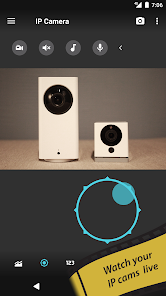
tinyCam Monitor is the best app for remote surveillance, control and digital video recording for your private or public network or IP cameras, video encoders and DVRs.
tinyCam Monitor is the free, ad-supported version of tinyCam Monitor PRO.
Features of tinyCam Monitor:
- H.264 codec support for Foscam and Amcrest cameras.
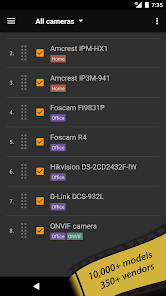
- MPEG4/H264/H265 for many cams via RTSP protocol, e.g. Dahua, FDT, Hikvision, Huisun, Reolink, Sricam.
- ONVIF Profile S IoT devices support, e.g. cheap Chinese cameras.
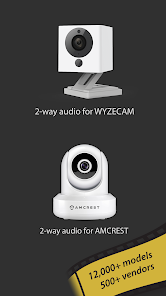
- P2P support for some models w/ 20 characters UID, e.g. Wyze Cam, Neos SmartCam.
- P2P support for models w/17 characters UID, e.g. CamHi.
- Support for MJPEG based devices of all major vendors, e.g. Axis, DLink.
- 2-way audio (talking and listening).
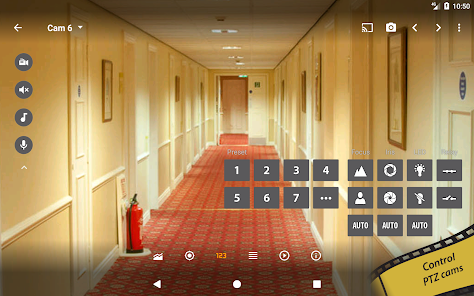
- Control PTZ (Pan/Tilt/Zoom) enabled devices.
- Relay, LED control for some models.
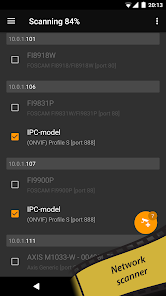
- LAN scanner for automatic cams detection.
- SSL support (HTTPS protocol).
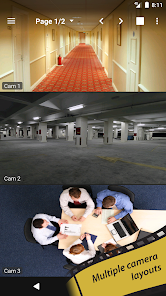
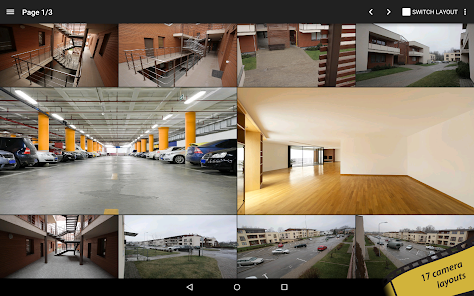
- 17 different layouts with unlimited number of cameras.
- Sequence mode for automatic cameras switching.
- Group cameras by tags.
- Import/export settings to local storage or cloud services.
- CPU/GPU efficient. HW accelerated video decoding.
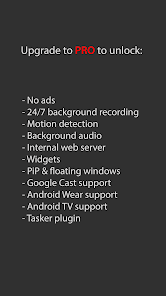
Upgrade to tinyCam Monitor PRO to unlock:
- No ads.
- 24/7 MP4 video recording to local storage, to the cloud (Dropbox, Google Drive, Microsoft OneDrive, ownCloud/NextCloud) and FTP/FTPS server.
- Video player w/ fast/slow archive playback.
- Time-lapse recording.
- Internal web server for remote archive access and live view.
- Support for both in-app and on-camera motion detection (selective models).
- Front/rear Android camera support for use as an IP camera or dashcam. https://goo.gl/5z60mC
- Face detection.
- Audio real-time processing (squelch & alarm) for using it as a baby monitor with audio graph.
- Audio monitoring from multiple cameras at once.
- Melody playback via camera speaker. https://goo.gl/zsWC4z
- Background audio.
- Sensors support (e.g. temperature sensor, humidity, etc.).
- Google Cast™ Ready (Chromecast) support. https://goo.gl/g1d8yz
- Android Wear support. https://goo.gl/eZgaMt
- Widgets, floating windows. https://goo.gl/Eu0jZR
- Android TV interface w/ PiP support on Android TV 7.0+. http://goo.gl/MzZyoc
- Tasker plugin. https://goo.gl/lAvDdC
Check the list of supported manufacturers:
https://tinycammonitor.com/support.html
Want more public webcams? Install Worldscope Webcams free app for integration with tinyCam.
http://goo.gl/c4Ig2Z
Follow us:
Web: https://tinycammonitor.com
Reddit: https://reddit.com/r/tinycam/
Facebook: https://facebook.com/tinycammonitor
YouTube: https://youtube.com/user/tinycammonitor
Twitter: @tinycammonitor
Help the app to be translated!
https://crowdin.net/project/tinycammonitor
All company names and products are trademarks or registered trademarks of their respective companies.
 Google Play
  App Store
 Utilize the playback feature to review recorded footage, allowing you to check past events and monitor activity over time.
Tap on the "Add Camera" button within the app to begin the process of integrating your camera into the monitoring system.
Customize settings such as resolution, frame rate, and brightness to enhance your viewing experience based on your preferences and environment.
Select the appropriate camera type from the list offered in the app to ensure compatibility and optimal functionality for your device.
Tailor the app's settings, including notifications, themes, and camera configurations, to align with your personal preferences and usage requirements.