This site uses cookies to enhance your user experience. By clicking any link on this site you are giving your consent to our cookie policy. Read more
Reject
Accept All

Advertiser and Editorial Disclosures

Peacock TV: Stream TV & Movies

Peacock TV: Stream TV & Movies

verified

Peacock TV LLC

4.5
Rating
50,000,000+ Downloads
7.5.21 Version
  • category

    Category: others

  • price

    Price: free

  • age rating

    Age Rating: Teen

  • rating

    Rating: 4.5

  • available on

    Available on: /

  • updated on

    Updated on: Jun 24, 2026

Screenshot 1
Screenshot 2
Screenshot 3
Screenshot 4
Screenshot 5
Screenshot 6
Screenshot 7
Screenshot 8
Screenshot 9
Screenshot 10
Screenshot 11
Screenshot 12
Screenshot 13
Screenshot 14
Screenshot 15
Screenshot 16
Screenshot 17
Screenshot 18
Screenshot 19
Screenshot 20
Screenshot 21
Screenshot 22
Screenshot 23
Screenshot 24
Screenshot 25
Screenshot 26
Screenshot 27
Screenshot 28
Screenshot 29
Screenshot 30
Screenshot 31
Screenshot 32
Screenshot 33
Screenshot 34
Screenshot 35
Screenshot 36
Screenshot 37
Screenshot 38
Screenshot 39
Advertisement

Features & Highlights

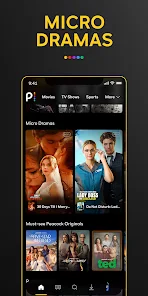
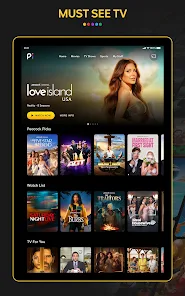
Diverse Content Library

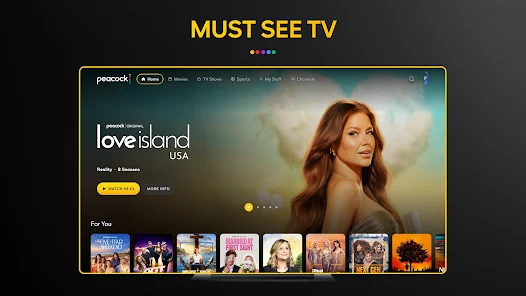
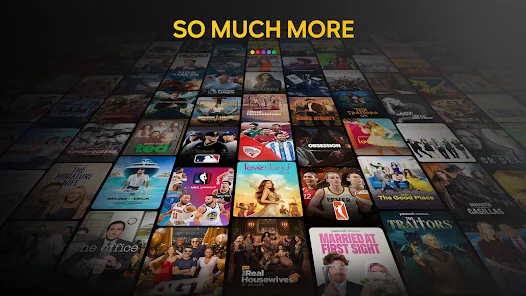
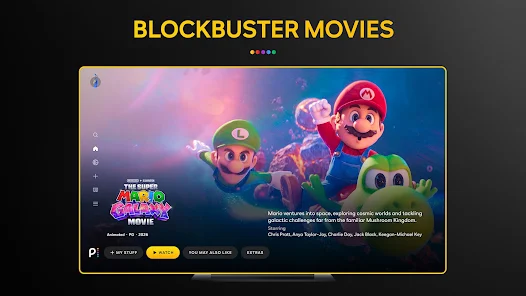
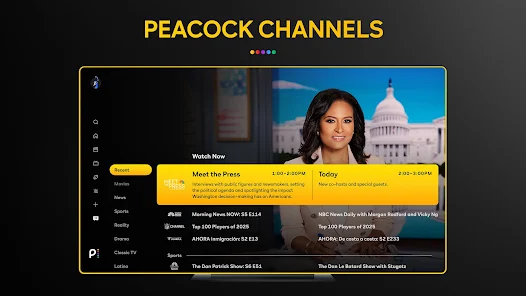
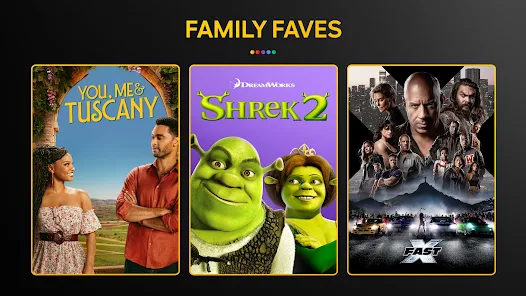
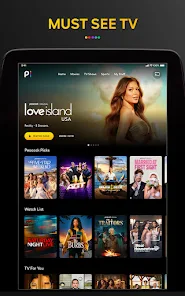
Peacock TV boasts a vast library of movies, TV shows, and original content, catering to all tastes and preferences. From classic films to the latest series, there's always something new to discover, ensuring endless entertainment options for every viewer in the family.

Flexible Streaming Options

Enjoy the flexibility of streaming on multiple devices, including smartphones, tablets, and smart TVs. With the ability to start watching on one device and continue on another, Peacock TV makes it convenient to enjoy your favorite content wherever you are.

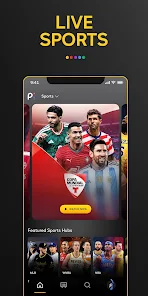
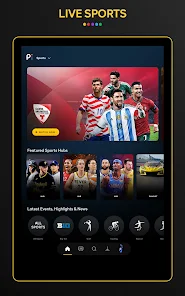
Live Sports Coverage

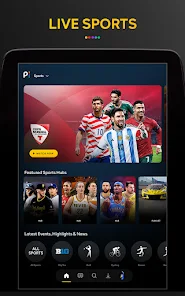
Catch all the action with Peacock's live sports coverage, including Premier League soccer, NFL games, and more. Whether you’re a die-hard sports fan or just enjoy the occasional game, you can enjoy live events and highlights right at your fingertips.

User-Friendly Interface

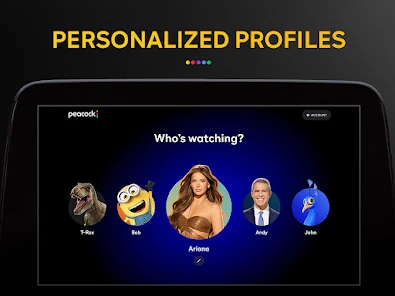
Navigating Peacock TV is a breeze with its intuitive user interface, making it easy for anyone to find their favorite shows and movies. The streamlined design and personalized recommendations help you dive straight into the content you love without any hassle.

Advertisement

Pros & Cons

Pros
  • Wide selection of movies and TV shows available.
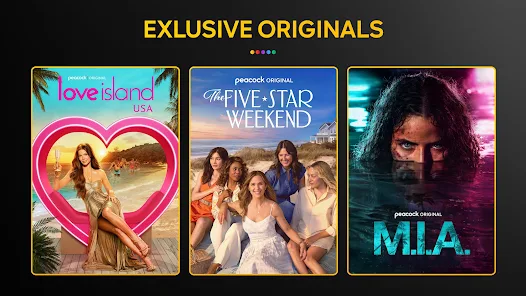
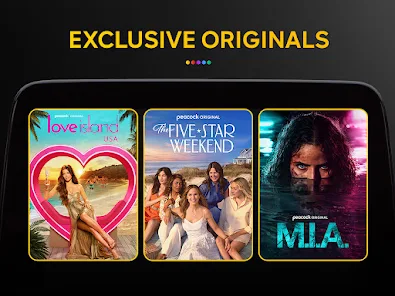
  • Exclusive original content you won't find elsewhere.
  • User-friendly interface for easy navigation and streaming.
  • Affordable subscription plans for every budget.
  • Access to live sports and news events.
Cons
  • Limited content library compared to competitors
  • Ad-supported free tier can be disruptive
  • Restricted access outside the United States
  • User interface can be confusing at times

Real Experience Using Peacock TV: Stream TV & Movies

Application Scenarios

Peacock TV serves as a versatile streaming platform that caters to a wide range of viewing preferences. Whether you’re looking to catch up on the latest episodes of your favorite TV shows, dive into a library of classic films, or enjoy live sports, Peacock has you covered. The app is perfect for family movie nights, binge-watching series, or even casual viewing during a lunch break. With its user-friendly interface, navigating through genres like comedy, drama, and reality TV is seamless. The app also shines when it comes to live events, making it a great choice for sports enthusiasts who want to stream games and events in real-time.

User Experience

The user experience on Peacock TV is generally smooth, thanks to its intuitive design. Users appreciate the homepage layout, which showcases trending shows and movies, making it easy to discover new content. The search functionality is efficient, allowing users to find specific titles or explore categories quickly. Streaming quality is commendable, with most content available in HD. However, some users have reported occasional buffering issues during peak hours. The ability to create personalized watchlists enhances the viewing experience, as does the option to resume watching from where you left off. Overall, Peacock TV delivers a satisfactory and enjoyable streaming experience, though improvements in loading times could enhance user satisfaction further.

Pricing

Peacock TV offers a tiered pricing structure that caters to different budgets. The free tier provides access to a limited selection of content, making it a great starting point for new users. For those seeking an expanded library and additional features, the Premium and Premium Plus subscriptions come into play. The Premium tier is reasonably priced and grants access to a wider array of movies and shows, while the Premium Plus option includes ad-free viewing and the ability to download content for offline viewing. This flexibility in pricing allows users to choose a plan that best meets their entertainment needs without breaking the bank.

Updates & Support

Peacock TV's commitment to regular updates ensures that the app remains user-friendly and up-to-date with the latest features. Frequent enhancements and bug fixes contribute to a more stable streaming experience. The support resources available for users are commendable, with a dedicated help center that addresses common queries and technical issues. Users can also access live chat support for more personalized assistance. The combination of proactive updates and responsive customer service makes Peacock a reliable choice for streaming entertainment.
verified Security & Privacy Review

The security and privacy practices of Peacock TV are designed to protect user data while providing a seamless streaming experience. The app employs industry-standard encryption methods to safeguard personal information and viewing habits from unauthorized access. Users are informed about the types of data collected, including account details, viewing history, and device information, which helps in tailoring content recommendations and improving service performance. Peacock TV requests certain permissions, such as access to device storage and internet connectivity, to enhance functionality. However, users have the option to manage these permissions through their device settings. The app’s privacy policy outlines how data is processed, shared, and retained, emphasizing transparency in data handling practices. Additionally, Peacock TV complies with relevant data protection regulations, ensuring that user rights are respected. Users can easily access their privacy settings, review data usage, and request data deletion if desired. Overall, Peacock TV demonstrates a commitment to user privacy while delivering a personalized entertainment experience.


Advertisement

Compare APP

User Reviews

  • Adam Borders
    2024/11/25

    Jumped on for a sale of premium for a year at $19.99. An hour in and decided it isn't worth it. 1.) I'm paying premium and need to watch ads? There are other streamers that are ad free and there are free streamers with plenty of content if I don't care about ads. The regular price of $79.99 is not worth it. I refuse to pay to watch commercials. 2.) Progress isn't saved. So if I need to exit and come back to something later I have to start completely over. Bad interface. I won't be renewing.

  • Maggie Beltaa
    2025/05/30

    Please fix your lagging subtitles. 😢 Its frustrating to pay for a subscription that doesn't work correctly. Sadly, I and others in my household depend on the subtitles. I need both subtitles and sound to focus on what I'm watching. The subtitles lag so badly that when it goes to commercial, I've missed a large chunk of what was said because it cuts off. A small lag is one thing but it's literally like 20-30 seconds behind what is happening on screen. Please fix this! ❤️

  • Bobby Jackson
    2025/08/03

    App is nearly unresponsive and takes forever to load. Tried to use the website, as it's much, much faster, but can't watch anything because they want you to use the app. Can't even get past the login page without my phone timing out after sitting there for 5 minutes as it tries to load... UPDATE: Nearly 2 months later, no change. Wonderful app...

  • Erin B
    2025/05/19

    This app performs terribly. It loads slowly, the episodes play out of order sometimes and very often when I exit a show it blackscreens and just freezes my whole phone. No other app does this, it isn't an issue with my phone. It's like a worse version of Netflix for about the same price. Poker Face is amazing, I wish there was a better place to watch it.

  • Tamika Palmer
    2026/06/21

    Was prompted to restart afet upgrades have improved - I'm still seeing horrible laggy performance. It's just not worth the cost they charge. DO NOT PAY FOR THIS!!! It's been a horrible, tedious experience and I will not be renewing my subscription. The constant trouble opening, loading and using the app is egregious. I can't believe I paid for something that I can't use!? What's the point!!! I'll find my shows on platforms where it actually works.

Review Source: Google Play store public user reviews.

FAQ

1

Does Peacock TV: Stream TV & Movies collect my personal data?

Yes, like many streaming services, Peacock TV: Stream TV & Movies collects personal data to enhance user experience, improve services, and deliver personalized content. Users should review the privacy policy for detailed information on data collection and usage.

2

Does Peacock TV: Stream TV & Movies offer a free trial or free version?

Yes, Peacock TV: Stream TV & Movies offers a free tier with limited content and features. Additionally, they provide subscription plans that allow access to a broader range of content, but the specifics of any free trial promotions may vary.

3

Does Peacock TV: Stream TV & Movies require an internet connection?

Yes, Peacock TV: Stream TV & Movies requires a stable internet connection to stream content. Without internet access, you will not be able to watch any of the available programming.

4

How can I contact support or send feedback for Peacock TV: Stream TV & Movies?

You can contact support for Peacock TV: Stream TV & Movies through their website or app, where you can find help articles, live chat options, and contact forms for submitting feedback or inquiries.

5

How do I manage or cancel my Peacock TV: Stream TV & Movies subscription?

You can manage or cancel your Peacock TV: Stream TV & Movies subscription through the account settings in the app or website. Simply log in to your account, navigate to the subscription section, and follow the prompts to make changes.

How to use Peacock TV: Stream TV & Movies

1

Do I need to activate Peacock TV after signing up?

Yes, if you signed up through a partner like Amazon or Apple, you may need to activate your account via a confirmation email or a specific activation link.

2

How can I contact Peacock TV customer service?

You can contact Peacock TV customer service through the app or website by accessing the Help Center or using the live chat feature. You can also reach them at their support number.

3

How can I reset my Peacock TV password?

To reset your password, go to the login page, click on 'Forgot Password,' and follow the instructions sent to your registered email address.

4

How can I update my payment information on Peacock TV?

To update your payment information, log into your account, go to 'Account Settings,' and select 'Manage Payment Methods' to add or edit your payment details.

5

How do I cancel my Peacock TV subscription?

To cancel your subscription, log in to your account, go to 'Account Settings,' and select 'Cancel Subscription.' Follow the prompts to complete the cancellation process.

What's New

Some bugs are no more. Carry on streaming :)

Editor's Choice