This site uses cookies to enhance your user experience. By clicking any link on this site you are giving your consent to our cookie policy. Read more
Reject
Accept All

Advertiser and Editorial Disclosures

FLIR ONE

FLIR ONE

verified

FLIR Systems Aktiebolag

3.8
Rating
1,000,000+ Downloads
5.4.5 Version
  • category

    Category: Photo

  • price

    Price: free

  • age rating

    Age Rating: Everyone

  • rating

    Rating: 3.8

  • available on

    Available on: /

  • updated on

    Updated on: Jun 15, 2026

Screenshot 1
Screenshot 2
Screenshot 3
Screenshot 4
Screenshot 5
Screenshot 6
Screenshot 7
Screenshot 8
Advertisement

Features & Highlights

Compact and Portable Design

The FLIR ONE is designed with portability in mind, making it easy to carry and use on the go. Its lightweight and compact design ensure that you can take it anywhere, whether you're conducting inspections at home or exploring the outdoors, without compromising on performance.

Easy Smartphone Integration

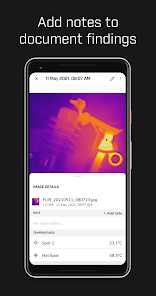
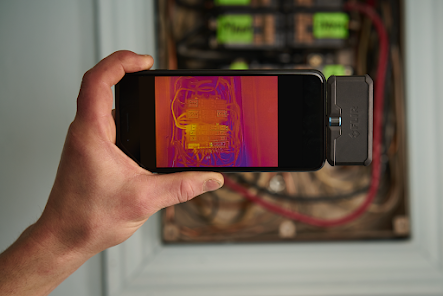
Designed for seamless use, the FLIR ONE connects effortlessly to your smartphone via USB-C or Lightning connector. This integration allows you to view and share thermal images instantly, making it easy to capture and document findings directly from your device without any complicated setups.

Image Enhancement Features

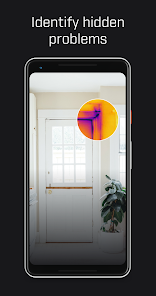
Equipped with FLIR's exclusive MSX technology, the FLIR ONE combines thermal and visible light images for enhanced detail and clarity. This feature helps users discern critical details in thermal images, making it easier to identify issues like heat loss or moisture problems with greater accuracy.

Thermal Imaging Technology

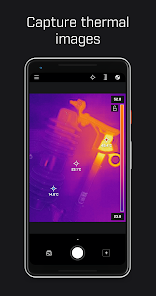
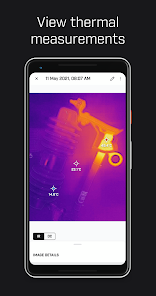
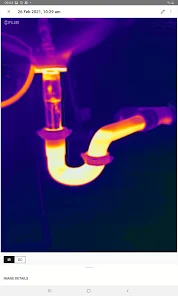
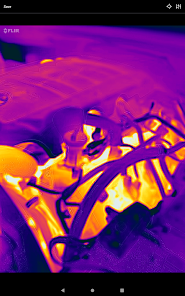
The FLIR ONE utilizes advanced thermal imaging technology to detect heat patterns, allowing users to see temperature variations in real-time. This capability is invaluable for home inspections, electrical troubleshooting, and even outdoor adventures, making it a versatile tool for both professionals and DIY enthusiasts alike.

Advertisement

Pros & Cons

Pros
  • FLIR ONE offers real-time thermal imaging for accurate temperature assessments.
  • Compact and lightweight design makes it highly portable and user-friendly.
  • Connects seamlessly with smartphones for easy viewing and sharing.
  • Provides high-resolution thermal images for detailed analysis and troubleshooting.
  • Ideal for home inspections, HVAC, and electrical applications, enhancing efficiency.
Cons
  • Limited resolution affects detailed thermal imaging accuracy.
  • Battery life may not support extended usage.
  • Compatibility issues with some smartphone models can hinder accessibility.

Real Experience Using FLIR ONE

Real Experience Application Scenarios

The FLIR ONE app is designed to complement the FLIR ONE thermal imaging camera, enabling users to visualize and analyze thermal data effectively. Its applications span various fields, including home inspections, electrical troubleshooting, HVAC maintenance, and outdoor adventures. Homeowners can use the app to identify heat loss in insulation or detect electrical issues before they escalate, while HVAC professionals can pinpoint inefficiencies in heating and cooling systems. For outdoor enthusiasts, the thermal capabilities can aid in locating wildlife at night or ensuring safety during low-visibility situations. The app's versatility makes it a valuable tool for both professionals and hobbyists alike.

User Experience

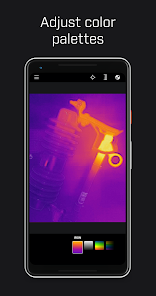
The user experience of the FLIR ONE app is generally positive, characterized by its intuitive interface and straightforward navigation. Upon launching the app, users are greeted with a clean design that allows for quick access to thermal imaging features. The real-time thermal feed offers vivid colors and clear differentiation between heat signatures, making it easy to interpret data. Users have reported that the app's calibration process is simple, enhancing the overall ease of use. Furthermore, the ability to capture images and videos directly within the app adds to its functionality. However, some users have noted occasional connectivity issues with the camera, which can be frustrating but are typically resolved with a quick restart. Overall, the app delivers a reliable and engaging experience for thermal imaging enthusiasts.

Pricing

The FLIR ONE app itself is free to download, making it accessible to a wide range of users. However, it is essential to note that the app is designed to work exclusively with the FLIR ONE thermal camera, which comes at a price point that varies based on the model and features. The entry-level FLIR ONE camera is competitively priced for the thermal imaging market, often appealing to DIY enthusiasts and professionals looking for cost-effective solutions. For those requiring advanced features, higher-end models are available, though they come with a premium price tag. Overall, while the app is free, the associated hardware investment should be considered when evaluating overall costs.

Updates & Support

The FLIR ONE app receives regular updates that enhance functionality and fix bugs, reflecting the developers' commitment to improving user experience. Users appreciate the timely updates, which often include new features and performance enhancements. Support for the app is readily available through the FLIR website, where users can find comprehensive FAQs, user manuals, and troubleshooting guides. Additionally, customer support is responsive, addressing queries and concerns effectively. This robust support system ensures that users have the resources they need to maximize the app's potential and resolve any issues that may arise during usage.

verified Security & Privacy Review

Security & Privacy Review The FLIR ONE app prioritizes user security and privacy by implementing standard data protection measures. The app requires permissions to access the camera, storage, and location services, which are essential for its functionality in thermal imaging and image storage. Users are informed about these permissions, allowing for informed consent before granting access. Data transmitted through the app is encrypted, reducing the risk of interception during use. However, it is important for users to be aware that the app may collect usage data for analytics and improvement purposes. This data is typically anonymized, but the specifics of data handling should be reviewed in the app's privacy policy. Users can control their data by adjusting privacy settings within the app and can opt-out of certain data collection practices. Overall, while FLIR ONE demonstrates a commitment to security and privacy, users should remain vigilant and regularly review permissions and privacy settings to safeguard their personal information.
Advertisement

User Reviews

  • Artemus Holguin-Mills-Hoffman
    2026/07/03

    update 6/3/26, have had this for over a year, still no ability to change target cross hair location, or add a second, package shows ability to do this, but the product doesn't allow it. additionally it slips out of USB port very easily and has a somewhat spotty connection. otherwise product still works when connection is in tact, just not as advertised. dropping two two stars because of box advertisement clearly showing something product does not allow and spotty connections.

  • Les Merryman
    2026/02/01

    I like the software using my NOTE 20. Went to ensure software was up to date and the GooglePlay tells me the software is no longer compatible with my phone. How do I get a version that works with my phone. It's been reliable in the past. seeing others with similar issues, why can't you provide versions that worked on the older phones? I'm not buying a new phone just so I can use my FLIR One.

  • Sean Sweeney
    2024/03/09

    I've used my flir and this app a total of four times in the years I've had it. It never worked well, but now it doesn't at all. I do complex tech work, so I thought it would pay for itself, by saving me time troubleshooting, but at 4 times before going belly up, I wish I would have saved my money. I even fix things like this, but I see no way to do this, nor have I tried. The battery seems charged, after all I used it FOUR times. It flashes green and nothing!

  • Joshua Hoerauf
    2023/12/09

    After the initial setup and test run, it's working just fine for me. I'm not a pro, and Flir One doesn't exactly come off as a pro tool. It's a phone accessory for convenience, to me. I think some of these reviews are expecting a thousand dollar performance from a device that costs a few hundred. You get what you pay for lol that's life. I found some hvac leaks, and which windows were drafty, some electrical plugs that were too warm and needed updating. It's a good tool and app! Calm down.

  • Adahm Faehn
    2021/09/01

    So it appears that with the most recent update that we lost the ability to adjust the parallax after taking a photo. This really stinks as now if my images are off a bit when taking an MSX image, I can't adjust them to be inline. The new version does have some stability improvements, but also seems to never update GPS location. Spent all day yesterday taking images over a 2 mile span of corn field, and it said I was in 1 location the entire time. I had google maps up so I know I had GPS

Review Source: Google Play store public user reviews.

FAQ

1

Can I submit suggestions or feedback to FLIR ONE?

Yes, users can submit suggestions or feedback directly through the app or by visiting the FLIR website, where they can find contact information for support.

2

Does FLIR ONE collect my personal data?

FLIR ONE may collect certain data to improve user experience, but it adheres to privacy policies and typically does not gather personal identifiers without consent.

3

Does FLIR ONE support offline use?

Yes, FLIR ONE can be used offline, allowing users to capture and view thermal images without needing an internet connection.

4

How do I cancel my FLIR ONE subscription?

You can cancel your FLIR ONE subscription through the app store settings on your device or by following the cancellation instructions provided within the app.

5

How much does a subscription to FLIR ONE cost?

The cost of a subscription to FLIR ONE varies based on the features selected, with options for monthly or annual plans. Please check the app for the most current pricing.

How to use FLIR ONE

1

Can I change my Customer Number?

Customer Numbers are unique identifiers; if you need a change, please contact Customer Service for guidance.

2

How can I contact Customer Service for my FLIR ONE?

You can reach Customer Service by calling our support number listed on the FLIR website or through the support section of the FLIR ONE app.

3

How can I reset my password to log in?

Use the "Forgot Password?" link on the login page to receive a reset link via email. Follow the instructions to create a new password.

4

How do I activate my FLIR ONE account?

To activate your account, follow the link provided in the email you received after registration and complete the setup.

5

How do I log in to my FLIR ONE account?

To log in, open the FLIR ONE app and enter your registered email and password in the login section.

What's New

Bug fixes and improvements

Editor's Choice