This site uses cookies to enhance your user experience. By clicking any link on this site you are giving your consent to our cookie policy. Read more
Reject
Accept All

Advertiser and Editorial Disclosures

AI Video Maker With Music

AI Video Maker With Music

verified

Aquaworld Infotech

3.3
Rating
1,000,000+ Downloads
1.73 Version
Screenshot 1
Screenshot 2
Screenshot 3
Screenshot 4
Screenshot 5
Screenshot 6
Screenshot 7
Screenshot 8
Advertisement

Features & Highlights

Customizable Templates

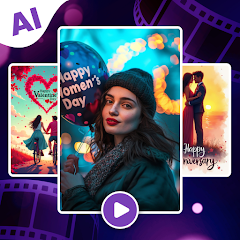
Choose from a variety of beautifully designed templates tailored for different occasions. Whether it's a birthday, wedding, or promotional event, these templates provide a fantastic starting point, allowing you to personalize your video with ease and creativity.

Music Integration

Elevate your videos with a vast library of royalty-free music tracks. The app allows you to seamlessly add the perfect soundtrack to complement your visuals, making your video more engaging and enjoyable for viewers while ensuring that all music is licensed for use.

Smart Video Creation

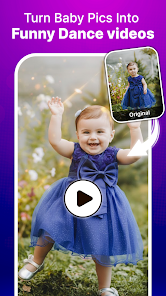
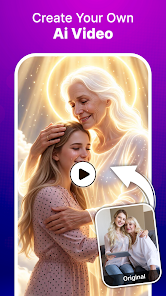
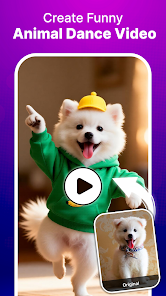
Transform your photos and clips into stunning videos effortlessly. With AI-driven technology, the app analyzes your content and automatically generates a polished video, saving you time and effort while ensuring a professional finish that captures your unique style.

User-Friendly Interface

Enjoy a smooth and intuitive experience with an interface designed for everyone. You don’t need to be a tech wizard to create amazing videos; the app guides you through each step, making video creation accessible and fun for users of all skill levels.

Advertisement

Pros & Cons

Pros
  • Create stunning videos easily
  • Add royalty-free music tracks
  • Intuitive user-friendly interface
  • Customize with various templates
  • Share directly on social media
  • Enhance videos with effects
Cons
  • Limited customization options
  • May produce generic content
  • Requires stable internet access
  • Learning curve for new users

Real Experience Using AI Video Maker With Music

Real Experience Application Scenarios

The AI Video Maker With Music is an incredibly versatile tool that caters to a variety of video creation needs. Users can employ this app for personal projects, such as creating memorable birthday videos, family compilations, or travel montages. For content creators, it serves as an efficient platform for crafting engaging social media posts or YouTube videos, complete with customized backgrounds and soundtracks. Moreover, businesses can leverage the app to produce promotional videos, advertisements, and training content, all while maintaining a professional touch. Its ability to integrate seamlessly with numerous media formats ensures that it can handle everything from quick edits to more intricate storytelling. Whether you are a novice or a seasoned video editor, the app provides the flexibility to suit different skill levels and purposes.

User Experience

User experience is a significant highlight of the AI Video Maker With Music. The interface is intuitive, making it easy for users to navigate through various features without feeling overwhelmed. The app’s design emphasizes simplicity, allowing users to upload their photos and videos quickly. The AI-driven editing tools automatically suggest enhancements, such as transitions and effects, which can be applied with just a few taps. Users report that the automatic music matching feature is particularly impressive, as it analyzes the video content to suggest appropriate soundtracks. This not only saves time but also elevates the overall quality of the final product. Additionally, the app allows for a considerable degree of customization, enabling users to fine-tune their videos according to personal preferences. Overall, the experience is smooth and enjoyable, making video creation feel less like a chore and more like a creative outlet.

Pricing

The pricing structure for the AI Video Maker With Music is designed to accommodate a wide range of users. The app typically offers a free version with basic features, which is perfect for those looking to explore its capabilities without financial commitment. For users who require more advanced functionalities, a subscription model is available, often at a competitive price point. This premium version unlocks a comprehensive suite of features, including exclusive music tracks, advanced editing tools, and priority customer support. The option to opt for monthly or annual subscriptions provides flexibility, allowing users to choose a plan that best fits their needs. Overall, the pricing is reasonable considering the extensive features and high-quality output the app delivers.

Updates & Support

The developers of AI Video Maker With Music are committed to providing regular updates that enhance the app’s functionality and overall user experience. Users frequently receive notifications about new features, improved performance, and bug fixes, ensuring that the app remains current and efficient. The support system is also noteworthy; users can easily access a help center, which includes tutorials and FAQs, to assist with common queries. For more personalized assistance, a customer support team is available via email or in-app messaging. Feedback from users indicates that responses are prompt and helpful, which fosters a sense of trust and reliability in the app. Overall, the combination of consistent updates and responsive support contributes to a positive user experience.

verified Security & Privacy Review

Security & Privacy Review The AI Video Maker With Music app takes user security and privacy seriously, implementing robust measures to safeguard personal information. The app utilizes encryption protocols to protect data both in transit and at rest, ensuring that user content and personal details remain secure from unauthorized access. Regarding permissions, the app requests access to the device's camera, microphone, and storage. While these permissions are necessary for functionality, users are encouraged to review them carefully and grant only those that are essential for their use. The app also provides clear explanations of why each permission is needed, fostering transparency. User data handling practices are compliant with industry standards. The app does not sell user data to third parties and anonymizes collected data to enhance privacy. Additionally, users have the option to delete their account and associated data at any time, ensuring control over personal information. Overall, AI Video Maker With Music demonstrates a commitment to protecting user privacy and maintaining a secure environment.
Advertisement

User Reviews

  • Common Man
    2026/05/07

    it's very very wroste application.it's very poor and bad app. this app always contains ads each and every step. And secondly some ads are not removing from the screen. This the policy of this app maker that they will earn through the click , install of app and from the ads. so it's bad platform . guys don't waste your time on this.

  • Glocal Travels
    2026/05/11

    This app is absolutely terrible. Before the app even launches, it forces you to watch ads, and after the ads, the app still doesn’t open properly. Just endless ads and zero performance. Completely useless and a waste of time. The developer seriously needs to learn how to make a functional app before stuffing it with advertisements. One of the worst app experiences ever.

  • D H
    2026/05/15

    literally as soon as it gets downloaded you have to sit through ad after ad before you even can even DO ANY thing.. you are bombarded with ads.... hell no, no patience for that immediately uninstall.

  • Renan Biaza
    2026/02/12

    Do not download. Too much ads. You barely use it. Every step of the process have at least 3 ads. And the annoying part, it secures access to your phone and nothing is generated. When installed, uninstall it right away.

  • Gina Holbrooks
    2026/01/20

    If zero stars was an option, that's what I'd rate this this app. It's garbage. It does nothing it claims to do. Save your time and the space on your device 👎👎 It's so awful that I uninstalled it in less than 10 minutes.

Review Source: Google Play store public user reviews.

FAQ

1

Are there any subscription fees for using the app?

Many AI Video Maker apps offer a free version with basic features, while advanced features may require a subscription fee. Pricing models vary, so users should review the app's pricing page for detailed information on plans and features.

2

Can I share videos directly from the app to social media platforms?

Yes, most AI Video Maker With Music apps include features that allow users to share their videos directly to popular social media platforms like Instagram, Facebook, and YouTube. This integration simplifies the sharing process for users.

3

Can I upload my own music to the app?

Many AI Video Maker With Music apps allow users to upload their own music tracks. This feature provides greater customization options, enabling users to create videos that align with their personal preferences or specific project requirements.

4

Can I use the videos created for commercial purposes?

The ability to use created videos for commercial purposes depends on the app's licensing agreements. Some apps offer commercial licenses, while others may restrict usage to personal projects. It's essential to read the terms of service to understand usage rights.

5

Does the app support multiple languages?

Many AI Video Maker apps aim for a global audience and often support multiple languages for user interface and tutorials. However, the availability of language options can vary, so users should verify language support within the app settings.

How to use AI Video Maker With Music

1

How can I contact customer service for the AI Video Maker With Music app?

You can reach customer service through the app's support section or email support

2

How do I activate the premium features in the AI Video Maker With Music app?

To activate premium features, purchase a subscription through the app and follow the prompts to complete your payment. Your features will be unlocked immediately.

3

How do I log in to the AI Video Maker With Music app?

To log in, open the app and enter your registered email and password. If you forgot your password, use the “Forgot Password” option.

4

What is the customer number for the AI Video Maker With Music app?

The customer number is typically provided in the app's settings under "About" or "Contact Us." Please check there for your specific number.

What's New

New Feature:- AI Video- AI Image- AI Song- AI Video Lip Sync- Video from templates

Editor's Choice