This site uses cookies to enhance your user experience. By clicking any link on this site you are giving your consent to our cookie policy. Read more
Reject
Accept All

Advertiser and Editorial Disclosures

Zangi Private Messenger

Zangi Private Messenger

verified

Secret Phone, Inc

4.2
Rating
50,000,000+ Downloads
6.5.5 Version
  • category

    Category: Communication

  • price

    Price: free

  • age rating

    Age Rating: Everyone

  • rating

    Rating: 4.2

  • available on

    Available on: /

  • updated on

    Updated on: Jul 2, 2026

Screenshot 1
Screenshot 2
Screenshot 3
Screenshot 4
Screenshot 5
Screenshot 6
Screenshot 7
Screenshot 8
Screenshot 9
Screenshot 10
Screenshot 11
Screenshot 12
Screenshot 13
Screenshot 14
Screenshot 15
Screenshot 16
Screenshot 17
Screenshot 18
Advertisement

Features & Highlights

Cross-Platform Compatibility

Zangi Private Messenger is available on multiple platforms, including iOS, Android, and desktop, allowing you to stay connected no matter what device you’re using. This cross-platform functionality means you can seamlessly switch between devices, keeping your conversations and media accessible at all times.

Group Chats and Collaboration

Zangi allows you to create dynamic group chats, making it easy to connect with multiple friends or colleagues at once. You can share files, photos, and videos within the group, enhancing collaboration and keeping everyone in the loop, whether for casual chats or project discussions.

Secure Messaging

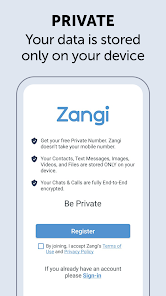
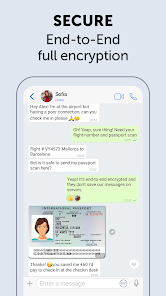
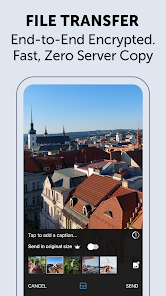
Zangi Private Messenger prioritizes your privacy with end-to-end encryption, ensuring that your conversations remain confidential. You can communicate freely, knowing that your messages are protected from unauthorized access and prying eyes, making it a reliable choice for those who value security in their communications.

Voice and Video Calls

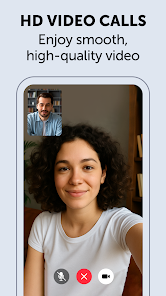
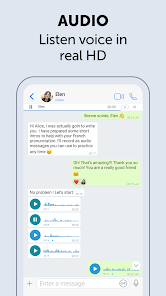
Experience crystal-clear voice and video calls with Zangi, designed to work seamlessly even in low bandwidth conditions. Whether you're connecting with friends or conducting business meetings, the high-quality audio and video features ensure that your conversations are smooth and engaging, no matter where you are.

Advertisement

Pros & Cons

Pros
  • Zangi offers end-to-end encryption for maximum privacy and security.
  • It allows high-quality voice and video calls, even on low bandwidth.
  • Users can send files of any size without restrictions.
  • The app features a user-friendly interface for seamless navigation.
  • Zangi works on multiple devices, ensuring connectivity anywhere, anytime.
Cons
  • Limited user base restricts potential connections and interactions.
  • Features may be less intuitive compared to competitors.
  • Privacy concerns due to reliance on third-party servers for data management.

Real Experience Using Zangi Private Messenger

Application Scenarios

Zangi Private Messenger shines in various scenarios, making it a versatile choice for users across different contexts. Whether you are looking to connect with friends and family or collaborate with colleagues, Zangi provides a secure and efficient platform. Its end-to-end encryption ensures that sensitive conversations, like discussing business proposals or sharing personal updates, remain private. In addition, Zangi is particularly useful in regions where internet connectivity is inconsistent. The app's ability to function smoothly on lower bandwidths enables users to send messages and make calls even in challenging network conditions. This feature is invaluable for users in remote areas or during travel, where reliable internet access is not guaranteed. Furthermore, Zangi's group chat functionality allows users to organize events or manage team projects, making it a practical tool for both personal and professional use.

User Experience

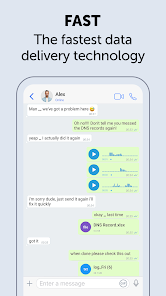
The user experience on Zangi is notably seamless, characterized by an intuitive interface that prioritizes user-friendliness. Upon downloading the app, users are greeted with a clean layout that simplifies navigation. The registration process is quick, requiring just a phone number for verification. Once set up, users can easily access various features, including voice and video calls, instant messaging, and file sharing. The app's performance is commendable, with minimal lag during calls and quick message delivery, even on slower connections. Zangi also supports rich media sharing, allowing users to send photos, videos, and documents effortlessly. Customization options, such as chat themes and notification settings, enhance the overall experience, enabling users to tailor the app to their preferences. Additionally, the responsive customer support is a plus, addressing user queries efficiently and fostering a positive user environment.

Pricing

Zangi Private Messenger stands out with its competitive pricing model, as it is completely free to use. Unlike many other messaging apps that introduce premium features behind a paywall, Zangi offers a comprehensive range of functionalities without any associated costs. The absence of advertisements further enhances the user experience, ensuring that users can communicate without interruptions or distractions. While there may be optional in-app purchases for enhanced functionalities in the future, the core features of the app remain accessible to all users, making it an attractive choice for those seeking a reliable and cost-effective messaging solution.

Updates & Support

Zangi Private Messenger regularly rolls out updates to enhance functionality and address security concerns, reflecting the developers' commitment to maintaining a robust platform. Users can expect frequent improvements that introduce new features and optimizations, ensuring the app stays relevant in an ever-evolving digital landscape. The support system is well-structured, with a comprehensive FAQ section and responsive customer service channels available for users encountering issues. Regular feedback from users is taken into account, allowing Zangi to adapt its features based on real-world usage and requirements. This proactive approach to user engagement and technical support contributes to a trustworthy and reliable user experience.

verified Security & Privacy Review

Zangi Private Messenger places a strong emphasis on user security and privacy, employing end-to-end encryption for all messages, calls, and media shared within the app. This ensures that only the sender and recipient can access the content, preventing unauthorized interception. The app is designed with minimal data retention practices, meaning that user data is not stored on servers longer than necessary. Zangi does not require extensive permissions, only accessing essential features to function effectively, such as contacts and microphone access for calls. User authentication is reinforced through secure login methods, and Zangi provides users with the option to set up additional security features, including passcodes and biometric locks. Furthermore, the app adheres to strict privacy policies, ensuring that personal information is not sold or shared with third parties. Overall, Zangi Private Messenger demonstrates a robust commitment to safeguarding user data and maintaining privacy, making it a reliable choice for those prioritizing secure communication.
Advertisement

User Reviews

  • S Tankersley
    2026/05/14

    There is a huge problem with groups using up enormous amounts of data and memory. Every time I joined a group, it overloaded my phone's memory and caused it to crash within minutes. Auto download was turned OFF but it still did it anyway. The worst part was not knowing WHAT it was downloading beyond my control. I went through this several times with different settings. Each time, my phone would seize, and I had to use recovery mode to unfreeze it. Zangi's group feature is completely unusable

  • G BS
    2023/06/16

    It's a pretty good app, everything seems to work BUT, with iPhone, you can hang up via Bluetooth. Using android, you have to search for the damn app, open it, find the phone call then hit the red hang up button, pain in the A$$. You might have to reboot several times to get your connection to work but OK when it actually does. In response to their reply: thank you for listening, I will change my review after the changes come out... good luck.

  • Mike
    2025/05/24

    Issues with people I let on, more than the service. Have had couple of scammers, once they have your number they never quit. Had to get several accounts to get rid of them, blocking doesn't work. Maybe a restrict instead of block? They think they are connected but are not. Otherwise a great app. 5stars despite my problems. Just have to be mire careful I guess.

  • Rajai Ghawi
    2020/07/05

    Hands down the best app to use in slow internet connections. Best app to use when travelling to countries with slow and restricted internet. On low data setting... this app out performs everything else I used. The app does have a few annoying bugs.... but it is a small price to pay... when other apps fail due to connectivity issues... this app performs... Update. This app went downhill in the last couple months. Video chats no longer work. Calls don't show up... always shows me a missed call.

  • Jean Evensen
    2024/10/06

    I like the quality of the app. Not too crazy that you don't support GIFs some of them are really really pretty and I would like to use them. Real easy to get on, like it is advertised no phone number needed I haven't found any type of glitches with the app. It's really a good quality app. And watch out on the amount of registrations. That I did not know the amount was limited. 🤣🤣

Review Source: Google Play store public user reviews.

FAQ

1

Can I submit suggestions or feedback to Zangi Private Messenger?

Yes, users can submit suggestions or feedback through the app's support option or the official website to help improve the service.

2

Does Zangi Private Messenger collect my personal data?

Zangi Private Messenger prioritizes user privacy and does not collect personal data beyond what is necessary for account creation and service functionality.

3

Does Zangi Private Messenger support offline use?

Yes, Zangi Private Messenger allows users to send messages and access certain features offline, which will be delivered once the device is back online.

4

How do I cancel my Zangi Private Messenger subscription?

To cancel your Zangi Private Messenger subscription, you can go to the settings within the app or your app store account settings, depending on how you subscribed.

5

How much does a subscription to Zangi Private Messenger cost?

The subscription cost for Zangi Private Messenger may vary based on the selected plan, with options for monthly or annual subscriptions available.

How to use Zangi Private Messenger

1

How can I activate my Zangi account?

To activate your account, download the app, enter your phone number, and follow the verification steps sent to your device.

2

How can I reach customer service for Zangi?

You can contact our customer service by visiting the support section in the app or through our website's contact form.

3

How do I log in to my Zangi account?

To log in, enter your registered phone number and the verification code sent to you via SMS.

4

How long does it take to activate my account?

Account activation is typically instant, but in some cases, it may take a few minutes. Check your SMS for the activation code.

5

Is there a way to contact customer service directly from the app?

Yes, you can access customer service directly through the app's help section for quick support.

What's New

★ Call Recents UI and UX improvements ★ Performance improvements ★ Bug and crash fixes

Editor's Choice