This site uses cookies to enhance your user experience. By clicking any link on this site you are giving your consent to our cookie policy. Read more
Reject
Accept All

Advertiser and Editorial Disclosures

Shazam

Shazam

verified

Apple Inc.

4.8
Rating
500,000,000+ Downloads
16.34.1-260325 Version
  • category

    Category: Augmented Reality

  • price

    Price: free

  • age rating

    Age Rating: Teen

  • rating

    Rating: 4.8

  • available on

    Available on: /

  • updated on

    Updated on: Jul 3, 2026

Screenshot 1
Screenshot 2
Screenshot 3
Screenshot 4
Screenshot 5
Screenshot 6
Screenshot 7
Screenshot 8
Screenshot 9
Screenshot 10
Screenshot 11
Screenshot 12
Screenshot 13
Screenshot 14
Screenshot 15
Advertisement

Features & Highlights

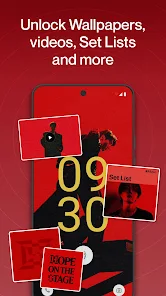
Concert Alerts

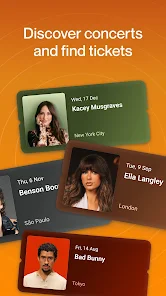
Stay in the loop with Shazam's concert alerts feature, which notifies you when your favorite artists are performing nearby. This ensures you never miss out on live music experiences, allowing you to easily plan your outings and enjoy unforgettable nights out.

Lyrics and Song Details

Shazam provides instant access to lyrics and detailed song information, enhancing your listening experience. With just a tap, you can follow along with the lyrics, learn more about the artists, and dive deeper into the music you love.

Music Recognition

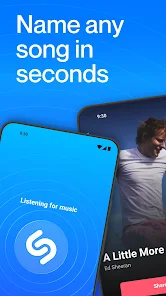
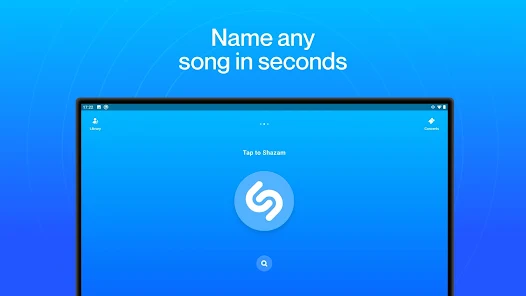
Shazam's powerful music recognition technology lets you identify songs in seconds, even in noisy environments. Just tap the Shazam button and watch as it listens and matches the track, providing you with instant access to music information and streaming options.

Personalized Recommendations

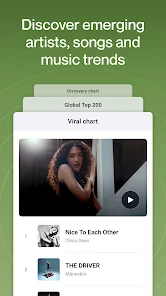
Discover new music tailored to your taste with Shazam's personalized recommendations. Based on your listening habits, the app curates playlists and suggests tracks you might love, making it easier to expand your musical horizons and enjoy fresh sounds.

Advertisement

Pros & Cons

Pros
  • Quickly identify songs playing around you with just one tap
  • Discover concerts and events near you tailored to your music taste
  • Create personalized playlists based on your favorite tracks and artists
  • Easily share your music discoveries with friends and social media
  • Access detailed information about artists, albums, and lyrics instantly
Cons
  • Limited offline functionality restricts music identification without internet access.
  • Occasional inaccuracies in song recognition may lead to frustration.
  • The app's ads can interrupt the user experience during usage.

Real Experience Using Shazam

Application Scenarios

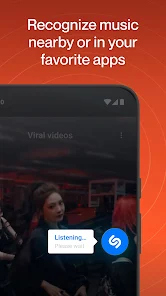
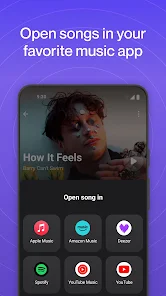
In today’s fast-paced world, music is everywhere, and Shazam excels in identifying songs, no matter where you are. Whether you’re at a café, a concert, or even watching a movie, this app allows you to discover tracks that catch your ear. For instance, imagine sitting in a bustling restaurant when a catchy tune starts playing. With just a tap, Shazam listens to the music and reveals its title and artist within seconds. Additionally, it serves as a powerful tool for live events, enabling fans to capture performances and explore setlists instantly. Shazam also integrates seamlessly with platforms like Spotify and Apple Music, allowing users to save their discoveries effortlessly. This versatility makes it an essential companion for music lovers in various scenarios.

User Experience

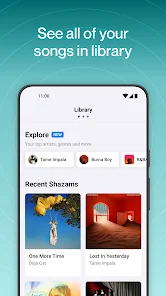
The user experience on Shazam is incredibly intuitive, making it accessible for both tech-savvy individuals and casual users. The interface is clean and user-friendly, featuring a prominent Shazam button that invites users to tap and discover. Once a song is identified, users are greeted with a wealth of information, including lyrics, music videos, and links to purchase or stream the track. The app also offers personalized recommendations based on listening habits, enhancing the overall experience. Additionally, Shazam’s ability to recognize songs quickly, even in noisy environments, is impressive. The app’s accuracy and responsiveness contribute to a satisfying experience, allowing users to dive deeper into the music they love.

Pricing

Shazam is a free app, which is one of its standout features. Users can download and utilize the core functions without any cost, making it accessible to everyone. However, there is a premium version available through Apple Music that offers additional features such as ad-free usage and enhanced music discovery options. This premium tier provides an enriched experience for avid music enthusiasts who want to explore even more content. Overall, the pricing structure is very favorable, making Shazam a valuable tool for music discovery without straining your budget.

Updates & Support

Shazam is consistently updated to enhance its performance and user experience. The development team actively listens to user feedback, implementing improvements and new features regularly. Updates often include enhancements to song recognition accuracy, user interface tweaks, and integration with other music platforms. Furthermore, customer support for Shazam is readily available through its website and within the app, ensuring users can get assistance whenever needed. This commitment to continuous improvement and support solidifies Shazam’s reputation as a leading music discovery app, keeping it relevant in the ever-evolving landscape of digital music.

verified Security & Privacy Review

Shazam: Find Music & Concerts takes user security and privacy seriously, implementing robust measures to safeguard personal information. The app requires minimal permissions, primarily accessing the microphone to identify music, which is essential for its core functionality. Users are informed about these permissions, promoting transparency. Shazam adheres to strict data privacy practices, ensuring that any collected data is used solely to enhance user experience, such as personalized recommendations and concert alerts. The app does not store your music identification history without user consent, allowing greater control over personal data. Additionally, Shazam employs encryption protocols to protect sensitive information during transmission. Users can review and manage their privacy settings within the app, fostering an environment of trust. Overall, Shazam's commitment to data security and user privacy makes it a reliable choice for music discovery enthusiasts.
Advertisement

User Reviews

  • Francisco Hernandez
    2026/04/14

    First, would it be possible to add the ability to sort library (alphabetically , song, artist)? Would be greatly helpful. Lately song results have been completely wrong. *Update: Thank you and I appreciate the new explore options for found Shazams. Still would like to be able to explore by song, to help organize list in case of duplicates, etc.
  • E. Dawg B.
    2025/07/26

    Please stop turning up results that are from a compilation album unless the song is a remix, because I'd like to know when it originally came out. This app is great! It gets songs fast and most times correct. Although sometimes they do get them totally wrong or unrelated, search it again and it will most likely get the right title, occasionally the wrong group though. What bugs me is that you can report a "wrong song" but can't specify what's wrong with it.

  • Melanie Huffmaster
    2025/12/06

    this app is amazing! it's extremely helpful when I'm trying to find the name of a song that I can't remember, or am hearing a new one for the first time on an ad, movie, out in public, whatever! the only complaint I have is it won't pick up on the song (through your phone) when you're wearing earbuds. besides that, great app! edit: it worked for a while after I switched to a samsung s22 ultra.. but it quit again

  • Rich Wolf Rubel
    2025/05/15

    Doesn't pick up music played through my Bluetooth earbuds at the gym, which is where I'd love it to work. Instead, it picks up the awful gym music played in the surrounding speakers even though the Headphones icon confirms that it knows I'm wearing headphones. Frustrating. Other than that, Shazam's great, accurate around 90% of the time.

  • Raiden
    2026/06/09

    I got the app because I was desperate to find a song off a tiktok edit, because unfortunately editors rarely put the names of the songs/edit audios they use. I found the song I was looking for after a couple tries, after having just got the app. I'd say it works pretty darn well :) edit: I've had it for almost 3 years now, it hasn't failed me. whatever you guys did to program the app, you did an amazing job. identifying songs is free, too.

Review Source: Google Play store public user reviews.

FAQ

1

Can I submit suggestions or feedback to Shazam: Find Music & Concerts?

Yes, users can submit suggestions or feedback directly through the app or via Shazam's official website or support channels.

2

Does Shazam: Find Music & Concerts collect my personal data?

Shazam may collect personal data such as location and usage data to improve its services, but users can manage their privacy settings within the app.

3

Does Shazam: Find Music & Concerts support offline use?

Yes, Shazam allows users to identify music offline by saving tags for identification once the device is back online.

4

How do I cancel my Shazam: Find Music & Concerts subscription?

Users can cancel their subscription through their app store account settings, either on iOS or Android, following the prompts for managing subscriptions.

5

How much does a subscription to Shazam: Find Music & Concerts cost?

Shazam offers additional features through its premium subscription service, which typically costs around $5 per month, but prices may vary by region.

How to use Shazam

1

Can I change my customer number in Shazam?

Currently, you cannot change your customer number directly. For assistance, please contact customer service for support.

2

Can I log in to Shazam using social media accounts?

Yes, you can log in to Shazam using your social media accounts like Facebook or Apple ID for easier access.

3

How can I activate my Shazam account?

To activate your Shazam account, log in with your email and follow the prompts to complete the activation process.

4

How can I reach customer service if I have issues with my account?

For account issues, please use the help section in the app or the support page on the website to submit your inquiry.

5

How do I contact customer service for Shazam?

You can reach Shazam customer service through the app’s help section or by visiting the official website for support options.

What's New

Thanks for Shazaming! We’re always working hard to make the app faster and better than ever. Update to the most recent version to enjoy the latest and greatest Shazam. Don’t forget to keep your Shazams safe and in sync between your devices. Simply create an account and we’ll back up your Shazams so you’ll never lose them.Love the app? Rate us! Your feedback is music to our ears, and it helps us make Shazam even better. Got a question? Visit support.apple.com/guide/shazam

Editor's Choice