This site uses cookies to enhance your user experience. By clicking any link on this site you are giving your consent to our cookie policy. Read more
Reject
Accept All

Advertiser and Editorial Disclosures

My Invisalign - Official App

My Invisalign - Official App

verified

Align Technology

4.4
Rating
/ Downloads
45594 Version
  • category

    Category: Augmented Reality

  • price

    Price: 0

  • age rating

    Age Rating: Everyone

  • rating

    Rating: 4.4

  • available on

    Available on: /

  • updated on

    Updated on: Jun 3, 2026

Screenshot 1
Screenshot 2
Screenshot 3
Screenshot 4
Screenshot 5
Screenshot 6
Screenshot 7
Advertisement

Features & Highlights

Connect with Your Provider

Easily communicate with your orthodontist or dental provider through the app, allowing for quick questions and updates about your treatment. This seamless connection ensures you have the support and guidance you need throughout your orthodontic journey.

Custom Reminders

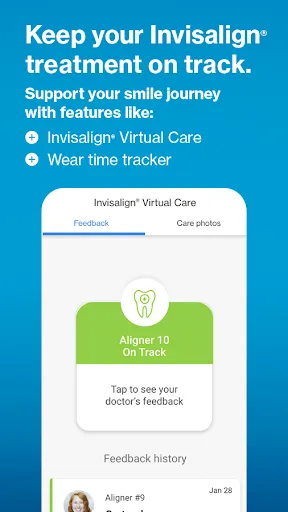
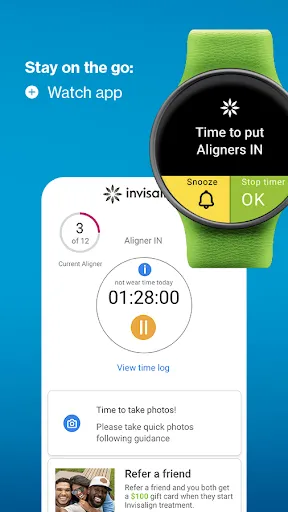
Stay on top of your treatment with personalized reminders that notify you when it's time to change aligners or attend appointments. These helpful alerts ensure you never miss a step, making your orthodontic experience smoother and more manageable.

Interactive Treatment Plan

Explore your customized treatment plan through an interactive interface that provides insights into each stage of your Invisalign journey. This feature empowers you with knowledge about your progress and what to expect next, enhancing your overall treatment experience.

Track Progress

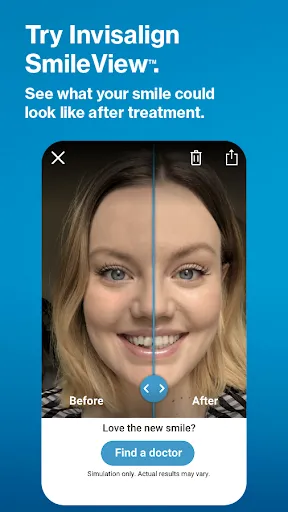
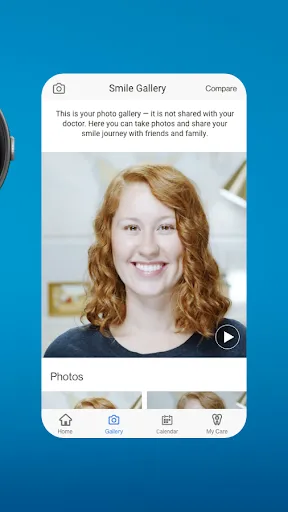
With the My Invisalign app, you can easily monitor your treatment journey by tracking the movement of your teeth over time. The visual progress updates keep you motivated and help you stay on schedule, ensuring you achieve your desired smile efficiently and effectively.

Advertisement

Pros & Cons

Pros
  • Track your Invisalign progress with real-time updates for motivation.
  • Access personalized treatment tips tailored to your needs.
  • Easily schedule appointments and receive reminders directly in the app.
  • Connect with your orthodontist for quick questions and support anytime.
  • Enjoy a user-friendly interface that simplifies your orthodontic journey.
Cons
  • Limited features compared to other orthodontic apps may hinder user experience.
  • Occasional syncing issues can disrupt treatment tracking and progress.
  • User interface may feel outdated, affecting overall navigation and usability.

Real Experience Using My Invisalign - Official App

Real Experience Application Scenarios

The My Invisalign app is designed to enhance the user experience for individuals undergoing Invisalign treatment. It seamlessly integrates into daily life, allowing users to monitor their progress, manage appointments, and maintain their aligners. Whether you're at home, at work, or on the go, the app serves as a companion to ensure that users stay on track with their treatment plan. You can easily upload photos of your teeth to track changes over time, ensuring that you stay motivated and engaged in your journey. Furthermore, the app provides reminders for wearing aligners and changing to the next set, which is particularly beneficial for those with busy schedules. It's also a great tool for parents managing their children's treatment, allowing them to keep an eye on progress and receive notifications for appointments.

User Experience

Users have reported a generally positive experience with the My Invisalign app. The interface is user-friendly, making it easy for individuals of all ages to navigate. The dashboard provides a clear overview of the treatment plan and progress, which can be reassuring for users. Many appreciate the photo-upload feature, which allows them to visually track their journey and celebrate milestones. Additionally, the app encourages interaction through its gamified elements, such as rewards for consistent usage, which can enhance motivation. However, some users have noted occasional glitches and slow loading times, but these issues are often minor compared to the overall functionality of the app. The integration of educational content about Invisalign and oral health is another highlight, empowering users with knowledge to make informed decisions about their treatment.

Pricing

The My Invisalign app is free to download and use, which is an attractive feature for users. However, it is important to note that while the app itself does not have a cost, the Invisalign treatment associated with it can be a significant investment. Pricing for Invisalign varies based on factors such as the complexity of the case and the length of treatment. Users typically find that the app is a valuable tool that complements the cost of the treatment, helping them maximize their investment by ensuring they follow the prescribed regimen effectively.

Updates & Support

The My Invisalign app regularly receives updates that enhance its functionality and user experience. The developers actively address user feedback, implementing changes that improve performance and fix bugs. Users can expect periodic updates that introduce new features or refine existing ones, ensuring the app remains relevant and useful. For support, the app provides access to an extensive FAQ section, as well as customer service options for more complex inquiries. Users can reach out via email or through the app for assistance. Overall, the commitment to ongoing support and improvements reflects the developers' dedication to providing a positive experience for users.

verified Security & Privacy Review

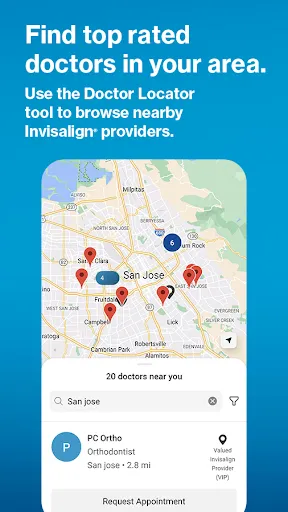
Security & Privacy Review The My Invisalign app prioritizes user security and data privacy, implementing robust measures to protect personal information. The app employs advanced encryption protocols to safeguard data during transmission and storage, ensuring that sensitive details remain confidential. In terms of permissions, the app requests access to essential features such as the camera for scanning aligners and location services for finding nearby providers. Users are informed of these permissions transparently, allowing for informed consent. The app does not request unnecessary permissions that could compromise user privacy. My Invisalign adheres to strict privacy practices, complying with relevant data protection regulations. User data is handled responsibly, with limited access to only necessary personnel. The app's privacy policy clearly outlines how user information is collected, used, and shared, providing users with transparency and control over their data. Overall, My Invisalign demonstrates a commitment to maintaining the security and privacy of its users, making it a trustworthy choice for those seeking orthodontic treatment management.
Advertisement

User Reviews

  • Robin
    2026/06/23

    The app no longer has the option to turn off auto detection for weekly progress photos I am required to send to my doctor (which never worked to begin with, it never detects my bite correctly), so now I can't take anything. Very clunky app and now useless for the one thing I'm obligated to use it for. Please put back the manual photo option or let users upload our own photos.

  • Noam Egozi
    2026/03/22

    The detection systems might be the worst software coded in history. It normally takes me at least 10-15 minutes to take a total of 9 pictures - it keeps saying "Back teeth not detected" when they are very visible. During that time, I need to stretch my entire face to the absolute limit using a cheek retractor. I feel more pain taking pictures than when I broke 3 fingers. And I have to do this weekly. The interface is alright but the detection systems are horrible so it really doesn't matter.

  • Illyssa Demarino
    2026/05/21

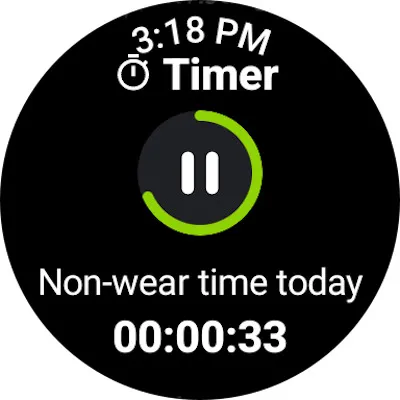
    Edit: removing a star because the app is even worse. The timer never worked properly and now I submitted photos last week and had feedback in progress for days. I sent messages to my doctor, to support, nothing. Radio silence for a week. My photos for week 25 and 26 are both listed as week 25 and I got no feedback for week 30. So I guess it just broke. Almost 4k for it to not work and no one to respond to you. I regret ever getting Invisalign this way.

  • Dominique Piché-Meunier
    2026/03/25

    Without exaggeration this is the worst piece of software I've used in my life, by far. The My Care picture taking is completely broken. The AI detection keeps failing over and over and over again, telling you it "couldn't process last picture" with no other info. You have to allocate 30 min of your time to take 9 pictures. This is insane

  • Phillip Lyle
    2026/06/23

    As others have written - photo processing is broken on Android. It worked several months ago, but then suddenly won't process photos that include back teeth no matter the angle - ("Couldn't process photo"). Others have reported the same. Does it on multiple phones so it's not us. Fix your software. Edit: Developer's response is to submit contact form but they don't respond.

Review Source: Google Play store public user reviews.

FAQ

1

Can I submit suggestions or feedback to My Invisalign - Official App?

Yes, users can submit suggestions or feedback through the app's contact or support section, ensuring their voices are heard.

2

Does My Invisalign - Official App collect my personal data?

Yes, the app may collect personal data to enhance user experience and provide tailored services, but it complies with privacy regulations.

3

Does My Invisalign - Official App support offline use?

Yes, My Invisalign - Official App allows some features to be accessed offline, although certain functionalities may require an internet connection.

4

How do I cancel my My Invisalign - Official App subscription?

You can cancel your subscription through your app store account settings or by following the cancellation instructions provided in the app.

5

How much does a subscription to My Invisalign - Official App cost?

The subscription cost for My Invisalign - Official App varies based on the features selected, but detailed pricing can be found within the app.

How to use My Invisalign - Official App

1

Can I change my customer number after activation?

Unfortunately, customer numbers cannot be changed once your account is activated. Please contact customer service for any concerns.

2

How can I contact customer service for assistance?

You can reach customer service through the app's help section or by calling the number listed on our website.

3

How do I activate my account in the My Invisalign app?

To activate your account, follow the activation link in your email or enter your details directly in the app under “Activate Account.”

4

How do I find customer service contact details in the app?

You can find customer service contact details in the app's help section under "Contact Us."

5

I activated my account but still can't log in. What now?

If you activated your account and can't log in, double-check your password or contact customer service for support.

Editor's Choice