This site uses cookies to enhance your user experience. By clicking any link on this site you are giving your consent to our cookie policy. Read more
Reject
Accept All

Advertiser and Editorial Disclosures

MyRadar Weather Radar Pro

MyRadar Weather Radar Pro

verified

ACME AtronOmatic LLC

4.8
Rating
100,000+ Downloads
8.1.3 Version
  • category

    Category: Weather

  • price

    Price: $5.99

  • age rating

    Age Rating: Everyone

  • rating

    Rating: 4.8

  • available on

    Available on: /

  • updated on

    Updated on: Jul 1, 2026

Screenshot 1
Screenshot 2
Screenshot 3
Screenshot 4
Screenshot 5
Screenshot 6
Screenshot 7
Screenshot 8
Screenshot 9
Screenshot 10
Screenshot 11
Screenshot 12
Screenshot 13
Screenshot 14
Screenshot 15
Screenshot 16
Screenshot 17
Screenshot 18
Screenshot 19
Screenshot 20
Screenshot 21
Screenshot 22
Screenshot 23
Screenshot 24
Screenshot 25
Advertisement

Features & Highlights

Detailed Forecasts

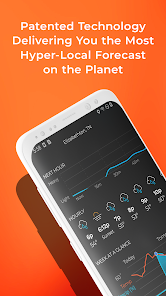
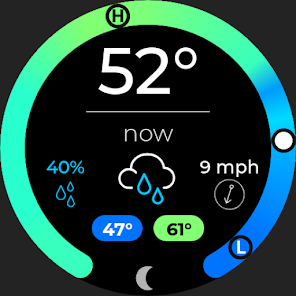
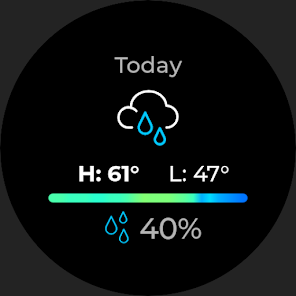
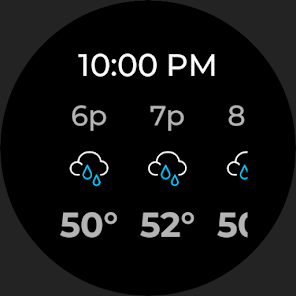
Access in-depth weather forecasts with MyRadar, featuring hourly and daily predictions that help you plan your activities. With accurate data and visualizations, you can make informed decisions whether you're heading out for a jog or planning a weekend getaway.

Interactive Map Features

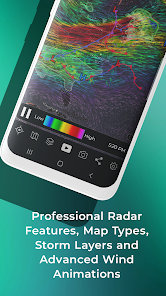
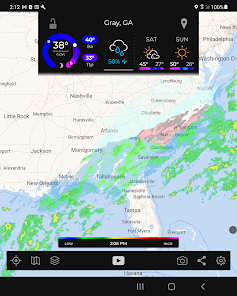
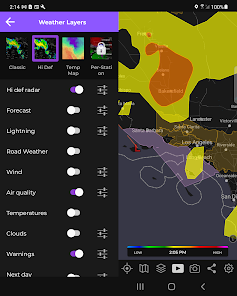
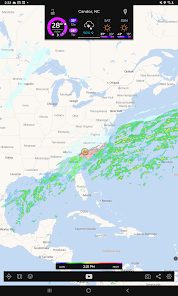
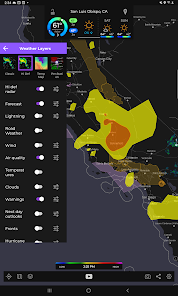
Explore an interactive weather map that offers multiple layers, including temperature, wind speed, and satellite imagery. This feature lets you visualize weather trends and conditions in a user-friendly interface, making it easy to understand the forecast at a glance.

Real-Time Weather Radar

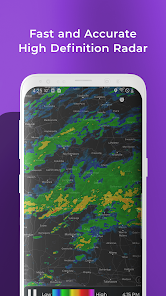
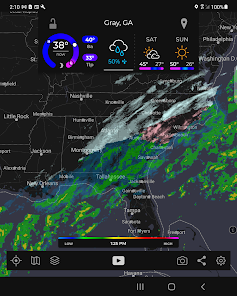
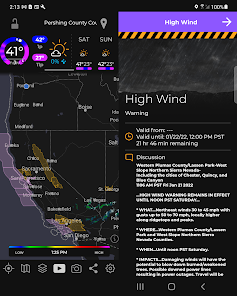
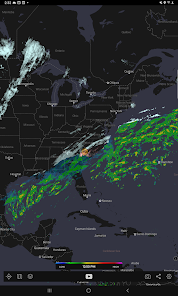
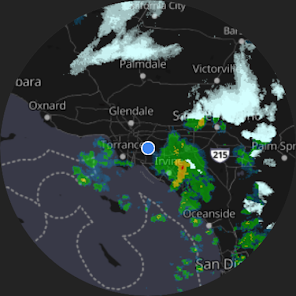
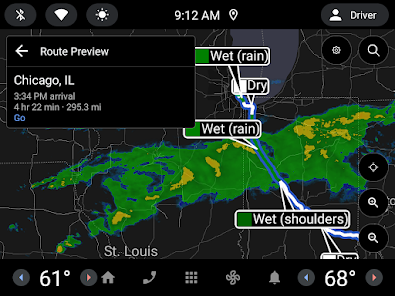
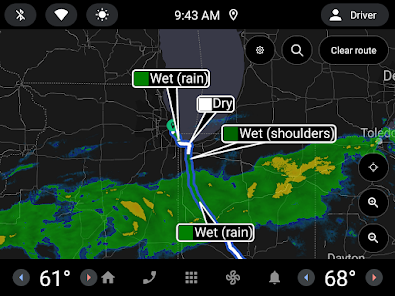
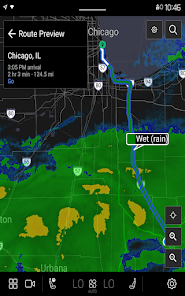
Stay ahead of the weather with MyRadar's advanced real-time radar, which provides high-definition imagery of precipitation and storm systems. This feature allows you to monitor changing weather patterns right from your device, ensuring you’re always informed about potential severe weather in your area.

Severe Weather Alerts

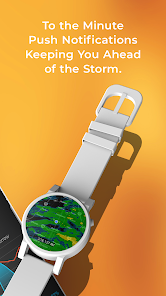
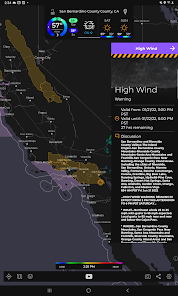
MyRadar Weather Radar Pro keeps you safe with customizable severe weather alerts tailored to your location. Get instant notifications for thunderstorms, tornadoes, and other dangerous conditions, so you can take the necessary precautions to protect yourself and your loved ones.

Advertisement

Pros & Cons

Pros
  • Stay ahead of storms with real-time radar updates
  • User-friendly interface for easy navigation
  • Customizable alerts for severe weather
  • Detailed forecasts for your location
  • Interactive maps for precise tracking
Cons
  • Limited customization options
  • Occasional data inaccuracies
  • User interface can be cluttered
  • High battery consumption noted
  • Subscription model can be pricey

Real Experience Using MyRadar Weather Radar Pro

Application Scenarios

MyRadar Weather Radar Pro is designed for various scenarios where accurate weather information is crucial. Whether you're planning a weekend camping trip, a day at the beach, or simply heading out for a jog, this app provides real-time radar data to help you make informed decisions. It’s particularly useful for outdoor enthusiasts, as the detailed radar imagery can alert users to approaching storms or inclement weather. Additionally, for those in agriculture or construction, the app offers valuable insights into weather patterns that can impact daily operations. The customizable alerts keep users informed, ensuring they are never caught off guard by sudden weather changes.

User Experience

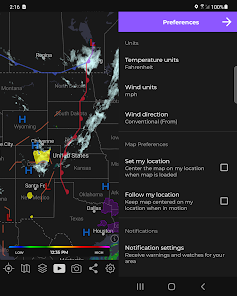
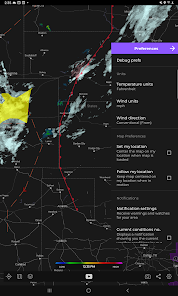
The user experience of MyRadar Weather Radar Pro is intuitive and visually appealing. Upon launching the app, users are greeted with a vibrant radar map that is easy to navigate. The interface is streamlined, allowing users to zoom in and out effortlessly to see weather patterns at various scales. The app provides a plethora of data, including temperature, wind speed, and precipitation forecasts. Users can easily toggle between different layers to view severe weather warnings, satellite imagery, and more. One of the standout features is the ability to set up personalized notifications for specific weather conditions, ensuring that users receive timely updates. The app runs smoothly, with minimal lag, even when accessing live radar data, making it a reliable tool for tracking weather changes on the go.

Pricing

MyRadar Weather Radar Pro offers a competitive pricing structure that reflects its robust features. While the app is available for free, users can opt for the Pro version through a subscription model, which unlocks additional features such as advanced radar imagery, hurricane tracking, and enhanced alert systems. The pricing is reasonable considering the comprehensive data and functionalities provided. Users can choose between monthly and yearly subscription options, allowing flexibility based on their usage preferences. The investment in the Pro version is justified by the quality of weather information delivered, making it a worthwhile consideration for frequent users.

Updates & Support

MyRadar Weather Radar Pro is regularly updated to enhance user experience and introduce new features. The developers are proactive in addressing bugs and implementing user feedback, ensuring that the app remains relevant and functional. Users can expect frequent updates that not only improve performance but also expand the app's capabilities. Customer support is readily available, with responsive teams that assist users with inquiries and technical issues. This commitment to continual improvement and user satisfaction solidifies MyRadar Weather Radar Pro as a top choice for weather enthusiasts and professionals alike.

verified Security & Privacy Review

Security & Privacy Review MyRadar Weather Radar Pro takes user security and privacy seriously, implementing various measures to safeguard personal data. The app adheres to industry-standard encryption protocols to protect data during transmission, ensuring that sensitive information remains secure. In terms of permissions, MyRadar requires access to location services to provide accurate weather updates. Users are given the option to enable or disable location tracking, allowing for greater control over their privacy. Additionally, the app does not request access to unnecessary permissions, minimizing potential data exposure. The developers maintain a clear privacy policy that outlines what information is collected, how it is used, and the measures in place to protect user data. Importantly, MyRadar does not sell personal data to third parties, reinforcing their commitment to user privacy. Overall, MyRadar Weather Radar Pro offers a robust approach to security and privacy, making it a trustworthy choice for weather tracking.
Advertisement

Compare APP

User Reviews

  • Shawn Nason
    2026/03/26

    Very good weather app. It is simple to use, and it has the things I really need. There's a lot of very good features, the ground level wind indications being my favorite. And you can adjust the opacity of things like wind indications. It has road type mapping, as well as grey scale, as well as a satellite style photo map (not real time, but a photo nonetheless). There's a lot of nice bells and whistles options that you can turn on or off.

  • Christine Gregg
    2026/05/11

    I am a meteorologist that works in aviation. I spend a lot of time looking at and working with radar. I am sorely disappointed in this app and am only using it as its the only one supported by Android auto. The radar data is simply filtered to oblivion. 3 times now I've encountered rain and pulled up the radar to assess what's going on, and it's so filtered, it's as if the radar is reading nothing. If you look at NWS, Radarscope, COD, the information is there - this app drops the ball.

  • Christian Austin
    2022/11/23

    It seems pretty accurate overall, and the maps and information available is pretty great. My main issue is the lack of a manual sync. I have the ongoing temperature notification on so I can see the temperature with ease when outside of the app. The issue is that it is not always accurate. You have to go into the app to get it to sync with current info. Sometimes it checks automatically but this seems to be at random. Please add a way to refresh this manually or allow sync intervals to select.

  • Ray Meyer
    2025/04/01

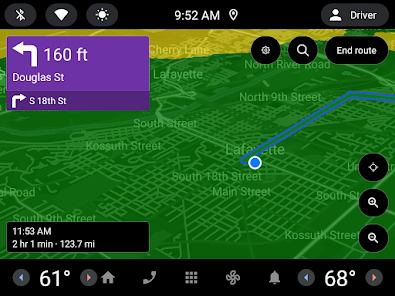
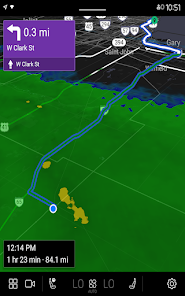
    I was excited when this app supported Android Auto integration, and since the recent update now it's only available when the vehicle is in park. Not stopped, park. Well, that functionality has been rendered pointless. I'm allowed to look at a map with road names and traffic while in motion, but a map showing precipitation is apparently a step too far. Now instead of using a hands-free interface, I'm picking up my handset again. Yep, much safer that way. Mobile use aside, it's a decent app

  • A Google user
    2020/04/24

    I've had a lot of weather apps that use so much memory that it takes them forever to load. MyRadar is pretty light, even running in the background. Assuming I have my phone's Location turned on, the app will text me, informing that moderate to heavy rain is likely within fifteen minutes, and it could be overwith in 45 minutes. It's creepily accurate. I paid for a couple of the extra features, and they've been worthwhile (though it's been so long i cant remember which). Im a fan.

Review Source: Google Play store public user reviews.

FAQ

1

Can I submit suggestions or feedback to MyRadar Weather Radar Pro?

Yes, users can submit feedback through the app's support section or contact their customer service.

2

Does MyRadar Weather Radar Pro collect my personal data?

The app may collect data for functionality and improvement, but it prioritizes user privacy.

3

Does MyRadar Weather Radar Pro support offline use?

Yes, users can access certain features offline, but real-time data requires an internet connection.

4

How do I cancel my MyRadar Weather Radar Pro subscription?

You can cancel your subscription through your device's app store settings before the next billing cycle.

5

How much does a subscription to MyRadar Weather Radar Pro cost?

The subscription typically costs around $2.99 per month or $19.99 per year, but prices may vary.

How to use MyRadar Weather Radar Pro

1

How can I contact customer service for MyRadar Weather Radar Pro?
You can reach customer service through the app's support section or by visiting the MyRadar website for more contact options.

2

How do I log in to MyRadar Weather Radar Pro?

Open the app, tap on the login option, and enter your credentials or sign up for a new account if you don't have one.

3

Is there an activation process for the MyRadar Weather Radar Pro app?

Typically, MyRadar Weather Radar Pro does not require activation; just download and log in to use its features.

4

What is the customer support number for MyRadar?

MyRadar doesn't publicly list a customer support number; please use the in-app support or website for assistance.

What's New

- Fix issue causing missing purchases for some users.- Fix issue where the hurricane feature would disable itself between launches.

Editor's Choice