This site uses cookies to enhance your user experience. By clicking any link on this site you are giving your consent to our cookie policy. Read more
Reject
Accept All

Advertiser and Editorial Disclosures

Lifesum: AI Calorie Tracker

Lifesum: AI Calorie Tracker

verified

Lifesum

4.4
Rating
10,000,000+ Downloads
20.5.2 Version
  • category

    Category: Health & Fitness

  • price

    Price: free

  • age rating

    Age Rating: Everyone

  • rating

    Rating: 4.4

  • available on

    Available on: /

  • updated on

    Updated on: Jun 17, 2026

Screenshot 1
Screenshot 2
Screenshot 3
Screenshot 4
Screenshot 5
Screenshot 6
Screenshot 7
Screenshot 8
Screenshot 9
Screenshot 10
Screenshot 11
Screenshot 12
Screenshot 13
Screenshot 14
Screenshot 15
Screenshot 16
Screenshot 17
Screenshot 18
Screenshot 19
Advertisement

Features & Highlights

AI-Powered Calorie Tracking

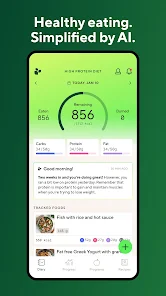
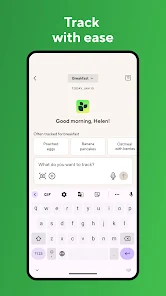
The app's advanced AI technology simplifies calorie tracking by automatically recognizing and logging your meals. This means less time spent on manual entries and more focus on enjoying your food while staying on track with your nutritional goals.

Community Support Features

Engage with a vibrant community of users who share similar health goals and challenges. Lifesum's community support features enable you to exchange tips, motivation, and recipes, creating a sense of belonging that makes your wellness journey more enjoyable.

Personalized Meal Plans

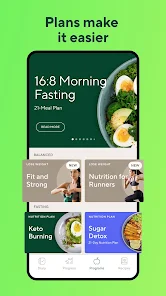
Lifesum offers customized meal plans tailored to your dietary preferences and goals, whether you're looking to lose weight, gain muscle, or maintain a healthy lifestyle. With a variety of options, including vegetarian and keto, you can easily find a plan that suits your taste and lifestyle.

Progress Tracking Tools

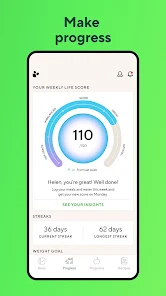
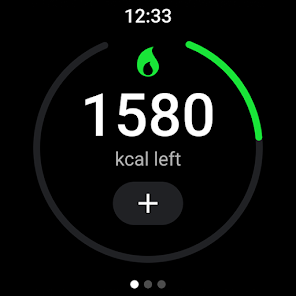
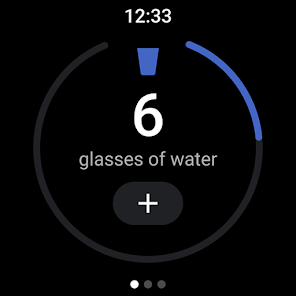
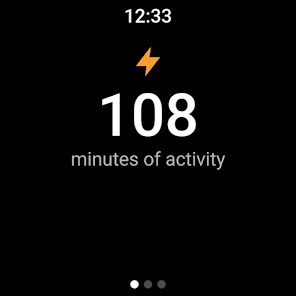
Lifesum provides comprehensive tracking tools that allow you to monitor your weight, food intake, and activity levels over time. These insights help you understand your progress and make informed decisions to stay aligned with your health objectives.

Advertisement

Pros & Cons

Pros
  • Lifesum offers personalized meal plans tailored to individual dietary needs and preferences.
  • The app features a vast database of nutritious recipes to inspire healthy cooking.
  • Users can track their food intake easily with a user-friendly interface.
  • Lifesum integrates fitness tracking to support overall wellness and weight management.
  • The app provides insightful health tips to encourage sustainable lifestyle changes.
Cons
  • Lifesum may have limited food database for diverse diets.
  • Some premium features require a subscription for full access.
  • User interface can feel cluttered and overwhelming for new users.

Real Experience Using Lifesum: AI Calorie Tracker

Application Scenarios

Lifesum: AI Calorie Counter is designed for a variety of users looking to manage their dietary habits and improve their overall health. Whether you are a fitness enthusiast aiming to track your macros or someone new to healthy eating, Lifesum caters to your needs. Users can log meals and exercise, set personal goals, and receive personalized meal plans. The app is particularly useful for those following specific diets, such as keto, paleo, or vegan, as it provides tailored suggestions and recipes. Additionally, it integrates seamlessly with fitness trackers, allowing users to monitor their progress holistically. Lifesum is perfect for busy individuals who need a quick and efficient way to track their calorie intake and nutritional values while on the go.

User Experience

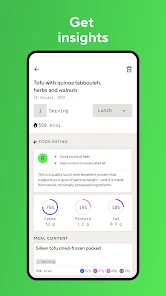
The user experience of Lifesum is a standout feature. The app boasts a clean, intuitive interface that makes logging food and exercise straightforward. Users can easily navigate through the app, thanks to its organized layout and visually appealing design. The food database is extensive, covering millions of items, which allows for quick searches or barcode scanning for convenience. Lifesum also employs a unique color-coded system to help users understand their nutritional intake at a glance, making it easier to identify areas for improvement. Feedback from users indicates that the motivational features, such as progress tracking and reminders, keep them engaged and accountable. The community aspect, where users can share tips and experiences, adds a social dimension that many find encouraging.

Pricing

Lifesum offers a freemium model, allowing users to access basic features without any cost. However, to unlock premium features such as personalized meal plans, advanced tracking, and exclusive recipes, users must subscribe to the premium version. The subscription is tiered, offering monthly, quarterly, and annual plans, making it flexible for different budgets. Many users find that the investment is worthwhile, given the extensive resources and tools available in the premium package. The app occasionally offers discounts or free trial periods, allowing potential users to test the premium features before committing to a subscription.

Updates & Support

Lifesum is committed to continuously improving its app, with regular updates that enhance functionality and user experience. The development team actively listens to user feedback, implementing new features and fixing bugs promptly. The app also includes a comprehensive FAQ section and in-app support for troubleshooting, ensuring users can resolve issues quickly. Regular updates keep the app fresh, introducing new recipes, dietary insights, and features that reflect the latest trends in nutrition and fitness. Users appreciate the consistent communication from the Lifesum team regarding updates, helping them feel valued and engaged with the app.

verified Security & Privacy Review

Security & Privacy Review Lifesum: AI Calorie Counter prioritizes user security and privacy, implementing robust measures to protect personal data. The app employs encryption protocols to safeguard sensitive information, ensuring that users' dietary and health data remain confidential. When it comes to permissions, Lifesum requires access to certain features such as location and camera for enhanced functionality. Users are informed about these permissions upfront, allowing them to make informed decisions. Importantly, the app adheres to GDPR compliance, reinforcing its commitment to user privacy. Lifesum also offers users control over their data, providing options to manage and delete personal information within the app. Regular updates ensure that the app remains secure against potential vulnerabilities. Overall, Lifesum demonstrates a strong focus on maintaining user trust through transparent privacy practices and stringent data protection measures.
Advertisement

User Reviews

  • Anya Biryukova
    2025/09/05

    After using this app for a few months consistently, it will not stop popping up fullscreen ads to sign up for premium MULTIPLE times a day. It is mostly good but the ads have gotten annoying. I would not sign up for premium anyways because the app frequently has incorrect nutrition information for scanned products, and there is no way to fix them besides sending a report that probably goes to the digital equivalent of a paper shredder.

  • Kelly Tabler
    2025/08/22

    updated review: this has only gotten worse, it's a total crapshoot of how much numbers will change each time you add food (even previous entries), which makes this completely unreliable even as a diary. I'm uninstalling, I've given this time to get better and it's causing more frustration than it's giving support.

  • Fiona Wilson
    2026/06/08

    the free version is pretty decent compared to other apps. I like that I can scan barcodes or search to track food, I also like how it adjusts based on the exercise you do each day. a lot of features are locked :( but the subscription is crazy expensive so idk if it would be worth it. edit: idk why they are marketing it as an AI tracker when I don't think anyone actually wants that lol

  • Sandra Osborn
    2026/04/28

    I love that this app can connect to my watch and S health. I give it only 3 stars because the AI program has too many bugs, its inconsistent and doesn't always work well. I think if the programmers can fix the program to work the way intended then it could be a really great program. I paid for a year but had I know I probably would have paid for a smaller subscription. Hopefully they can work it out soon.

  • Stacey de Sorgo
    2026/05/19

    can't do anything more than track my weight and water after recent update. used to be able to track food as well, but most of the functions end in, "sorry, something went wrong." I've seen several recent reviews stating this, so it's probably a problem with AI implementation, which I do not want or wish to consent to having access to any of my data.

Review Source: Google Play store public user reviews.

FAQ

1

Can I submit suggestions or feedback to Lifesum: Healthy Eating & Diet?

Yes, Lifesum encourages users to submit suggestions or feedback through the app or their official website, where users can also find support resources.

2

Does Lifesum: Healthy Eating & Diet collect my personal data?

Yes, Lifesum collects personal data to enhance user experience, provide personalized recommendations, and improve the app's functionality. Users can review the app’s privacy policy for detailed information on data collection and usage.

3

Does Lifesum: Healthy Eating & Diet support offline use?

Lifesum allows users to access some features offline, such as logging food and tracking meals, but full functionality may require an internet connection for syncing data and accessing certain features.

4

How do I cancel my Lifesum: Healthy Eating & Diet subscription?

Users can cancel their Lifesum subscription through their app store account settings if subscribed through iOS or Android, or by contacting Lifesum support for other subscription methods.

5

How much does a subscription to Lifesum: Healthy Eating & Diet cost?

The cost of a Lifesum subscription varies depending on the plan chosen, with options for monthly, yearly, or lifetime subscriptions, each with different pricing tiers that may include promotional offers.

How to use Lifesum: AI Calorie Tracker

1

Can I change my customer number if I need to?

Unfortunately, customer numbers cannot be changed. If you need help, please contact customer service for further assistance.

2

Can I update my customer number in the app?

No, your customer number is assigned and cannot be changed. If you have issues, please contact customer service for assistance.

3

How can I contact customer service for Lifesum?

You can reach customer service through the app's support section or by emailing support

4

How do I activate my Lifesum account after signing up?

To activate your account, check your email for the activation link and click it to complete the process.

5

How do I log in if I used social media to create my account?

Simply click the social media login button on the login page to access your account.

What's New

Small improvements. Big impact. ✨We’ve made a few updates to make Lifesum smoother, faster, and even more enjoyable to use.Because feeling good should simply feel easy. 💚

Editor's Choice