This site uses cookies to enhance your user experience. By clicking any link on this site you are giving your consent to our cookie policy. Read more
Reject
Accept All

Advertiser and Editorial Disclosures

Kids360: Parental Control App

Kids360: Parental Control App

verified

ANKO Solutions LLC

4.4
Rating
/ Downloads
2.29.1 Version
  • category

    Category: Parenting

  • price

    Price: 0

  • age rating

    Age Rating: Everyone

  • rating

    Rating: 4.4

  • available on

    Available on: /

  • updated on

    Updated on: Jun 22, 2026

Screenshot 1
Screenshot 2
Screenshot 3
Screenshot 4
Screenshot 5
Screenshot 6
Screenshot 7
Screenshot 8
Advertisement

Features & Highlights

Content Filtering

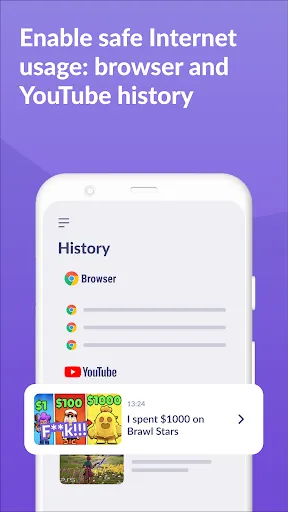
Protect your child from inappropriate content with robust content filtering options. Kids360 allows you to block specific websites and apps, ensuring that your child only accesses age-appropriate material while browsing the internet.

Location Tracking

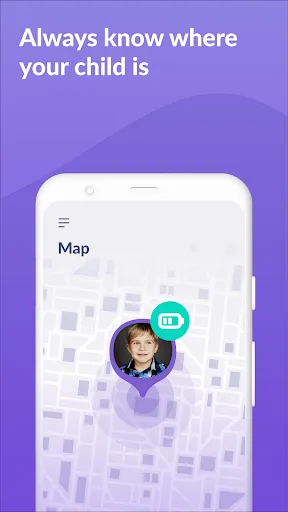
Keep track of your child's whereabouts with accurate location tracking features. Kids360 provides peace of mind by allowing you to monitor their location in real-time, ensuring they are safe and secure wherever they go.

Real-Time Monitoring

Stay informed about your child's online activities with real-time monitoring. Kids360 allows you to see which apps and websites they frequently use, helping you engage in meaningful conversations about their digital experiences and ensuring a safer online environment.

Screen Time Management

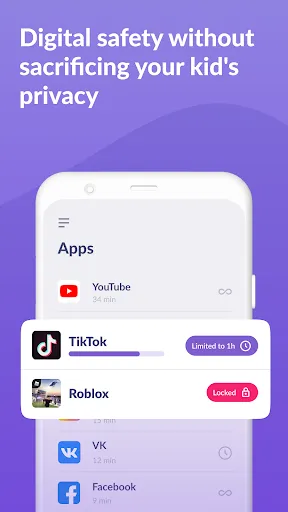
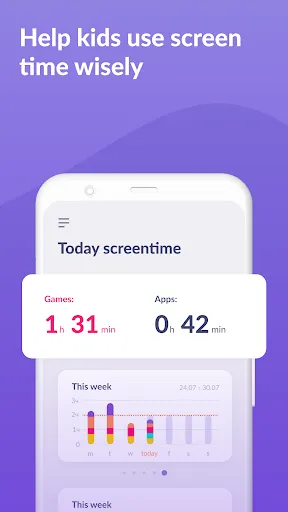
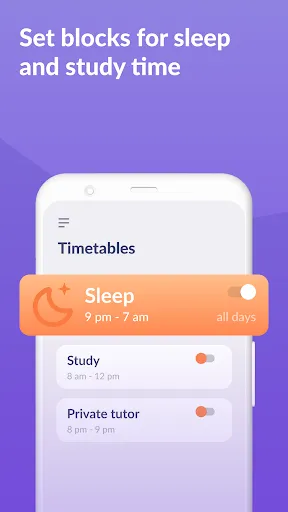
Set healthy boundaries with customizable screen time limits for various apps and devices. Kids360 enables you to enforce time restrictions, encouraging your kids to balance their digital usage with other important activities like homework and outdoor play.

Advertisement

Pros & Cons

Pros
  • Empowers parents to monitor screen time effectively for healthier habits.
  • Ensures safe browsing by blocking inappropriate content and websites.
  • Allows location tracking for peace of mind during outings.
  • Facilitates communication with kids through messaging features.
  • Customizable settings adapt to each child’s unique needs and age.
Cons
  • Limited features may not cover all parental control needs effectively
  • Frequent updates can disrupt user experience and accessibility
  • High subscription costs may deter some families from using the app

Real Experience Using Kids360: Parental Control App

Application Scenarios

Kids360 is a versatile parental control app designed to help parents monitor and manage their children's digital activities. Whether you are concerned about your child's screen time, online interactions, or app usage, Kids360 offers comprehensive tools to ease your worries. For instance, if your child frequently uses social media, the app allows you to set limits on usage, view content, and even block certain applications. In a situation where your child spends too much time on games, you can easily establish time restrictions to foster a healthier balance between play and studies. The app is particularly useful for parents who want to ensure their children engage with educational content while minimizing exposure to inappropriate material.

User Experience

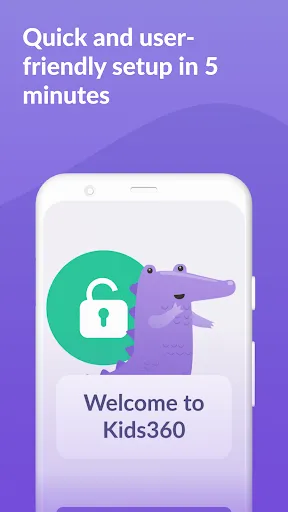
The user experience of Kids360 is designed to be intuitive and accessible for parents of all tech-savviness levels. The app features a clean, user-friendly interface that allows you to navigate through its various functions with ease. Setting up the app is straightforward, with guided steps to help you link your child's device and customize settings. Once operational, the dashboard provides a comprehensive overview of your child's activities, including app usage statistics, browsing history, and screen time reports. Notifications are timely, alerting parents to any concerning behavior or excessive usage patterns. Many users have found the geofencing feature particularly beneficial, enabling them to receive alerts when their child enters or exits designated areas. Overall, Kids360 prioritizes user convenience while providing crucial oversight capabilities.

Pricing

Kids360 offers flexible pricing options to cater to different family needs. The app is available on a subscription basis, with plans ranging from monthly to annual subscriptions. The monthly plan is priced competitively, making it an affordable option for parents who wish to try the app before committing long-term. For those who choose to go with the annual plan, a significant discount is often provided, making it a cost-effective solution for ongoing parental control needs. Additionally, Kids360 occasionally runs promotional offers, providing even more savings for new users. Overall, the pricing structure reflects the app's value, considering the robust features it offers for child safety and digital well-being.

Updates & Support

Kids360 is committed to continuous improvement, regularly releasing updates to enhance functionality and user experience. These updates often include new features, security enhancements, and bug fixes, ensuring that parents have access to the latest tools for managing their children's digital lives. The support team is responsive and readily available to assist users with any questions or technical difficulties they may encounter. Users can access a comprehensive FAQ section on the app's website, along with direct support options, including email and live chat. This level of support helps to build trust and ensures that parents feel confident in using the app effectively. Overall, Kids360’s commitment to updates and customer support solidifies its reputation as a reliable parental control solution.

verified Security & Privacy Review

Security & Privacy Review Kids360: Parental Control App takes user security and privacy seriously, implementing robust measures to safeguard personal data. The app uses advanced encryption protocols to protect sensitive information, ensuring that data transmitted between the app and its servers remains secure. When it comes to permissions, Kids360 requires access to specific device features such as location services and app usage statistics to function effectively. Users are informed about these permissions during the installation process, promoting transparency. The app does not collect unnecessary data, focusing solely on information required for its core functionalities. Kids360 adheres to strict privacy practices, including compliance with data protection regulations. User data is handled responsibly, with clear guidelines on data retention and deletion. Parents can feel confident knowing that their child's activity is monitored while keeping their privacy intact. Overall, Kids360 prioritizes the security of its users, making it a reliable choice for families seeking parental control solutions.
Advertisement

User Reviews

  • Julie
    2025/08/15

    Free version was great so we opted for the paid version to get more features we wanted. There was no monthly subscription option, only a yearly option. We had about 1.5 months no issues, but then it wouldn't lock when it should've and would lock when it shouldn't. It also did not block inappropriate websites at all or track the sites visited. Despite its failures, you can't get any refunds. Customer service was a joke, you have to use the bot that isn't helpful at all. Don't waste your money.

  • Holly Dudgeon
    2026/06/23

    The app is awful. We downloaded it on 6/18 and paid for a year as there was no option for a free trial. It hasn't worked right in the 4 days we've had it. There is no number for customer service. The phones are locked and the app won't work for us to adjust any settings. it won't let us delete the kids from the app and the kids can't remove the app from their phones. So we are currently stuck. Sent an email yesterday and today so we will see how long it takes for a response.

  • Wildhorse
    2026/06/25

    after having to install the app on new phones, the app isn't working. can't get to the get help. all it does is try to load, the map isn't loading. wifi is turned on so not sure y it isn't working. I need to cancel subscription if I can even do that but it doesn't look promising. the first time I tried to install on my new phone there wasn't a place to just log in, then my son needed a new phone and we finally installed it on both phones and it connected. Will find another app, hopefully.

  • Chip Campbell
    2026/05/14

    the app works great for the most part. unfortunately, if your child restarts their phone without a data connection, the entertainment restrictions don't work. **edit After reaching out to their support, the answer was "this is simply how the Android operating system is designed" so stay away if you have a kid that likes to fiddle with settings.

  • Emily McAdams
    2026/06/23

    I paid the full year for this app and it has been absolutely terrible. I cant control hardly anything on my child's device. it never matches up with adding more time or blocking the apps when I want. the location is NOT accurate and it will not let me change anything when I want to as a parent. I regret ever paying for this app. DO NOT PURCHASE THE SUBSCRIPTION FOR THIS APP.

Review Source: Google Play store public user reviews.

FAQ

1

Can I submit suggestions or feedback to Kids360: Parental Control App?

Yes, users are encouraged to submit suggestions or feedback through the app's support feature or via the official website to help improve the app's functionality.

2

Does Kids360: Parental Control App collect my personal data?

Kids360: Parental Control App prioritizes user privacy and only collects necessary data to provide its services, adhering to strict data protection standards.

3

Does Kids360: Parental Control App support offline use?

Yes, Kids360: Parental Control App can function offline for certain features, but some functionalities may require an internet connection for full performance.

4

How do I cancel my Kids360: Parental Control App subscription?

You can cancel your Kids360: Parental Control App subscription through your account settings within the app or by following the cancellation instructions provided in the app store where you purchased the subscription.



5

How much does a subscription to Kids360: Parental Control App cost?

The subscription cost for Kids360: Parental Control App varies based on the plan selected, with options for monthly or annual billing available at competitive rates.

How to use Kids360: Parental Control App

1

Can I change my customer number?

Unfortunately, customer numbers cannot be changed. If you have concerns, please contact customer service for further assistance.

2

How can I activate my Kids360 account?

After signing up, check your email for an activation link. Click it to activate your account. If you don’t receive it, contact customer service.

3

How can I contact customer service for Kids360?

You can reach our customer service team by emailing support

4

How do I log in to my Kids360 account?

To log in, visit our website and enter your registered email and password. If you encounter issues, try resetting your password.

5

How do I update my customer number in Kids360?

Customer numbers cannot be updated. If you have any issues, please contact customer service for more information.

What's New

Have you noticed that we're constantly updating Kids360? We do our best to develop the fastest and most reliable app for you!

Editor's Choice