

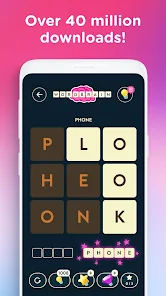
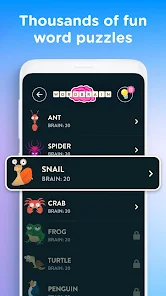

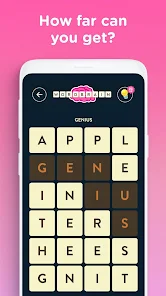
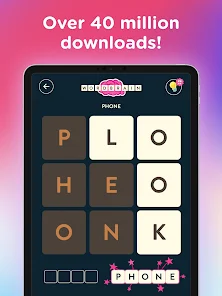

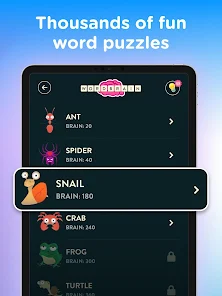
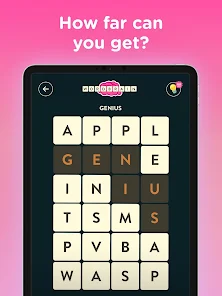
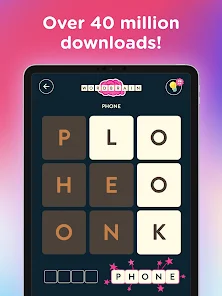

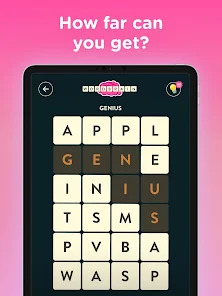
WordBrain is a popular word puzzle game app that is available for both iOS and Android devices. It is a fun and challenging game that tests your knowledge of words and your ability to think logically. The game consists of a grid of letters, and the goal is to find the hidden words within the grid. To do this, you must swipe your finger across the letters in the correct order to spell out the words. As you progress through the levels, the puzzles become increasingly difficult, with more letters and more words to find. The game also includes a hint system, which can help you if you get stuck. WordBrain is a great way to exercise your brain and have fun at the same time. It is suitable for all ages and can be enjoyed by both adults and children.
The game WordBrain challenges you to guess a series of words based on number clues. The clues indicate the number of letters in each word. For example, if the clue is "4,3,5," that means the first word has four letters, the second word has three letters, and the last word has five letters. Assuming you have already downloaded the WordBrain app (available for free on both iOS and Android), here is a step-by-step guide on how to use it: There are many positive aspects to the WordBrain puzzle game app. The app is designed to help improve your cognitive skills, including your memory, focus, and problem-solving ability. The app is also said to be helpful for people who have trouble with word-finding tasks. In addition, the app is free to download and use.Features and Functions
If you get stuck on a level, you can use hints to help you figure out the words. You can also ask for help from friends or family. The game keeps track of your progress so you can try to beat your previous best score.
WordBrain is available for free on iOS and Android devices.How to Use WordBrain
1) Open the app and select your desired language. There are currently 15 languages to choose from.
2) You will be presented with a grid of letters. Your goal is to find all of the words hidden in the grid.
3) To enter a word, simply swipe your finger over the letters in sequence. For example, if you wanted to enter the word "cat", you would swipe your finger from the letter "c" to the letter "a" to the letter "t".
4) If you want to hint at a particular word, you can tap on the light bulb icon in the top-right corner of the screen. This will reveal one of the hidden words. However, you can only use this feature a limited number of times per game.
5) When you have found all of the words, you will advance to the next level. The difficulty will increase as you progress, so keep your mind sharp!Pros & Cons
However, there are also some drawbacks to the WordBrain puzzle game app. One potential downside is that the app may be too challenging for some users. Additionally, some users have complained about glitches in the app that can make it difficult to play.
 Google Play
  App Store
 Select a level that suits your skill, ranging from easy to difficult, to begin solving word puzzles and testing your abilities.
Successfully solving a puzzle allows you to progress to new levels, each offering unique challenges and word combinations to explore.
To begin, search for the WordBrain app in your device's app store, download it, and follow the installation prompts to get started.
Participate in daily challenges that offer additional rewards, keeping the gameplay fresh and exciting while enhancing your word skills.
WordBrain combines entertainment with education, allowing players to enjoy themselves while expanding their vocabulary and enhancing their word recognition abilities.