This site uses cookies to enhance your user experience. By clicking any link on this site you are giving your consent to our cookie policy. Read more
Reject
Accept All

Advertiser and Editorial Disclosures

Spades: Classic Card Games

Spades: Classic Card Games

verified

MobilityWare

4.7
Rating
10,000,000+ Downloads
2.7.4.5487 Version
  • category

    Category: Card

  • price

    Price: free

  • age rating

    Age Rating: Everyone

  • rating

    Rating: 4.7

  • available on

    Available on: Android, Windows*

  • updated on

    Updated on: Jun 15, 2026

Screenshot 1
Screenshot 2
Screenshot 3
Screenshot 4
Screenshot 5
Screenshot 6
Screenshot 7
Screenshot 8
Screenshot 9
Screenshot 10
Screenshot 11
Screenshot 12
Screenshot 13
Screenshot 14
Screenshot 15
Screenshot 16
Screenshot 17
Screenshot 18
Advertisement

Features & Highlights

Classic Gameplay

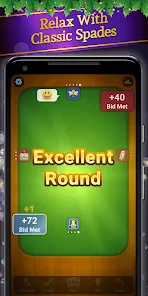
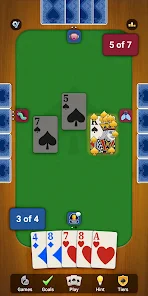
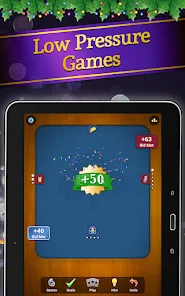
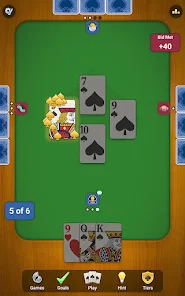
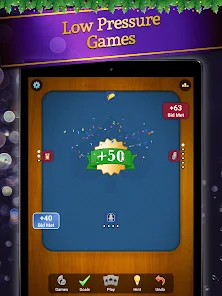
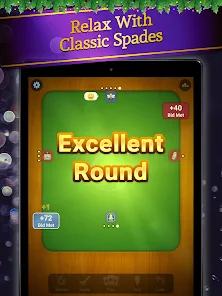
Experience the timeless fun of Spades with this classic card game that brings the traditional rules to your fingertips. Whether you're a seasoned pro or a newcomer, you'll find the gameplay both engaging and easy to learn, making it perfect for players of all skill levels.

Customizable Decks

Personalize your gaming experience with a variety of unique card designs and themes. Choose from different deck styles to match your mood or preference, adding a fun twist to each game and making every match feel fresh and exciting.

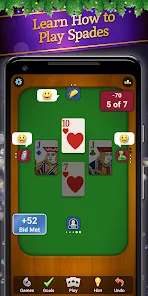
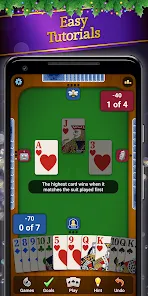
In-Game Tutorials

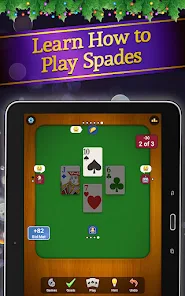
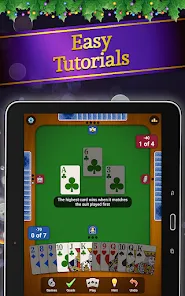
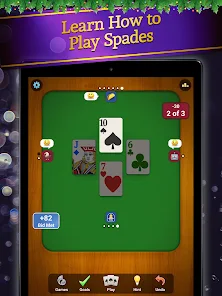
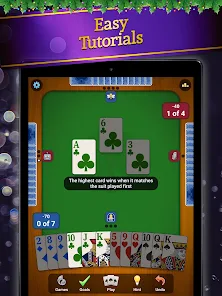
New to Spades? No problem! The in-game tutorials provide clear instructions and strategies to help you quickly understand the rules and improve your skills. This feature ensures that everyone can enjoy the game and enhance their gameplay without feeling overwhelmed.

Multiplayer Mode

Challenge your friends or players from around the world in exciting multiplayer matches. This feature allows you to connect with others and enjoy competitive gameplay, enhancing the social aspect of the game while you strategize and communicate to outsmart your opponents.

Advertisement

Pros & Cons

Pros
  • Enjoy a timeless classic that offers endless entertainment for all ages.
  • Engage in strategic gameplay that sharpens critical thinking skills.
  • Play with friends or family for a fun social experience.
  • Access a user-friendly interface for seamless gameplay enjoyment.
  • Challenge yourself with various difficulty levels to enhance your skills.
Cons
  • Limited player interaction can lead to a monotonous experience.
  • The game can be overly reliant on luck rather than skill.
  • Complex rules may deter casual players from joining.

Real Experience Using Spades: Classic Card Games

Application Scenarios

Spades: Classic Card Games offers a versatile platform for both casual players and serious card enthusiasts. Whether you’re at home, on a break at work, or waiting for a friend, this app provides a perfect way to engage in a quick game of Spades. It caters to various scenarios, such as playing solo against AI opponents to hone your skills or challenging friends and family in multiplayer mode. The app also features online matchmaking, allowing users to connect with players from around the world, making it an excellent choice for social gatherings or long-distance interactions. The game's design encourages strategic thinking and teamwork, making it suitable for both competitive play and casual enjoyment.

User Experience

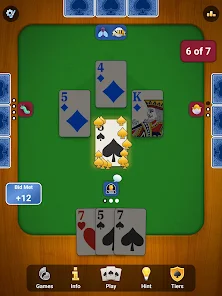
The user experience in Spades: Classic Card Games is polished and intuitive. The interface is sleek and user-friendly, ensuring that players of all ages can navigate through the game without difficulty. The graphics are vibrant, and the animations are smooth, enhancing the visual appeal of card play. Players can easily customize their game settings, including rules and scoring options, allowing for a personalized gaming experience. One of the standout features is the in-game tutorials that guide new players through the rules and strategies of Spades. Additionally, the community features, such as leaderboards and chat options, foster a sense of camaraderie among players, making the experience more engaging and interactive.

Pricing

Spades: Classic Card Games adopts a freemium model, allowing players to download and play the game for free with optional in-app purchases. This pricing strategy makes it accessible to a wide audience while offering enhanced features for those willing to invest. Players can choose to buy coins, which can be used for various in-game advantages, such as unlocking premium content or customizing their avatars. The app also occasionally offers promotional deals and discounts, providing opportunities for players to enhance their experience without breaking the bank. Overall, the pricing structure is reasonable, allowing casual players to enjoy the game without feeling pressured to spend money.

Updates & Support

The developers of Spades: Classic Card Games are committed to delivering a high-quality user experience, regularly releasing updates that enhance gameplay and introduce new features. These updates often include bug fixes, performance improvements, and seasonal content to keep the game fresh and exciting. The customer support team is responsive and readily available to assist players with any issues or inquiries they might have. Users can access a comprehensive FAQ section within the app that addresses common questions, and there’s also an option to submit feedback or report problems directly. This proactive approach to updates and support ensures that players can enjoy a smooth and enjoyable gaming experience.

verified Security & Privacy Review

The "Spades: Classic Card Games" app takes user security and privacy seriously, implementing several measures to protect personal data. The app adheres to industry-standard encryption protocols, ensuring that sensitive information is securely transmitted and stored. Users are encouraged to review the privacy policy, which details how their data is used and shared. In terms of permissions, the app requests access to essential features such as the internet for online gameplay and notifications for game updates. However, it avoids unnecessary permissions that could compromise user privacy. Players should be mindful of any optional permissions they grant, as these may impact their data security. User data is primarily used for enhancing gameplay experiences and may be shared with third-party partners solely for advertising and analytics purposes. The app provides users with the option to manage their privacy settings, allowing them to limit data sharing. Overall, "Spades: Classic Card Games" demonstrates a commitment to safeguarding user information while delivering an enjoyable gaming experience.
Advertisement

Compare APP

User Reviews

  • Kyle
    2024/08/05

    If you are familiar with Spades, then will be too easy in the beginning. Then as many others have noted, once you advance to higher ranks, you are essentially playing 3v1. And if you can still manage to win a few games, it will start rigging the cards on top of the 3v1. Unfortunate because it ruins an otherwise decent game, which in effect puts a clock on how long you will want to play.

  • Giorgio English Fareira
    2026/02/19

    I had a lot of fun with this game for a long time but the fact that there's no way to recover or transfer progress when you get a new device or the app glitches out has lead me to never play this game again. It randomly took away my premium features so I deleted and reinstalled the app which restored my premium features but deleted all of my progress forever. There are plenty of other Spades games to choose from. pick one that lets you keep your progress.

  • John DeFreese
    2025/11/25

    Meh! The programmers didn't do a very good job at writing in the true nuances of the game. For instance, your partner doesn't defend you going Nil. The programmed play is only based on taking tricks. Your partner will take a trick you've already clearly won and later play a card lower of the same suit. It works the same with the programmed opponents but is extremely frustrating to deal with when a human knows the game. I know, it's free. But, I had to uninstall because I know the game.

  • Jen Goris
    2025/02/05

    I still play (+1 star). Bidding is tricky. Hands can be ridiculous (I know it's possible to end up with 4 of 5 top spades in your hand, but it feels too frequent and less random. Also, AI plays aren't realistic- They cut each other ALL the time. I do like the look and "feel" but the game play gets old because it doesn't feel realistic. However, maybe I'm also playing so much that it seems to happen more than in real life. I usually play another style, with Jokers and 2 fewer 2's, so there's that

  • Ed Anderson
    2026/01/28

    uninstalled. used to be a fun fair game but after playing for a while, especially in the upper levels, you never get any cards, opponents beat you on every play like they know what you have, of course they do. it's turned into a frustrating and aggravating way to pass the time. there are better games with less aggravation. I looked forward to playing at first but no more.

Review Source: Google Play store public user reviews.

FAQ

1

Can I submit suggestions or feedback to Spades: Classic Card Games?

Yes, users can submit suggestions or feedback through the app's support or feedback section, allowing the developers to consider user input for future updates.

2

Does Spades: Classic Card Games collect my personal data?

The app may collect personal data in accordance with its privacy policy, primarily for account management and enhancing user experience. Users are encouraged to review the privacy policy for detailed information.

3

Does Spades: Classic Card Games support offline use?

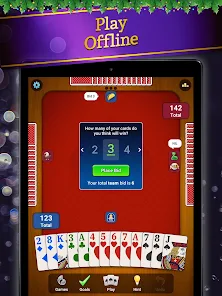
Yes, Spades: Classic Card Games allows users to play offline against AI opponents, making it convenient for players without an internet connection.

4

How do I cancel my Spades: Classic Card Games subscription?

To cancel your subscription, you can go to your device's settings, navigate to the subscription management section, and follow the prompts to cancel your subscription to Spades: Classic Card Games.

5

How much does a subscription to Spades: Classic Card Games cost?

The subscription cost for Spades: Classic Card Games may vary based on the plan selected, and users can check the app for the most current pricing information.

How to use Spades: Classic Card Games

1

Can I change my Customer Number?

Unfortunately, you cannot change your Customer Number. If you need assistance, please reach out to Customer Service.

2

How can I log in to my Spades account?

To log in, open the app, enter your username and password, then click the 'Log In' button.

3

How do I activate my Spades account?

To activate your account, click the activation link sent to your email after registration.

4

How do I contact Customer Service for Spades?

You can reach Customer Service through the in-game help section or by emailing support

5

I forgot my Customer Number. What should I do?

If you've lost your Customer Number, please check your account settings or contact Customer Service for assistance.

What's New

This new Spades version will give you better and smoother gameplay as well as fewer bugs!

Editor's Choice