



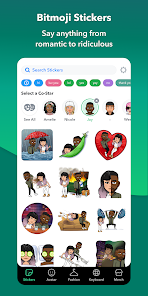
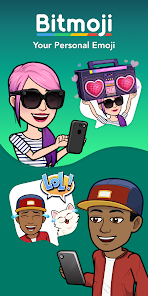
Bitmoji is a mobile app developed by Bitstrips that allows users to create personalized cartoon avatars. The app allows users to customize their avatar's facial features, clothing, hairstyle, and accessories. Users can then use their avatar to create and share personalized stickers, GIFs, and emojis with friends.
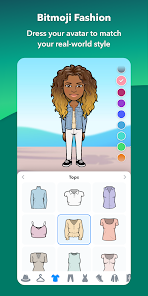
The Bitmoji app is a free app that allows users to create their own personal emoji. The app is available for both iOS and Android devices. Once the app is installed, users can create their own avatar by choosing from a variety of different faces, hairstyles, clothing, and accessories. Once the avatar is created, users can then use it in a variety of different apps and websites. The Bitmoji app also allows users to customize their emoji by changing the skin tone, hair color, eye color, and other facial features. The Bitmoji app is a free app that you can download from the App Store or Google Play. Once you have the app installed, open it up and sign in with your Snapchat account. If you don't have a Snapchat account, you can create one for free.Features and Functions
The Bitmoji app is a great way to add some personality to your texts and emails. With over 100 million downloads, the app is one of the most popular emoji apps on the market.How to Use Bitmoji
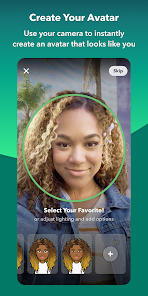
Once you're signed in, you'll be able to customize your own personal avatar. You can choose from a variety of different hairstyles, clothing, and accessories. Once you've created your avatar, you can use it in a variety of ways.
You can use your Bitmoji in Snapchat by adding it to your Snapcode. To do this, open up the Snapchat app and go to your profile page. Tap on the “Snapcode” button and then tap on “Add Bitmoji.” Your Bitmoji will now appear next to your name when someone adds you on Snapchat.
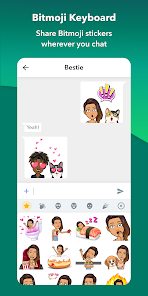
You can also use your Bitmoji in other apps like iMessage, WhatsApp, Facebook Messenger, and more. To use your Bitmoji in these apps, simply tap on the emoji keyboard button and then select the “Bitmoji” option. From there, you'll be able to select your avatar and send it to whoever you want!

 Personalize your conversations with unique avatars. Enhance your social media presence creatively. Express emotions through diverse stickers and poses. Easily share your Bitmoji across platforms. Enjoy a fun and engaging user experience.
 Limited customization options for unique expressions May not appeal to all age groups Can be perceived as unprofessional in some contexts Requires an app for full functionality
 Yes, Bitmoji collects personal data such as your name, email address, and usage data to improve the app and provide personalized experiences. Users should review the privacy policy for detailed information on data collection practices.
Bitmoji offers a free version that allows users to create and use personalized avatars and stickers without any subscription fees. There is no trial period, as the core features are available for free.
Yes, Bitmoji requires an internet connection for initial setup and to access the latest sticker packs and features, although some functionalities may be available offline once downloaded.
You can contact Bitmoji support through the app's settings or help section, where you can find options to submit feedback or report issues. Additionally, you can visit the Bitmoji website for more support resources.
To manage or cancel your Bitmoji subscription, you can go to the app store settings on your device (iOS or Android) and locate your subscriptions. From there, you can make changes or cancel the subscription as needed.
Yes, you need to create an account using your email or Snapchat to use Bitmoji features.
You can reach Bitmoji customer service through the support section in the app or visit their official website for assistance.
In the Bitmoji app, tap 'Log In,' then select 'Forgot Password?' and follow the instructions sent to your email.
To activate Bitmoji on Snapchat, go to your profile, tap 'Create Bitmoji,' and follow the prompts to link your account.
Open the Bitmoji app and tap 'Log In.' You can use your Snapchat account or email to access your Bitmoji.












 Google Play
  App Store










