This site uses cookies to enhance your user experience. By clicking any link on this site you are giving your consent to our cookie policy. Read more
Reject
Accept All

Advertiser and Editorial Disclosures

The Sims™ FreePlay

The Sims™ FreePlay

verified

ELECTRONIC ARTS

4.6
Rating
100,000,000+ Downloads
115.1.272564 Version
  • category

    Category: Simulation

  • price

    Price: Share

  • age rating

    Age Rating: Teen

  • rating

    Rating: 4.6

  • available on

    Available on: /

  • updated on

    Updated on: Jun 8, 2026

Screenshot 1
Screenshot 2
Screenshot 3
Screenshot 4
Screenshot 5
Screenshot 6
Screenshot 7
Screenshot 8
Screenshot 9
Screenshot 10
Screenshot 11
Screenshot 12
Screenshot 13
Screenshot 14
Screenshot 15
Screenshot 16
Screenshot 17
Screenshot 18
Advertisement

Features & Highlights

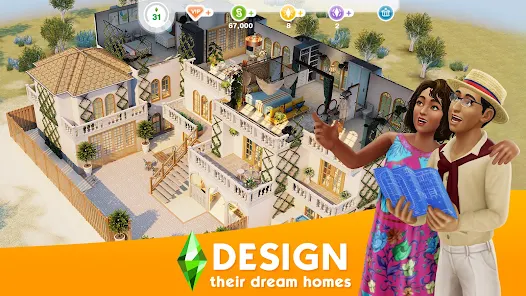
Build Your Dream Home

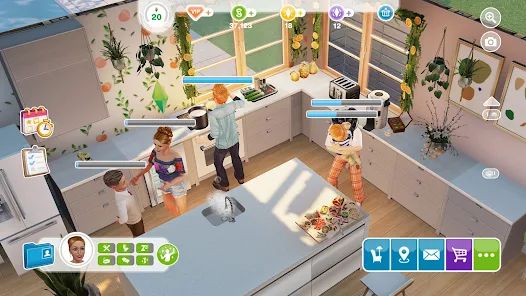
Unleash your inner architect by constructing and decorating your dream home. The game offers a variety of building options, from cozy cottages to luxurious mansions, allowing you to arrange rooms, select furniture, and personalize your space to create a virtual sanctuary that feels just right.

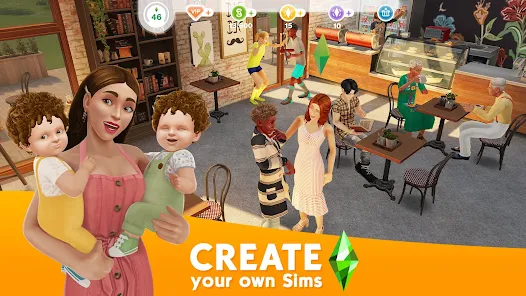
Create Unique Sims

In The Sims™ FreePlay, you have the freedom to design and customize your Sims like never before. With an extensive range of hairstyles, outfits, and accessories, you can create characters that truly reflect your imagination and style, making each playthrough uniquely yours.

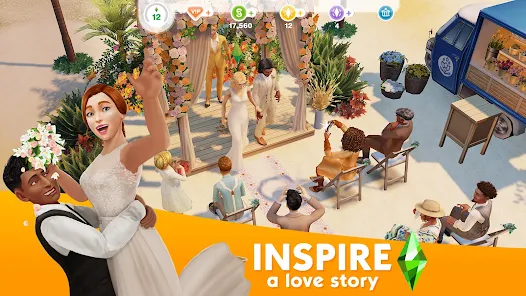
Engage in Life Events

Experience a range of life events and activities that keep gameplay fresh and exciting. Whether it's celebrating a birthday, getting married, or embarking on a career, these life milestones add depth to your Sims' stories, making every moment feel more meaningful and engaging.

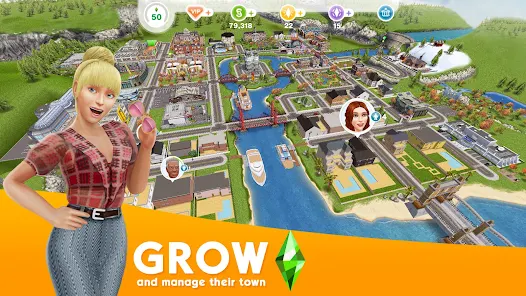
Explore a Vibrant Town

Discover a lively town filled with interesting locations and characters. From bustling shops to serene parks, the diverse environments encourage exploration and interaction, allowing you to meet new Sims, complete quests, and participate in community events, enhancing your overall gaming experience.

Advertisement

Pros & Cons

Pros
  • Create and customize unique characters to express your creativity
  • Build and design dream homes with endless architectural options
  • Experience real-life events and seasons for immersive gameplay
  • Interact with friends through social features and challenges
  • Enjoy regular updates with new content and features to explore
Cons
  • Limited gameplay options without spending real money for in-game purchases
  • Energy mechanics slow progress and can be frustrating
  • Frequent ads interrupt gameplay, detracting from immersion
  • Time-based tasks can feel tedious and restrict creativity

Real Experience Using The Sims™ FreePlay

Real Experience Application Scenarios

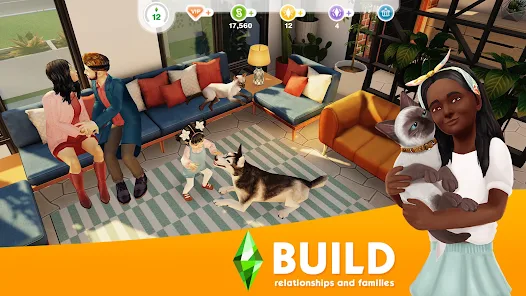
The Sims™ FreePlay offers a versatile platform for players to engage in a variety of scenarios that reflect real-life experiences. Whether you want to build a dream home, develop relationships, or manage a bustling community, this game caters to all aspects of life simulation. Players can explore career paths, raise families, and even participate in seasonal events that introduce new content and challenges. The game’s open-ended nature allows for creativity and personalization, as users can design their characters and homes according to their preferences. From hosting parties to embarking on adventures in the town, the game creates an immersive environment where every decision shapes the outcome of the gameplay.

User Experience

User experience in The Sims™ FreePlay is generally positive, characterized by engaging graphics and intuitive controls. The vibrant visuals and detailed animations bring the characters and environments to life. Navigating through the game is straightforward, even for newcomers, thanks to the well-structured tutorials that guide players through the various features. Players appreciate the social aspect of the game, with options to visit friends’ towns and interact with their Sims. However, some users express frustration with the in-game waiting times for tasks to complete, which can interrupt the flow of gameplay. Overall, the game succeeds in providing a rich simulation experience, but time management becomes a key factor in maintaining engagement.

Pricing

The Sims™ FreePlay adopts a freemium model, allowing players to download and play the game for free while offering in-app purchases to enhance the experience. Players can buy Simoleons, the in-game currency, or special items that accelerate progress. While the game can be enjoyed without spending money, those who wish to unlock features or speed up their gameplay may find themselves tempted to make purchases. The pricing strategy has received mixed reviews; some appreciate the free access, while others feel that the game pushes players toward spending money to fully enjoy all its aspects. Overall, the pricing structure can be seen as both a blessing and a challenge.

Updates & Support

The developers of The Sims™ FreePlay are committed to providing regular updates that introduce new content, features, and seasonal events, ensuring that the game remains fresh and exciting. Players can look forward to new challenges, items, and themed events aligned with real-world holidays. When it comes to support, the game offers a comprehensive FAQ section within the app and online forums where players can seek help and share experiences. Customer service tends to respond promptly to inquiries, although some users have reported delays in resolution for complex issues. Overall, the ongoing updates and responsive support contribute to a robust gaming experience that keeps players engaged over time.

verified Security & Privacy Review

Security & Privacy Review The Sims™ FreePlay prioritizes user security and privacy through various measures, ensuring a safe gaming experience. The app collects minimal personal data, primarily for account creation and gameplay enhancement. Users must provide a valid email address, which is safeguarded in accordance with privacy regulations. Permissions requested by the app include access to the device's storage and network connectivity, essential for seamless gameplay and content updates. The app does not require access to sensitive personal information such as contacts or location, thereby minimizing potential privacy risks. The Sims™ FreePlay employs encryption protocols to protect user data during transmission, reducing the risk of unauthorized access. Additionally, the app is committed to transparency, offering users clear insights into its data handling practices through its privacy policy. Overall, while The Sims™ FreePlay provides engaging gameplay, it also emphasizes a robust approach to security and privacy, ensuring users can enjoy their experience with peace of mind.
Advertisement

User Reviews

  • Jorre Van den Eeckhoudt
    2025/02/02

    I really love this game, I have been playing it for many years ( I had times I deleted it and installed it again cause I got busy and didn't had time for it ) and I really enjoy it. The reason why I'm not giving 5 stars is because what annoys me is how slow the leveling up for hobbys can be, the fashion one for example you level up 3% every time, same with fishing etc it just takes way too long.

  • Andrea Gonzales
    2020/12/05

    So incredibly bummed and disappointed. I love this game and I love playing. But it keeps crashing. I keep losing progress. Spent hours on 2 quests just to come back and see my sims lost all progress and had to start over. And now, it won't let me continue with a quest I'm currently working on. Supposed to be distracting a mummy but it doesn't allow me to. This seriously sucks.

  • Stormy Griffiths
    2026/01/24

    The problem I have is: Time, on PC, and console versions. You have the option to fast forward and add a backup quest so your sim can do the next quest. On android, you can only skip during certain quests of 1 minute or use VP. Please add a fast forward option and back-up request like the PC and console version!

  • Saskia Romann
    2026/07/02

    Really good, similar but not same as original. I wish there were more options for certain things (like look of house and garden customizing). Simoleans and other spending resources are generated way too slowly in the game considering that architecture houses cost millions (literally, millions). You created a survery to be completed for rewards, but I can't select my location (South Africa).

  • Kaulika Aqilah
    2026/06/26

    I've been playing The Sims FreePlay since elementary school, and now I've graduated university. I love how much the game has improved—more lots, events, items, and the lighting looks amazing. My biggest issue is the waiting times. Waiting over a day just to build something needed for progression is frustrating, and events feel impossible without spending LP, SP, or real money. I love this game, but I hope progression becomes less time-gated.

Review Source: Google Play store public user reviews.

FAQ

1

Does The Sims™ FreePlay collect my personal data?

Yes, The Sims™ FreePlay may collect personal data as outlined in its privacy policy, which typically includes information needed for gameplay and customer support.

2

Does The Sims™ FreePlay offer a free trial or free version?

Yes, The Sims™ FreePlay is free to download and play, with optional in-app purchases available for additional content and features.

3

Does The Sims™ FreePlay require an internet connection?

The Sims™ FreePlay can be played offline, but an internet connection is required for certain features, such as social interactions and updates.

4

How can I contact support or send feedback for The Sims™ FreePlay?

Players can contact support or send feedback through the in-game help menu, or by visiting the official EA support website dedicated to The Sims™ FreePlay.

5

How do I manage or cancel my The Sims™ FreePlay subscription?

Since The Sims™ FreePlay does not have a subscription plan, players can manage in-app purchases through their device's app store settings, where they can also review purchase history and payment methods.

How to use The Sims™ FreePlay

1

How can I contact customer service for The Sims™ FreePlay?

You can contact customer service through the in-game support option or by visiting the official Electronic Arts help website. You may also reach out via their social media channels.

2

How do I activate my account in The Sims™ FreePlay?

If you need to activate your account, simply log in with your EA account credentials or link your social media account in the settings.

3

How do I log in to The Sims™ FreePlay?

Open the app and tap on the login option. You can log in using your EA account, Facebook, or Game Center, depending on your device.

4

What is the customer number for The Sims™ FreePlay?

The Sims™ FreePlay does not have a specific customer number; instead, support is primarily provided through their help website and in-game support features.

What's New

Sul Sul! The On The Case story reaches its finale with Heist Stakes.Here’s what’s unfolding:- A Matter of Framing: Face off at a museum after hours- A Toast to Trouble: Influence a high-society gala as tensions rise- A Spy Who Helped Me: Craft tools and tactics with a new contact- Bank On It!: Face off in a bank where everything is set- The Final Rendezvous Look: A sleek undercover style delivered to your inboxThe pieces are in place…it’s time to make your move, Simmers.

Editor's Choice